
Explaining Purchase Reports in Smart Pro | Purchase Analysis and Supplier Accounts 📊🧾
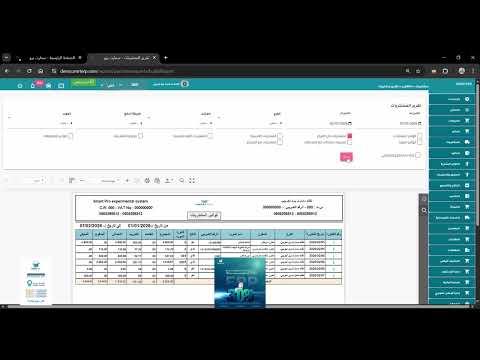
We have reached the sixth and final lesson in the Purchasing section of the Smart Pro series. Today we will learn about "Purchase Reports", the most powerful tool for monitoring costs, tracking suppliers, and analyzing purchasing activity within your organization.
✅ What we will cover in this lesson: 1️⃣ Purchase Invoices Report: Review all invoices (cash/deferred) over a specified period. 2️⃣ Supplier Statement: Track payables, settled payments, and the remaining balance for each supplier. 3️⃣ Purchases by Item Report: Identify the most purchased items and their purchase cost. 4️⃣ Purchases by Supplier Report: Analyze the volume of financial dealings with each supplier individually. 5️⃣ Purchase Returns Reports: Monitor returned goods and their financial impact.
💡 Why are purchase reports important in Smart Pro? They give you a comprehensive view of your outgoing cash flows, help you negotiate better prices with suppliers based on accurate statistics, and make it easier to prepare the purchase tax return.
🌐 For more information and to request the trial version: official website: https://www.smartpro.sa
📞 For direct contact and technical support (call / WhatsApp): 0552159955 | 0535252059 | 0505298512 📧 Email: info@smrterp.com
#SmartPro #SmartPro #PurchaseReports #SupplierStatement #AccountingSystem #PurchasingManagement #ERP #SaudiArabia #Hail #StatisticsSoftware #DataAnalysis #Accounting
Liked this guide?
Try SmartPro on your own data.
Live demo in 30 minutes, with no commitment.