
EGS Units: How to Connect Multiple Branches and Devices Correctly
EGS units, not your business as a whole, are what get registered with ZATCA's Fatoora platform. How to count them, how to add a branch or device, and what breaks the setup.
سامي الحيدري
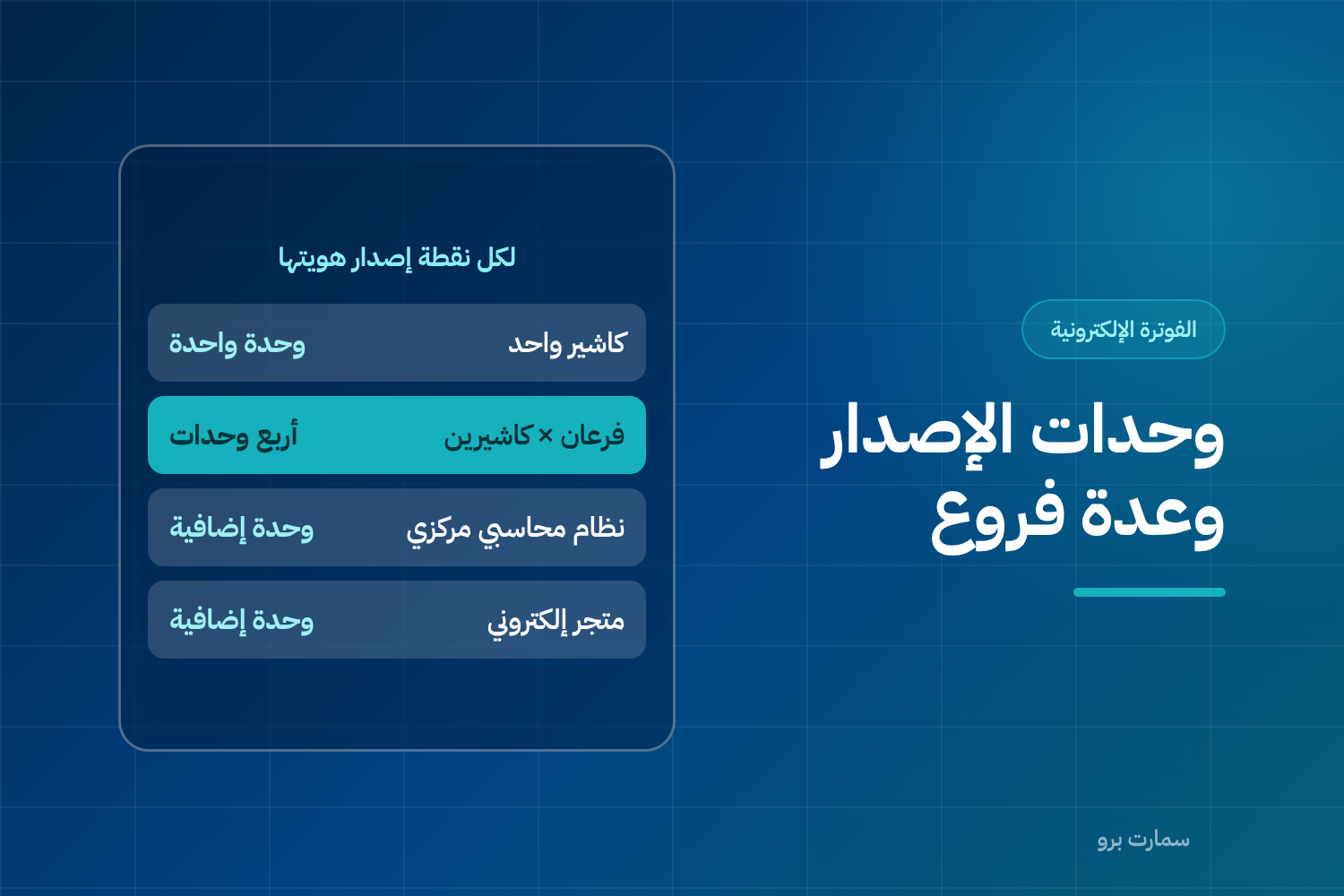
EGS units are what ZATCA's Fatoora platform registers in Phase 2 e-invoicing, not your business as a single entity. Each point that issues an invoice is a separate unit with its own certificate, invoice counter and hash chain. Count units by asking where invoices are generated, not where they are printed.
An EGS unit (E-invoice Generation Solution) is any device or system that actually produces a tax invoice. This is where Phase 2 gets complicated for multi-branch businesses, because the platform deals with each issuing point on its own.
Every unit has its own certificate, its own counter and its own hash chain. A hash chain links each invoice to the one before it through a digital fingerprint, so any gap or duplicate is detectable. Trying to shortcut this by copying settings between devices is the number one reason chains break.
What counts as an EGS unit?
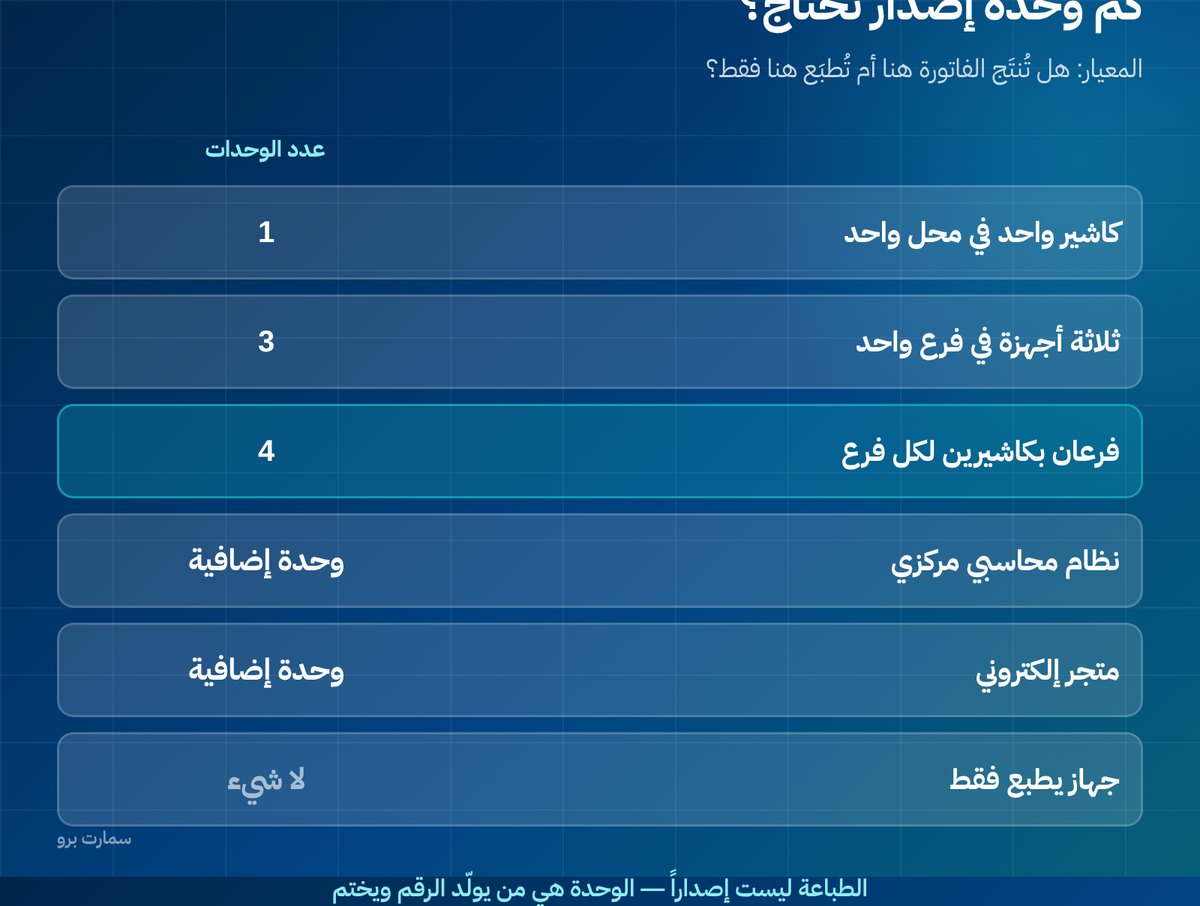
| Situation | Number of units |
|---|---|
| One cashier in one shop | 1 |
| Three cashier devices in one branch | 3 |
| Two branches with two cashiers each | 4 |
| A central accounting system issuing B2B invoices | 1 additional |
| An online store that issues its invoices automatically | 1 additional |
| A sales-rep app on mobile devices | One per device, or one central unit, depending on the design |
The last row is the one that needs an architectural decision: does each rep issue the invoice from their own device, or send the order to a central server that issues it? The central design is simpler to manage, but it stops when the connection drops.
How do you count the EGS units in your business?
Ask one question about every point in your business: is the invoice generated here, or only printed here?
Printing is not issuing. A device that prints an invoice issued on a central server is not an EGS unit. A device that generates the invoice number and stamps the invoice itself is a separate unit.
This distinction can change the count considerably, and it may change your cost if your provider charges per unit.
How do you add a new branch or device?
The process is not copying. For every new unit:
- Define it in the system with a clear name and location.
- Create a separate certificate signing request (CSR) for it. A CSR is the file the unit sends to request its own digital certificate.
- Generate a one-time verification code (OTP) for it from the Fatoora portal.
- Test it in the sandbox environment before going live.
- Approve it in production, where its counter starts from zero.
Step five is normal and required: each unit's counter is independent and must not continue from where another unit's counter stopped.
Central or distributed? The decision that comes first
Before you count units, settle the design.
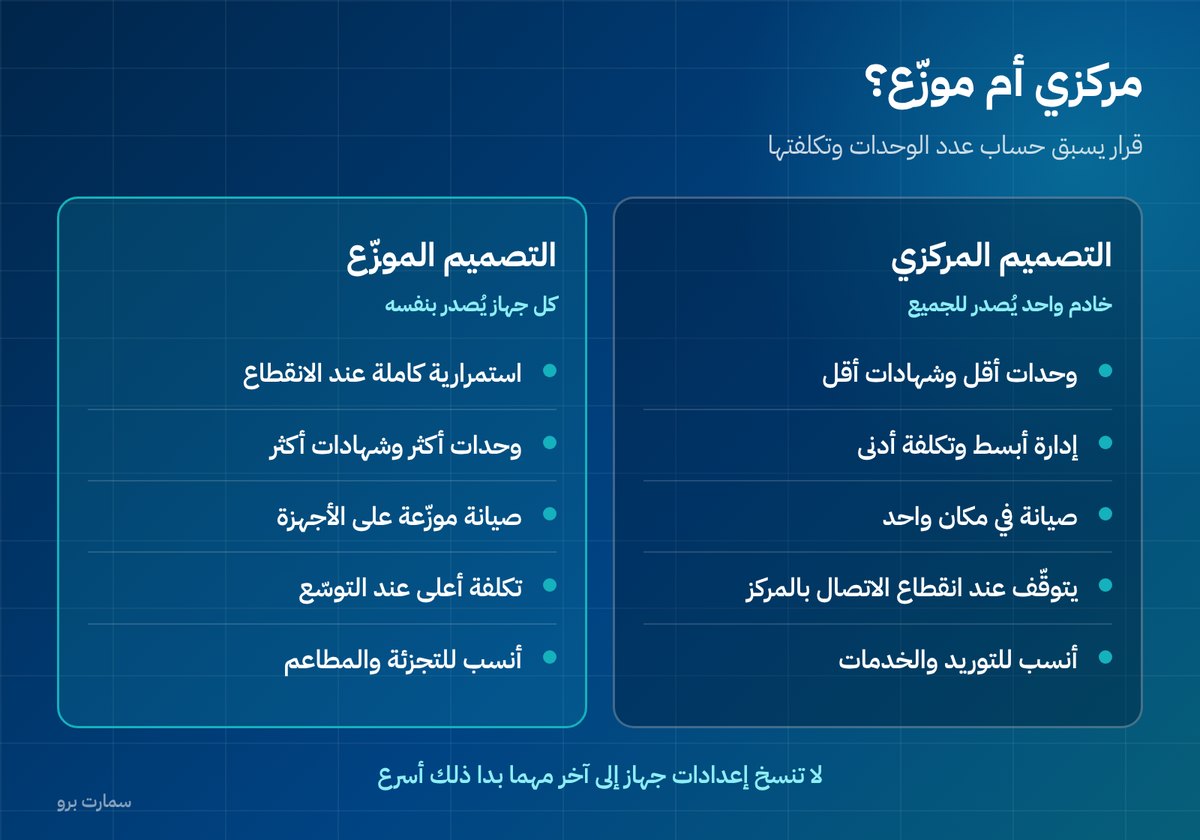
Central design: all branches send their transactions to one server that issues the invoices. One or a few units, simpler management, fewer certificates, and lower cost if your provider charges per unit. The drawback: if the connection between a branch and head office drops, the branch stops issuing.
Distributed design: every device issues on its own. Full resilience during outages and uninterrupted selling, but more units, more certificates and more maintenance.
The practical rule: retail and restaurants need the distributed design because a halt in sales is unacceptable. Supply and service businesses that issue tax invoices by the dozen rather than by the hundred are better suited to the central design. If you are weighing cashier options, see how Sales & POS with offline operation handles this.
Expanding? Ask about cost before the second branch
Many contracts look cheap with one branch and then multiply as you grow. Ask your provider directly what it costs to add a new EGS unit, whether that is a one-time or annual fee, and how long it takes.
Also ask: can I add a device myself from the control panel, or does every addition need a technician visit? The difference is one day versus a week when opening a new branch. Our Saudi ERP buyer's guide lists more questions worth asking before you sign.
Naming units: a detail that saves hours
Name each unit by its location and role, such as "North Branch – Cashier 2", not "POS-7". When a problem appears on a unit six months later, a clear name cuts diagnosis time in half.
Keep a central register of all units with: name, location, activation date, certificate expiry date and the last counter number.
Four mistakes that break the setup
- Copying the settings file from one device to another to save time. The result is two units with the same identity and a broken chain.
- Using one branch's unit in another branch temporarily when a device fails. The invoice will carry the wrong location data.
- Leaving old units active after replacing devices, so they sit in the records unused and confuse any review.
- Not documenting who created each unit and when, so when the provider or staff member changes, nobody knows what the unit is or whether it is safe to deactivate.
Monitor per unit, not per business
When you have ten units, an "overall acceptance rate" is not enough. Ask for a report that shows, for each unit: number of invoices, number rejected, number pending, and the last invoice sent successfully.
The problem is usually not general but confined to one device with a different setup or a weak network. An aggregated report hides this completely.
What should you do when replacing a device?
Do not transfer the certificate. Create a new unit for the new device, make sure every pending invoice on the old device has been sent before shutting it down, then deactivate the old unit in a documented way and keep its invoice archive.
The sequence on the old unit ends at its last invoice and does not continue on the new unit. This is correct and is not considered a gap.
The requirements for registering, managing and deactivating EGS units are published in the official guides of the Zakat, Tax and Customs Authority (ZATCA). For the wider picture, read our ZATCA e-invoicing guide.
Key takeaway: Count one EGS unit for every point that generates invoices, give each its own certificate and counter, and never copy settings between devices.
To see how multi-branch invoicing works in practice, book a demo or start a free trial of SmartPro.
Frequently asked questions
What is an EGS unit?
An EGS unit is any point where an invoice is actually generated: a cashier device, a central accounting system or an online store. Each unit has its own certificate, counter and hash chain. Printing alone does not make a device an EGS unit.
How many EGS units do I need for two branches with two cashiers each?
Four units, one for every device that generates invoices. If you also have a central accounting system issuing B2B invoices or an online store, each of those is a separate additional unit.
Can I copy one device's settings to another device?
No. Copying produces two units with the same identity incrementing the same counter, so the hash chain conflicts and invoices are rejected. Every new device needs its own definition, certificate request, verification code, testing and approval.
What should I do when replacing a cashier device?
Do not transfer the certificate. First send all pending invoices from the old device, then deactivate its unit in a documented way and keep its invoice archive. Create a new unit for the new device, whose counter starts from zero.