
Restaurant E-Invoicing: What Really Changes at the Point of Sale
Restaurant e-invoicing affects the POS, delivery orders, corporate orders and refunds. Here is what changes during a working day, and the questions that should decide which system you choose.
سامي الحيدري
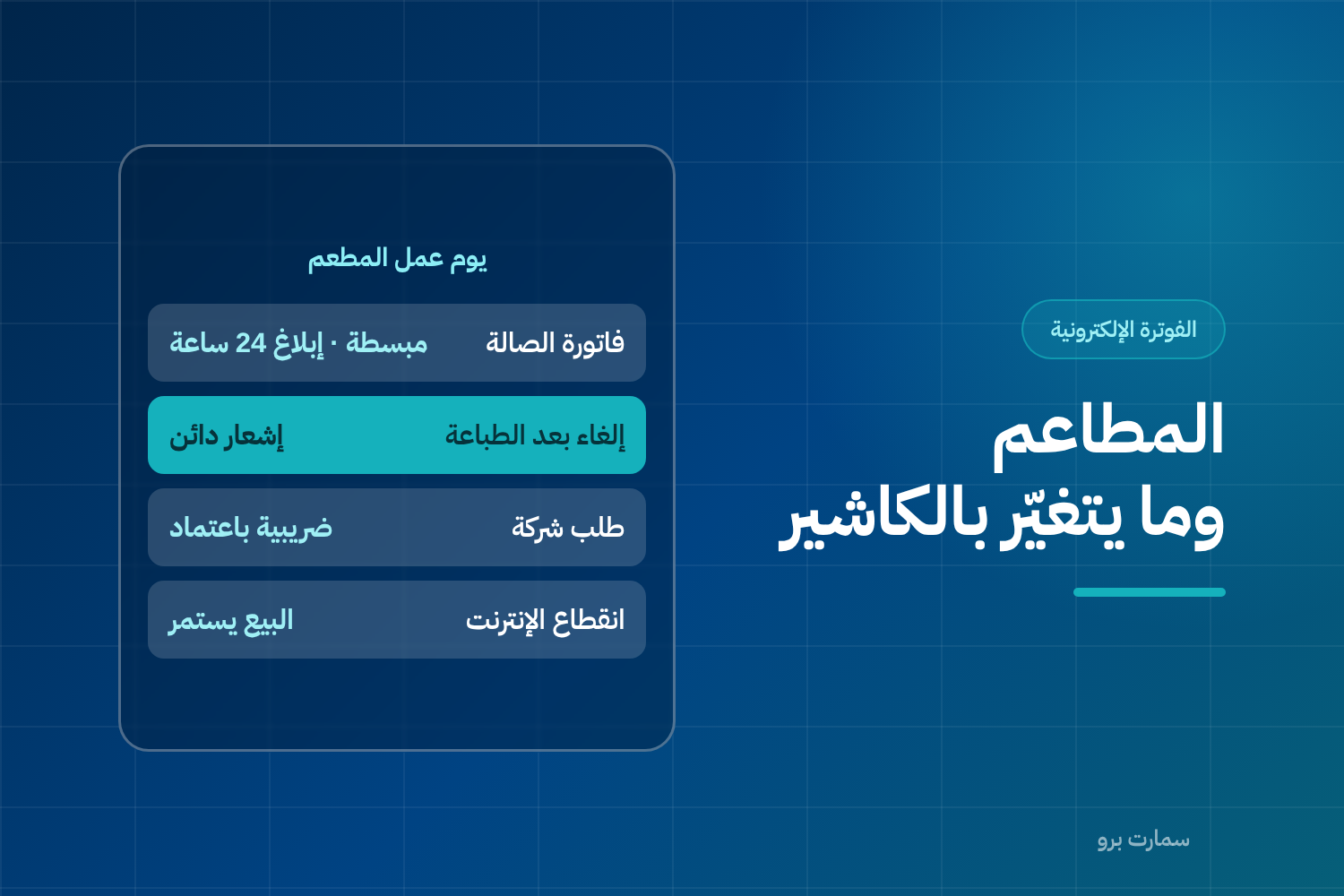
Restaurant e-invoicing differs from every other business for one reason: a high volume of invoices in a short time. An average restaurant issues as many invoices in two peak hours as a supply company does in a month, and a two-second delay on every transaction is enough to build a queue.
The good news is that restaurants mostly issue simplified invoices, the path that keeps working when the connection drops. The part that needs attention is that restaurants face special cases you don't find in ordinary retail.
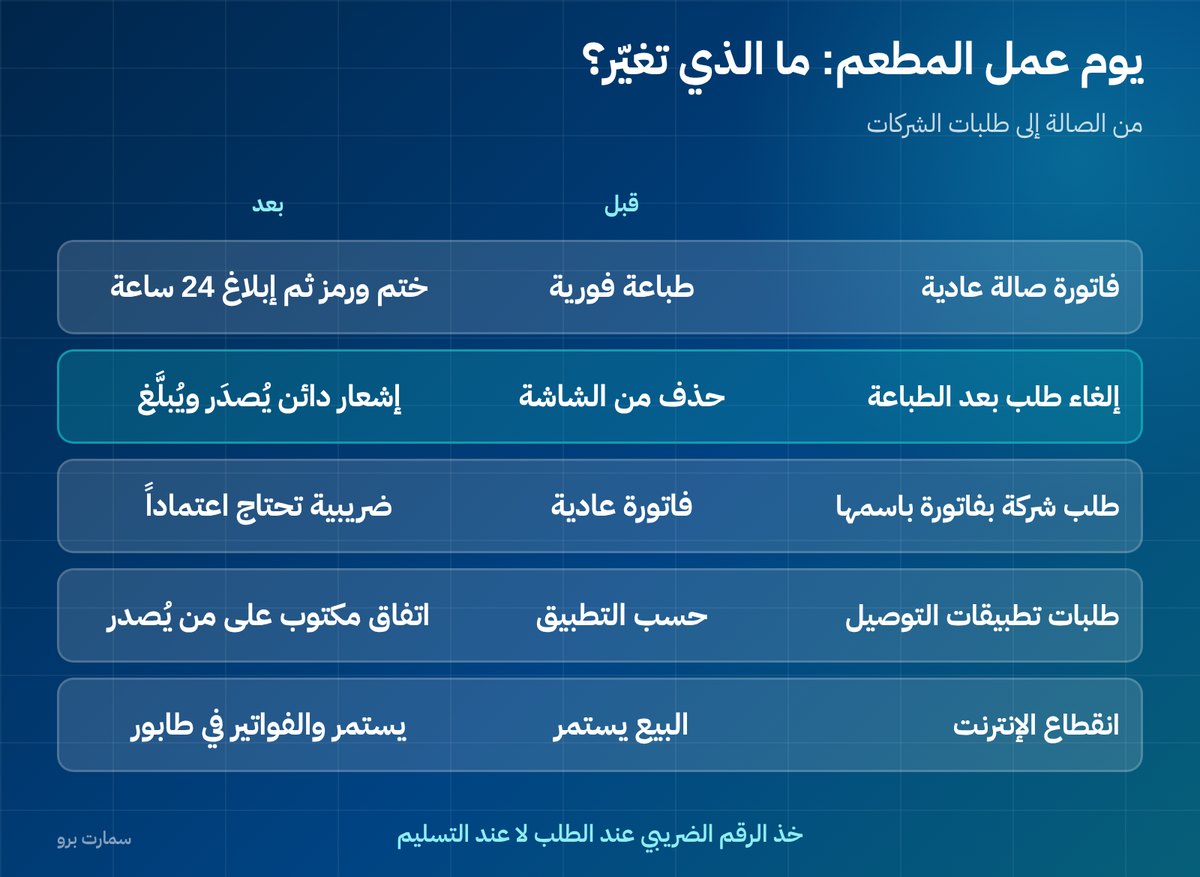
What changes in a restaurant's working day?
| Situation | Before | After |
|---|---|---|
| Regular dine-in invoice | Printed immediately | Printed immediately with a stamp and QR code, then reported within 24 hours |
| Order cancelled after printing | Deleted from the screen | A credit note is issued and reported |
| Order changed after invoicing | Reprinted | A note, then a new invoice |
| A company wants the invoice in its name | Regular invoice | A tax invoice that needs approval before it is handed over |
| Delivery app orders | Depends on the app | A clear agreement on who issues the invoice |
| Internet outage | Sales continue | Sales continue and invoices wait in a queue |
The fourth and fifth rows are the ones that usually surprise restaurant owners.
What is the hardest case? Corporate orders
A restaurant that takes catering and meeting orders needs to issue a tax invoice in the company's name, with its VAT number. These invoices go through clearance, meaning they must be approved by the Fatoora platform before they are handed over.
In practice this means:
- The VAT number and address must be taken when the order is placed, not at delivery.
- The POS system must support both invoice types, not just simplified invoices.
- Staff must know when to ask: "Do you need the invoice in a company's name?"
A system that can't issue tax invoices shuts you out of an entire line of business, because companies can't reclaim input VAT from a simplified invoice.
How does restaurant e-invoicing work with delivery apps?
This needs to be clarified with each app separately: who issues the invoice to the end customer? And who issues the invoice between you and the app for the commission?
You may be dealing with three invoices for a single order: your invoice to the customer, the app's commission invoice to you, and possibly a service invoice. Agree in writing on who issues what, and make sure what lands in your accounts matches what was actually reported.
The common mistake: recording the transfer from the app as net revenue. Revenue is the full value of the order, and the commission is a separate expense.
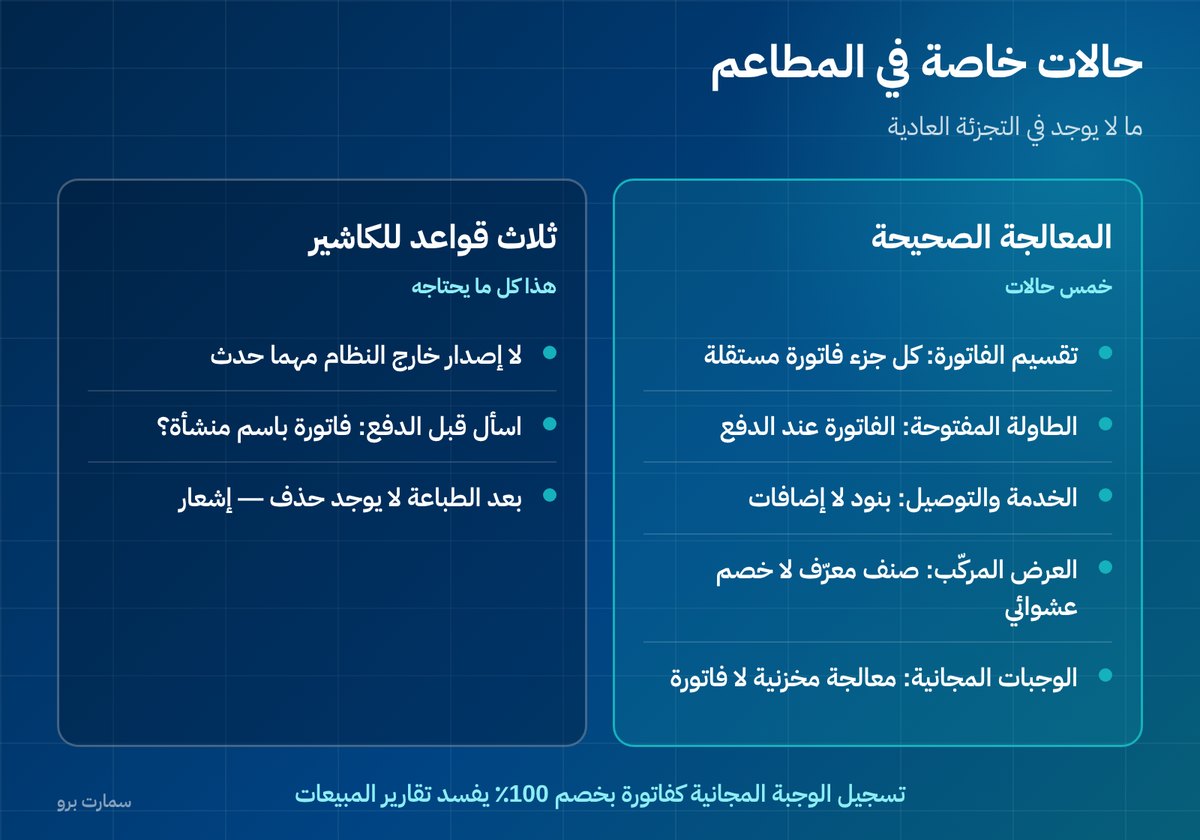
Which special cases do restaurants have that retail doesn't?
- Splitting the bill between several guests: each part is issued as a separate invoice with its own number and stamp. Make sure the system supports splitting after the order is placed, not only before.
- A table open for hours before paying: the invoice is issued at payment, not when the table is opened. Open orders are not invoices.
- Service and delivery as line items: if you add a service or delivery charge, it is a line on the invoice with its own tax treatment, not an amount added to the total outside the lines.
- Buffets and combo offers: an offer that bundles several items at one price needs to be defined clearly as a composite item, not handled as a random discount on individual lines.
- Free meals and waste: no invoices are issued for them, but they need inventory treatment. Don't record them as an invoice with a 100% discount.
That last case in particular is one of the things that most often distorts sales reports, because it inflates the number of invoices and returns for no reason.
Which four questions decide your POS system choice?
- Do sales continue when the connection drops? Ask them to cut the network in front of you during the demo.
- How many taps does it take to issue a credit note? If it's more than three, staff will find ways around it.
- Does it issue tax and simplified invoices from the same screen? No separate screen and no complicated procedure.
- Where can I see pending and rejected invoices for each branch? And is the report per device, or only consolidated?
How should you train cashiers? Three rules only
Don't overload staff with technical details. Three rules are enough:
- Never issue anything outside the system, whatever happens, and no manual receipt books during an outage.
- Ask before payment: invoice in a company's name? Take the VAT number right then.
- Once it's printed, there's no deleting: cancellation is done with a note, and call the supervisor if you're unsure.
How should you roll out across branches? Not all at once
Start with one branch on a normal weekday, not at the weekend, and monitor the acceptance rate for a full day. If the day passes without repeated rejections, add another branch, and so on.
Make sure every device in every branch is a separate EGS unit (an e-invoice generation solution registered on its own) with its own certificate, and never copy one device's settings to another, however much faster that seems. Our guide to connecting multiple branches and devices as EGS units covers this in detail.
What should the daily review look like in a restaurant?
At the end of each shift, five minutes is enough: open the pending invoices screen, make sure the queue is empty, and check the number of credit notes issued during the shift.
A rise in credit notes on a particular shift or by a particular employee is a signal worth looking into before it becomes a pattern.
The detailed requirements for simplified invoices, tax invoices, notes and reporting deadlines are published by the Zakat, Tax and Customs Authority (ZATCA).
Key takeaway: Restaurant e-invoicing is less about the routine dine-in receipt and more about the edge cases: corporate tax invoices, delivery app arrangements, cancellations and bill splitting. Choose a POS that handles these in a few taps and keeps selling offline.
Read also
- Restaurant POS or ERP?
- Offline invoicing when the connection drops
- Credit and debit notes: how to correct an invoice
To see how these cases run on a real shift, book a demo of SmartPro for restaurants.
Frequently asked questions
Do restaurant sales stop when the internet goes down?
No, if the system is designed correctly. Simplified invoices are issued locally with the stamp and QR code and enter a queue that is sent automatically when the connection returns. Ask to see this tested in front of you before you buy, rather than relying on a promise.
How does a restaurant issue a tax invoice to a company?
It takes the company's VAT number and address when the order is placed, not at delivery, and issues a tax invoice that goes through clearance and is approved by the platform before it is handed over. A POS system that doesn't support both invoice types shuts the restaurant out of corporate orders.
What should I do if an order is cancelled after the invoice is printed?
Deleting it from the screen is not enough. The invoice has already been issued and is part of the chain, so the cancellation is done with a credit note that is issued and reported just like an invoice. Ask your provider how many taps the cashier needs to issue the note.
Who issues the invoice for delivery app orders?
It depends on your agreement with each app, and it should be set out in writing. A single order may involve three invoices: yours to the customer, the app's commission invoice to you, and possibly a service invoice. Don't record the transfer as net revenue; revenue is the full order value and the commission is an expense.