
Offline Invoicing: What Happens When the Connection Drops, and Why Sales Don't Stop
Offline invoicing is a question that can decide which system you choose. Learn what keeps working and what stops, how to test a system before you buy, and what to do once the connection returns.
سامي الحيدري
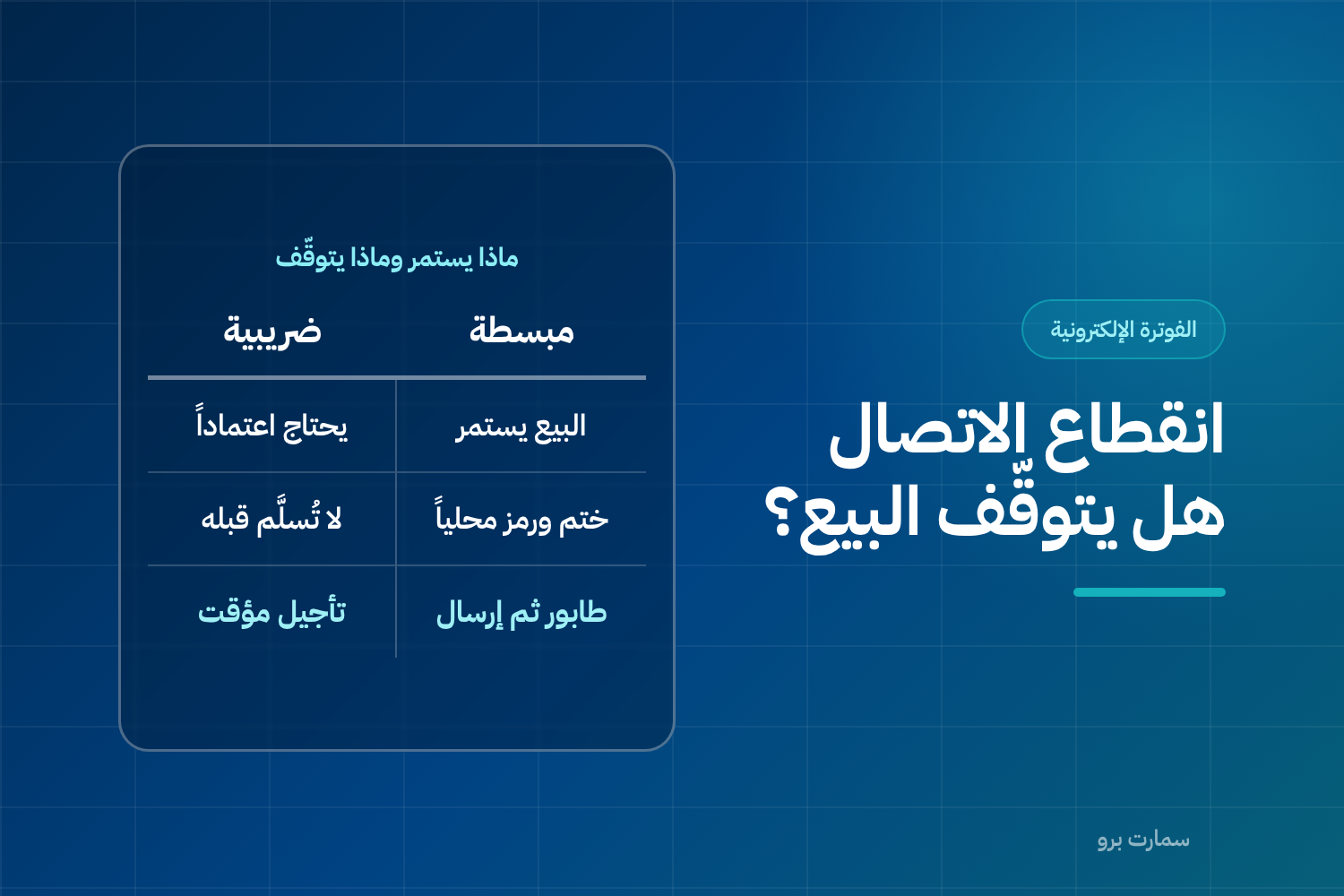
Ask about offline invoicing before you buy any system for ZATCA Phase 2 e-invoicing. The answer depends on the invoice type. A simplified invoice can still be issued when the internet drops, while a standard tax invoice cannot be handed over until Fatoora clears it. Understanding this difference keeps you from losing sales at the worst possible moment.
The short rule: simplified invoices keep going during an outage; tax invoices cannot.
Why do the two invoice types behave differently?
A simplified invoice, issued to consumers, follows the reporting model. It is given to the customer first and then sent to ZATCA within 24 hours. A connection is not needed to complete the sale, only to complete the reporting later.
A standard tax invoice, issued to businesses, follows the clearance model. It needs approval from the Fatoora platform before it reaches the buyer. With no connection there is no clearance, so a cleared invoice cannot be delivered at that moment.
This design is deliberate. Sales to end consumers cannot afford to stop, while business-to-business sales can tolerate a short delay in exchange for accuracy.
What should a good system do with offline invoicing?
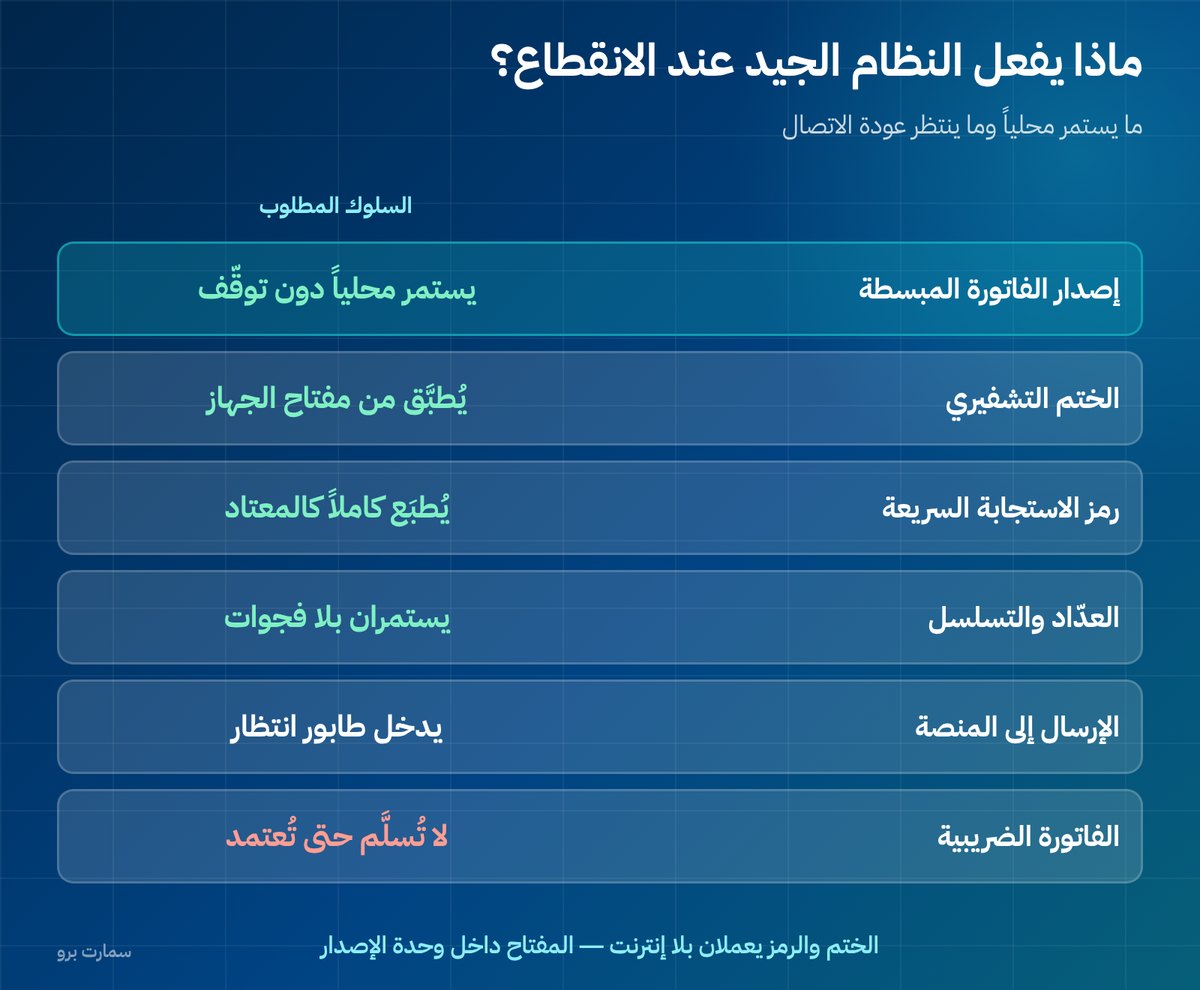
| Item | Expected behaviour |
|---|---|
| Issuing simplified invoices | Continues locally without interruption |
| Cryptographic stamp | Applied locally using the device's key |
| QR code | Printed in full as usual |
| Counter and sequence | Continue in order with no gaps |
| Sending to Fatoora | Goes into a queue |
| When the connection returns | Sent automatically, in order |
| Tax invoice | Not delivered until cleared |
The cryptographic stamp is a digital signature that proves the invoice came from your registered device and was not altered. Notice that the stamp and the QR code both work without a connection, because the private key sits inside the invoice-generating unit. Anyone who tells you the QR code needs the internet does not understand how it works.
How can you test this before you buy?
Don't accept a written answer. Ask the vendor to cut the connection in front of you during the demo, then watch five things:
- Does the POS keep issuing invoices without an error message that blocks the sale?
- Is the QR code printed in full, or does it appear blank or incomplete?
- Is there a clear counter showing how many invoices are waiting in the queue?
- When the connection is restored, are invoices sent automatically and in the correct order, with no manual intervention?
- Does the sequence stay continuous, with no gaps, after reconnecting?
A system that fails any of these points will cost you more than its price difference during the first real outage.
What should you do during an outage?
- Keep selling as normal if you run a retail shop or restaurant. Don't close the till and don't switch to a manual invoice book.
- Don't issue manual invoices outside the system, because they break the sequence and create a harder problem than the outage itself.
- Hold back tax invoices where possible, or tell the customer that the cleared invoice will reach them shortly.
- Watch the queue counter. If it stays high after the connection comes back, the problem is not the network.
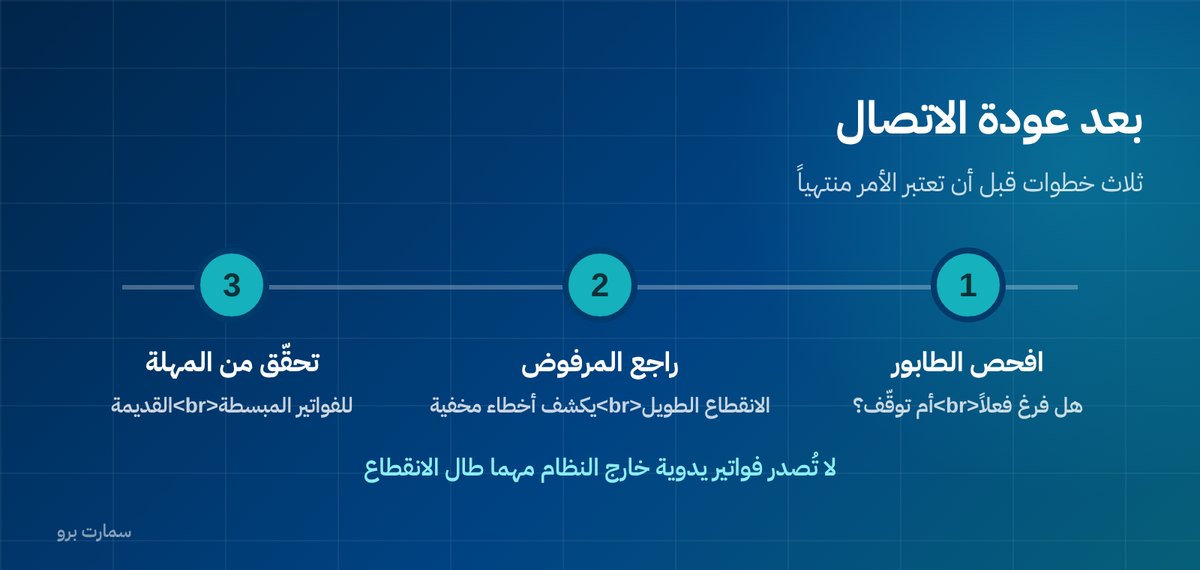
After the connection returns: three steps
- Make sure the queue has actually emptied, not just stopped. The difference between "sent" and "accepted" matters most here.
- Review any rejected invoices. A long outage can expose errors that were previously hidden.
- Check the deadline for older simplified invoices. An outage longer than a full day needs direct follow-up.
The most expensive mistake: the manual invoice book
When the connection drops, some staff turn to a paper invoice book or an Excel file "just for now", then enter the invoices into the system later.
This creates three problems bigger than the outage itself:
- A gap in the sequence: manual invoices have no place in the invoice unit's counter, and entering them later with earlier dates breaks the logic of the chain.
- Invoices with no stamp and no QR code: what the customer received is not a compliant invoice, and it is no use to them if they are a business.
- Possible duplicates: an invoice may be entered twice when staff rush to catch up.
The fix is not training on "what to do with the book". It is choosing a system that keeps working offline from the start, plus one clear instruction: no invoices outside the system, whatever happens.
How many invoices can the queue hold?
Ask the vendor for the maximum number of invoices the system can store locally. Some systems stop at a certain limit, which matters for a restaurant that issues hundreds of invoices in a single evening.
Also ask where they are stored: in the device's memory or in a local database? Storage in memory means the queue is lost when the device restarts or the power goes out.
When does an outage become a compliance problem?
The reporting window exists to absorb an occasional outage. Repeated or long outages that delay reporting beyond the window need to be dealt with, because late reporting may itself count as a violation regardless of the cause.
If outages keep happening at a particular branch, the solution is infrastructure, not settings: a backup line, a mobile data SIM as a second connection, or a router that supports automatic failover.
The rules on system failures, how to report them and the deadlines that apply are published by the Zakat, Tax and Customs Authority (ZATCA). Some cases require you to notify ZATCA of the failure, so review them before you need them.
Power and the internal network
An outage doesn't always come from your internet provider. A power cut or a failed internal router also breaks the link between the till and any local server. Put a small backup power supply on the router and the main till; it costs far less than an hour of downtime at peak time.
Key takeaway: Simplified invoices should keep printing with a full stamp and QR code during an outage and send automatically when you reconnect, while tax invoices wait for clearance. Test this live in a demo and never issue invoices outside the system.
Read also
- Clearance and reporting: the difference between the two paths
- Invoice rejection errors and how to fix each one
- Restaurant POS or ERP?
To see a POS that keeps selling offline and syncs with Fatoora once you're back online, start a free SmartPro trial.
Frequently asked questions
Do sales stop if the internet goes down?
Not for simplified invoices. A good system keeps issuing them locally with the cryptographic stamp and QR code, and holds them in a queue that it sends automatically when the connection returns. A standard tax invoice, however, needs clearance from the Fatoora platform and cannot be delivered before that.
Does the QR code need an internet connection?
No. The QR code is generated locally from the invoice data and the private key stored inside the invoice-generating unit, so it works without a connection. Anyone who says the QR code needs the internet has misunderstood how the mechanism works.
What should I do during a connection outage?
Keep selling as normal, and don't issue manual invoices outside the system, because they break the invoice sequence. Hold back tax invoices where possible, and watch the counter of queued invoices until it empties after the connection returns.
How can I test how a system handles an outage before buying it?
Ask the vendor to cut the connection in front of you during the demo. Then check that sales continue, the QR code prints in full, a counter shows the waiting invoices, invoices are sent automatically and in order when the connection returns, and the sequence stays continuous with no gaps.