
Invoice Rejection Errors on the Fatoora Platform: Common Causes and How to Fix Each One
Phase 2 invoice rejection errors come from a short, repeating list of causes. Here is a table of the most common ones, why each happens, and how to fix it at the root instead of one invoice at a time.
سامي الحيدري
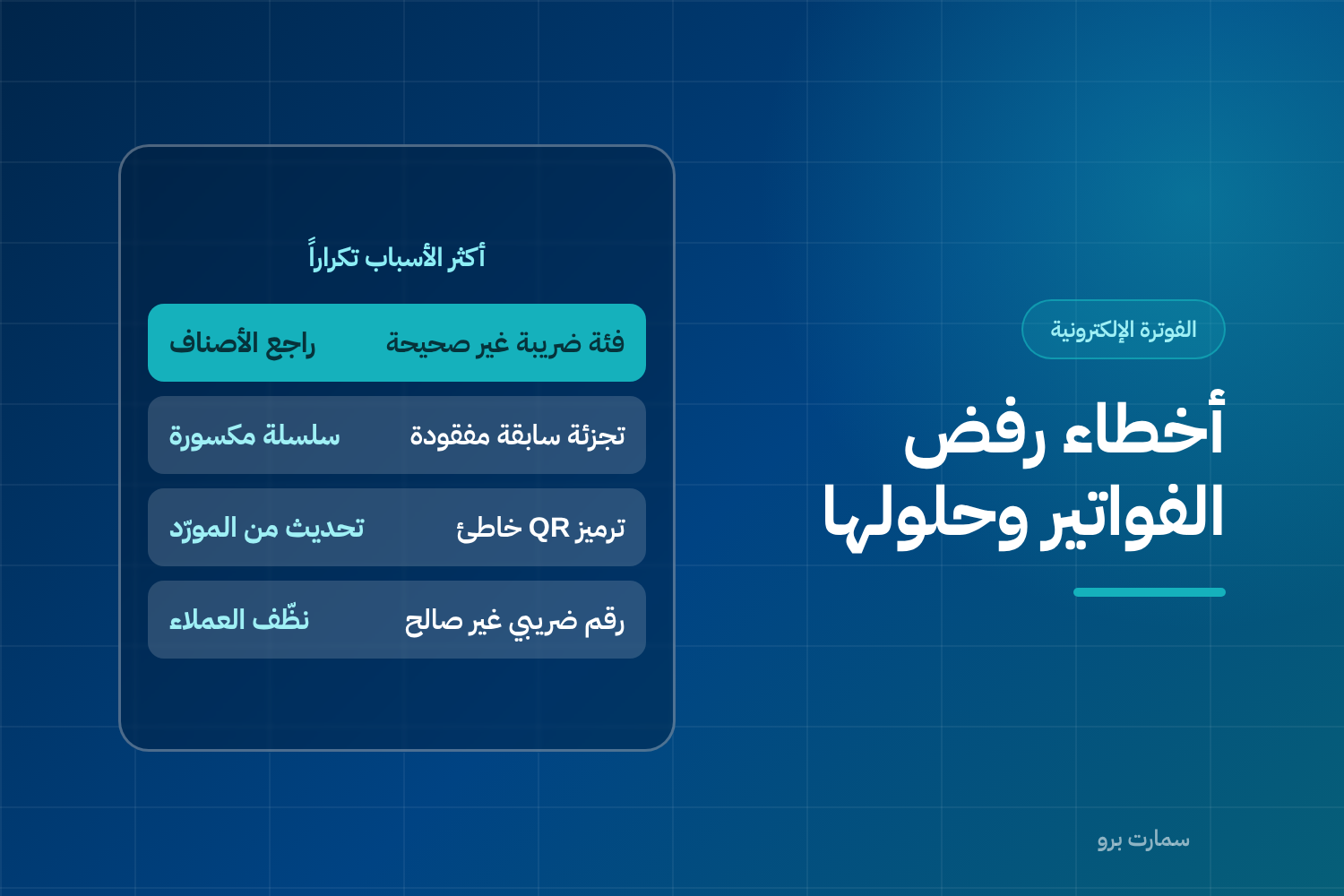
Invoice rejection errors are what confuse businesses most in their first weeks of ZATCA Phase 2 e-invoicing. The good news is that the causes are limited and they repeat: most rejections trace back to five or six reasons, and every one of them can be fixed at the root rather than invoice by invoice.
The rule that saves you time: an error that keeps coming back is not an invoice error. It is a problem in your data or in how your system is set up.
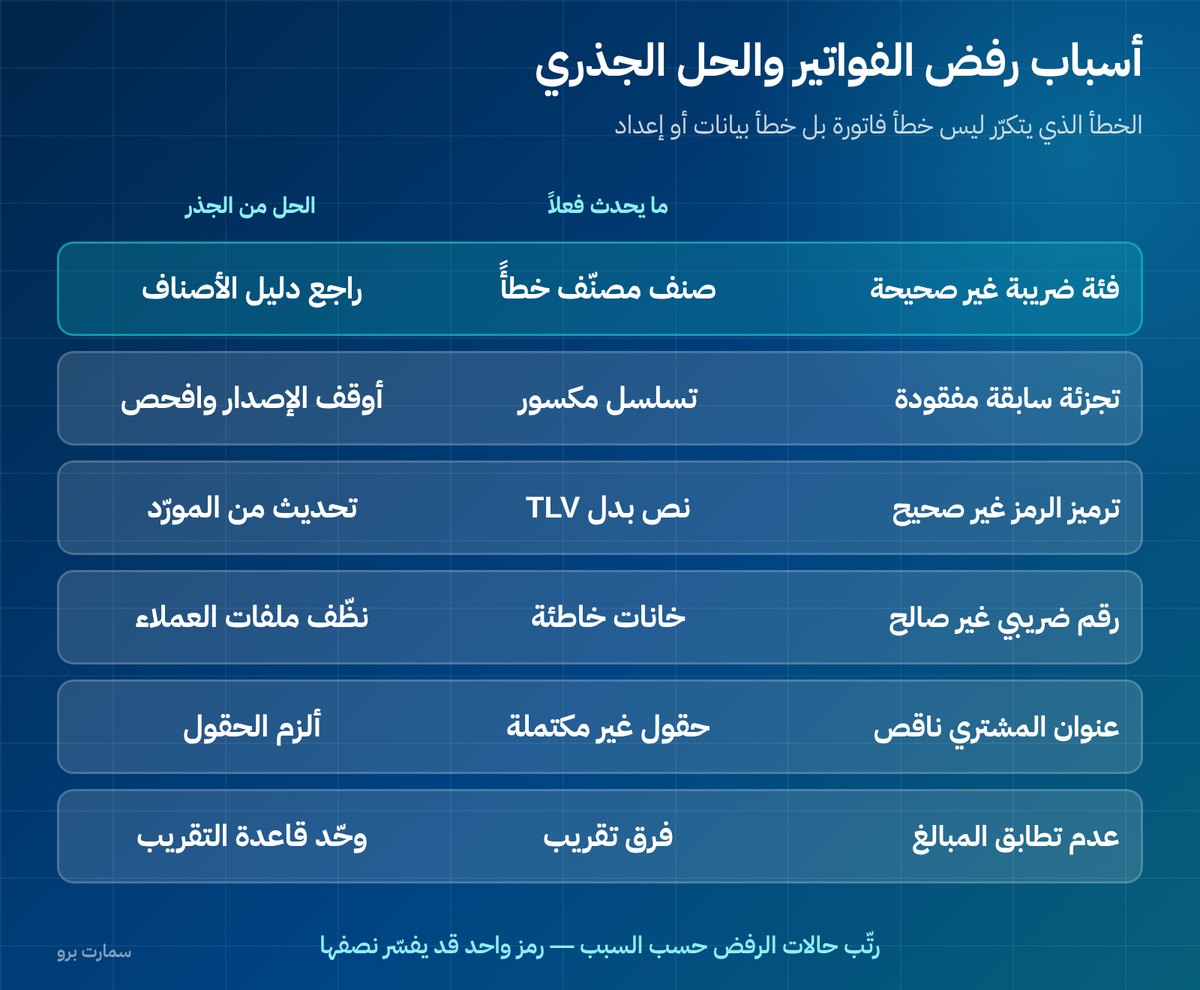
What are the most common invoice rejection errors?
| Cause | What actually happens | Root fix |
|---|---|---|
| Wrong tax category | An item is misclassified between standard-rated, exempt and zero-rated | Review the category of every item in your item master once |
| Missing previous invoice hash | A broken sequence or a restored database | Stop issuing and check the integrity of the chain |
| Incorrect QR code encoding | The code is written as plain text instead of TLV format | A fix from your software provider, not a setting on your side |
| Invalid buyer VAT number | Wrong number of digits, or a number that does not exist | Clean up customer records before go-live |
| Incomplete buyer address | National address fields are not filled in | Make the fields mandatory on the customer screen |
| Amount mismatch | A rounding difference between line items and the total | Standardise the rounding rule in the system |
| Non-standard date | A local date format instead of the standard one | A system setting |
The first row alone explains a large share of rejections in businesses that sell a wide range of items.
How do you read a rejection message?
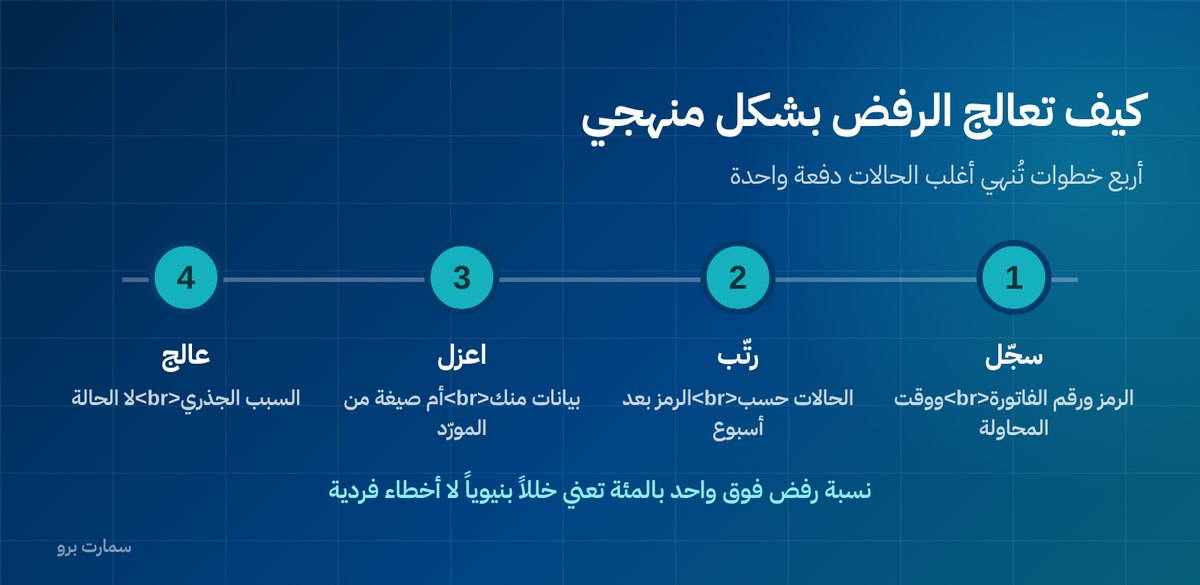
A rejection message usually carries a code and a description. The code is what matters, because the description can be generic. For each case, record three things: the code, the invoice number and the time of the attempt.
After a week, sort the cases by code. If one code accounts for more than half of them, you are facing a single structural problem, and fixing it ends most of your rejections in one go.
Why is the tax category the most important error?
Every item in your system has a tax category: standard rate (15% VAT), zero-rated, exempt, or out of scope. The system sends the category code with every invoice line.
The common problem is that items are entered in a hurry with one default category, and the issue only surfaces on the first invoice that includes an exempt item. The fix is not to edit the invoice. It is to review the whole item master once before go-live.
Print your item list with each item's tax category and go through it with your accountant in a single session. That one session saves weeks of scattered rejections.
What causes customer data errors?
The buyer's VAT number must be the correct length and valid. The problem is that many systems accept any text in this field, so numbers get entered incomplete, with spaces, or with letters.
Three steps end this whole class of errors:
- Turn on validation on the customer screen so an invalid number can never be saved in the first place.
- Clean the existing list in one pass before go-live, not after.
- Make the fields mandatory only for customers of type "business", so you do not block sales to individuals.
Why does a one-halala rounding difference stop an invoice?
This is one of the most frustrating errors because it looks trivial. Some systems calculate VAT on each line, round it, then add the lines up. Others add up the lines first, then calculate VAT on the total and round. The two methods sometimes produce a difference of one halala.
The platform checks that the sum of the lines matches the declared total, so it rejects the invoice over a difference the employee cannot even see on screen.
The fix is not to edit the invoice but to standardise the rounding rule in the system, and that is your software provider's responsibility. Ask them to state the method in writing, and test it on an invoice with several lines that include fractions.
When does everything get rejected at once?
- Expired certificate: every invoice from that device or unit is suddenly rejected, with no visible reason in its content.
- Pointing to the sandbox environment: invoices look successful in the system but have no official existence.
- Broken chain: every invoice after the break point is rejected until the break itself is fixed.
If your rejection rate suddenly jumps to close to 100%, check these three before you inspect invoices one by one.
When is the problem your provider's, not yours?
Distinguish between two types: a data error you can fix yourself, and a format or encoding error that can only be fixed by a system update.
QR code encoding, the structure of the XML file (the structured data file each e-invoice is built on), how the hash and cryptographic stamp are calculated, and the date format are all the provider's responsibility. If you are asked to "change a setting" to solve a problem of this kind, the request is misplaced.
In these cases, ask for a written reply that identifies the cause of the error and the date of the update, and keep it.
How do you stop rejected invoices from piling up?
- A daily screen for pending and rejected invoices, with a named person who opens it every morning.
- An alert when rejections pass a set limit in a day.
- A log of causes reviewed weekly to spot the recurring pattern.
- Do not delay reporting until the end of the deadline, because delay turns one error into a hundred.
Error codes, their detailed meanings and the validation rules are published in the technical guides from the Zakat, Tax and Customs Authority (ZATCA), which are the reference whenever you and your provider disagree about where an error comes from. For the wider picture, see our ZATCA e-invoicing guide.
Key takeaway: Most Phase 2 rejections come from a handful of repeating causes, so fix the data or the system setup once instead of correcting invoices one at a time. Data errors are yours to fix; format and encoding errors belong to your provider.
Read also
- Clearance and reporting: the difference between the two paths
- The QR code on an invoice: what it contains
- The cryptographic stamp and the hash chain
To see how Fatoora Phase 2 invoicing works when every sale updates stock and accounts by itself, start a SmartPro free trial.
Frequently asked questions
What are the most common reasons invoices are rejected in Phase 2?
The most common causes are a wrong tax category on an item, a missing previous invoice hash, a QR code encoded in the wrong format, an invalid buyer VAT number, an incomplete address, and amounts that do not match because of rounding. Most rejections trace back to these few repeating reasons.
How do I know whether an error is mine or my software provider's?
Data errors, such as the VAT number, the address and the item's tax category, are your responsibility and you can fix them yourself. Format and encoding errors, the XML file structure, and the hash and stamp calculation are the provider's responsibility and cannot be fixed by changing a setting on your side.
What is the root fix for tax category errors?
Print your item list with each item's tax category (standard-rated, zero-rated, exempt or out of scope) and review it with your accountant in one session before go-live. Reviewing the item master once is much faster than handling rejections one after another.
How do I stop rejected invoices from piling up?
Set up a daily screen for pending and rejected invoices that a named person opens every morning, and add an alert when rejections pass a set limit. Review the log of causes weekly to spot the recurring pattern instead of handling cases individually.