
Cloud or On-Premise Accounting Software? A Frank Comparison
A frank comparison of cloud accounting software and on-premise systems for Saudi businesses: cost, updates, branches, internet, data ownership, and where each option genuinely wins.
Author:سامي الحيدري
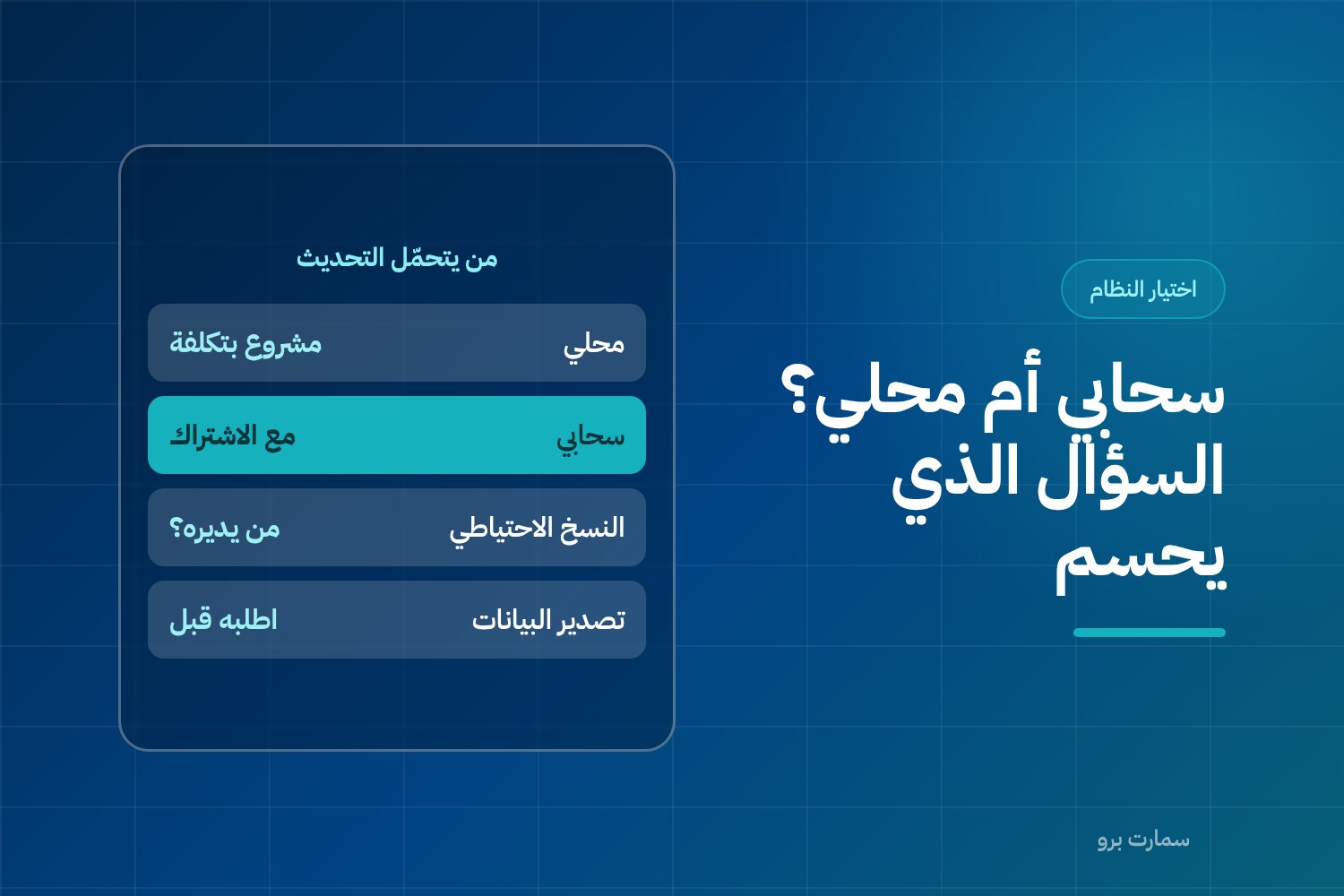
Should a Saudi business choose cloud accounting software on a subscription, or install a system on an office server and own it? It depends on three things: how many branches you run, how reliable your internet really is, and who will handle recurring updates, especially e-invoicing changes. Multiple branches and frequent compliance updates favour the cloud. A single site with unreliable internet favours on-premise.
This is less a technical question than an operational and financial one. Below we compare both options against clear criteria and say plainly where each one wins, without exaggeration and without naming specific products.
What does “cloud accounting software” actually mean?
Cloud software runs on servers managed by the provider. You reach it through a browser or an app and pay a recurring subscription. On-premise software runs on a computer or server inside your business. You run it, secure it and back it up yourself, and you buy the licence once or with a maintenance contract.
The core difference is not only where the data lives, but who carries the operational work: updates, backups and keeping up with regulatory changes. That is what drives the difference in time and money, more than anything else.
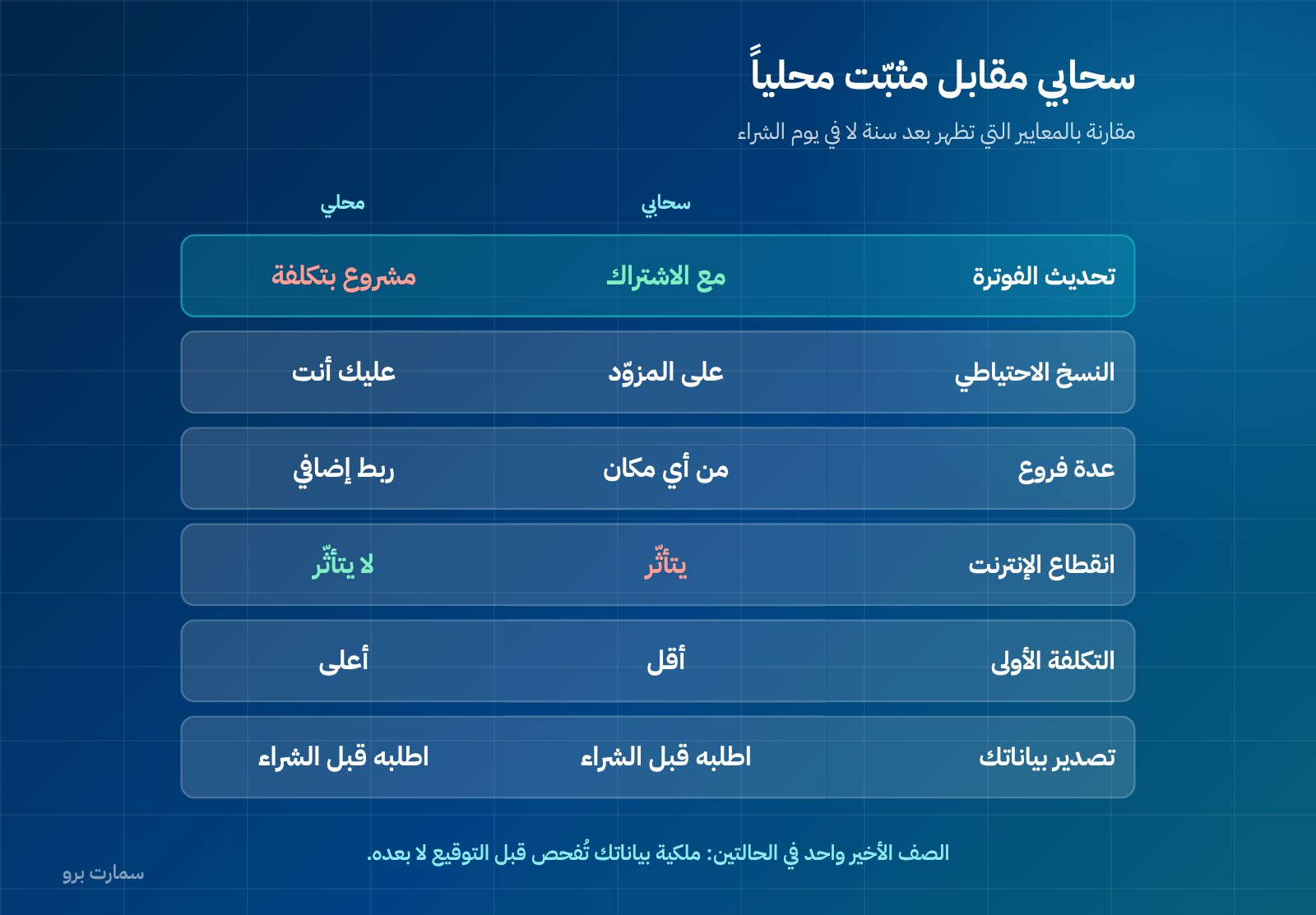
How do cloud and on-premise compare side by side?
| Criterion | Cloud | On-premise |
|---|---|---|
| Upfront cost and renewal | Low initial payment, then a recurring subscription for as long as you use the system | Higher initial payment (licence + hardware + setup), then a maintenance contract or upgrade projects |
| Updates and who carries them | Included in the subscription; the provider carries them | Every major update is a separate project paid for by the business |
| Backups | The provider’s responsibility, part of the service | Your responsibility: a device, a schedule, and someone who actually checks it |
| Access from several branches | Built in, with a named login and permissions for each user | Needs network links or remote access that you set up and maintain |
| Working when the internet drops | Access stops until the connection returns (unless a limited offline mode exists) | Works on the local network regardless of the internet |
| Data ownership and export | The data is yours; what decides it is the contract wording and the export tools available | The data sits in a database you hold, but extracting it may need someone who knows its structure |
| Security and who manages it | The provider manages the technical layer; you manage permissions and passwords | You manage everything: security patches and physical access to the machine |
| Keeping up with e-invoicing changes | Arrives as a system update for every subscriber | Needs a decision, a budget and a schedule for every change |
When is on-premise software the better choice?
We won’t dress this up. There are two cases where installing locally is the more sensible choice.
A single site with poor internet. If your business is somewhere the connection drops often and there is no practical alternative, a system running on your local network will serve you better. An excellent system is worthless if you can’t open it.
Workflows that cannot stop for a moment. A production line or a high-traffic point of sale cannot tolerate two minutes without a system. In these cases, either choose a local system, or choose a cloud system with a limited offline mode, and verify that mode by testing it, not by taking it on promise.
There is a third, less common case: a business that already has a real IT team running its own servers. If that capability exists, part of the management cost is already paid.
When does cloud accounting software win?
Multiple branches. Once you have more than one branch, keeping all data in one place solves a problem that scattered copies cannot: one report, one stock position, one set of balances. The local alternative means network links that you manage yourself.
An owner who is often on the move. If you review the numbers from the car or while travelling, browser access is not a luxury.
Compliance updates that arrive without a project. This is the most important point, and it gets its own section below.
Before you decide between cloud and on-premise, it helps to settle first whether you need accounting software or a full enterprise resource planning (ERP) system; we cover that in the difference between accounting software and ERP.
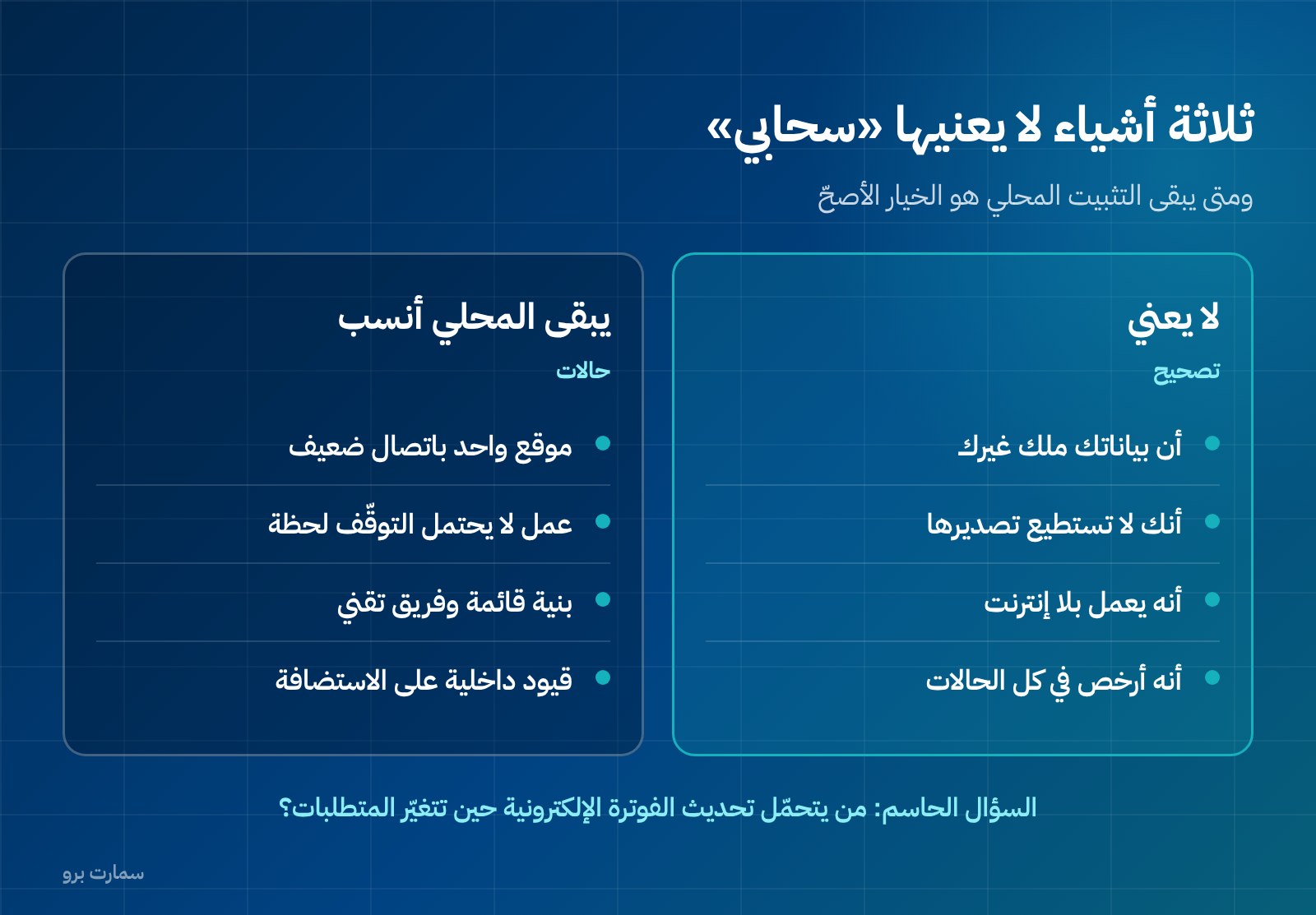
What doesn’t “cloud” mean?
The word “cloud” carries some recurring misunderstandings. Here are three:
- It does not mean your data now belongs to the provider. Your accounting data is your data. What decides this is the contract and the provider’s policy, not the hosting method. Read the data clause before signing, and ask directly what happens to your data if you stop subscribing.
- It does not mean you can’t export your data. Export is a function of the software, not a consequence of where the servers are. Ask to see it working, not described.
- It does not mean it works without internet. Cloud software needs a connection. Some systems offer a limited offline mode for point of sale, but the rule is that access requires a network. Anyone who tells you otherwise is selling you words.
Who pays for the next e-invoicing update?
This is the difference that shows up on the bill two years later, not in the first proposal.
Phase 2 of e-invoicing (the integration phase) requires specific capabilities from your system: issuing invoices in XML format according to UBL 2.1, a cryptographic stamp, a counter that cannot be reset, a hash chain that links each invoice to the one before it, and a QR code on simplified invoices. Simplified invoices must be reported to the Zakat, Tax and Customs Authority (ZATCA) within 24 hours of being issued.
These are not settings you adjust yourself in a menu. They are capabilities at the heart of the system. The practical question is: who implements them and updates them whenever something changes?
- With on-premise software: every regulatory change becomes a project. A quotation, an implementation schedule, testing and partial downtime. And the cycle repeats with every amendment.
- With cloud software: the update reaches all subscribers in a single release, and its cost sits inside the subscription. You benefit from the provider having built it once for everyone.
One point needs correcting: ZATCA does not approve accounting software. What it publishes is an indicative list of solution providers who have met the qualification requirements. A taxpayer whose system meets the requirements is compliant even if their provider is not named on that list. Both this point and the technical requirements in detail are explained in our ZATCA e-invoicing guide.
If tax compliance is at the centre of your decision, start with the Finance & Accounting module and compare it with what you use today.
How do you check data ownership before you buy?
The best test of who owns your data is simple and uncomfortable for the seller: ask to export your data before you buy.
Tell the provider: enter some sample data, then show me how I get out:
- The chart of accounts and journal entries.
- Customer and supplier balances.
- Stock movements.
- Issued invoices in XML format.
Insist on three conditions: the export must be in a format you can open (CSV, Excel or XML), it must be self-service, not a paid service request, and it must be complete, not a summary report. A provider who refuses this test has already answered your question.
What does three years really cost?
The table below is an illustration of cost items and their timing, not a price quotation or a comparison with any provider’s prices. Fill it in with the figures from the proposals you receive:
| Item | Cloud | On-premise |
|---|---|---|
| Year one | Subscription + setup and training | Licence + server or computer + setup and training |
| Year two | Subscription | Maintenance + power and running costs + any update project |
| Year three | Subscription | Maintenance + version upgrade or hardware replacement |
| Hidden items | Internet usage | Time of whoever manages backups and updates in-house |
The practical rule: cloud tends towards a lower upfront cost and a steady outflow, while on-premise tends towards a higher upfront cost and irregular costs that are hard to predict. For help building the figures, see what ERP costs in Saudi Arabia.
To be transparent about our own numbers: SmartPro’s published packages, all prices including 15% VAT, are Mini at SAR 1,500 a year (1 user), Pro at SAR 4,500 a year (3 users, with the mobile app), and Max at SAR 20,500 a year (10 users, adding Manufacturing and Projects). Each package includes the main branch; each additional branch costs SAR 1,000 a year. SmartPro is hosted in data centres inside Saudi Arabia, and its point of sale keeps working offline. Full details are on the pricing page.
How do you choose based on your situation?
Three questions are usually enough:
- How many branches and users do you have? One branch and one user leaves the comparison open. Three branches clearly tip the balance towards the cloud.
- How good is your internet, really? Not as you wish it were. If outages happen weekly, think carefully.
- Who will handle the next regulatory update? If you don’t have a clear answer and a specific name, a subscription buys you that answer.
Where can you find the official requirements?
For requirements and regulatory deadlines, rely directly on the official source: the Zakat, Tax and Customs Authority (ZATCA). Any information that contradicts it, whether from a seller or an article, should not be relied on.
Key takeaway: Choose on-premise for a single site with unreliable internet or an in-house IT team; choose cloud accounting software when you run several branches and want e-invoicing updates delivered inside the subscription instead of as separate projects.
Read also
- Accounting software or ERP? A practical choice for Saudi businesses
- What does ERP cost in Saudi Arabia?
- ZATCA e-invoicing guide
To see how a cloud system handles your own branches and invoices, start a free trial or book a 30-minute demo with a product expert.
Article visuals
Frequently asked questions
Does cloud accounting software work without internet?
No, accessing cloud software requires an internet connection. Some systems offer a limited offline mode specifically for point of sale, but as a rule full operation needs a network. If outages are frequent at your location, test that offline mode in practice before you buy.
Does my data become the provider's property if I use a cloud system?
No. Your accounting data remains yours, and what defines your rights is the contract wording and the provider's policy, not where the system is hosted. Read the data clause before signing, and ask directly what happens to your data if you stop subscribing.
Who pays for e-invoicing updates?
With on-premise software, the business pays for each update as a separate project with its own quotation and implementation schedule. With cloud software, the update reaches all subscribers within the subscription. This difference appears with every change to Phase 2 requirements, such as the XML format, the cryptographic stamp and the hash chain.
Do I need software that is “approved” by ZATCA?
ZATCA does not approve accounting software; it publishes an indicative list of solution providers who have met the qualification requirements. A taxpayer whose system meets the technical requirements is compliant even if their provider is not named on the list. So focus on meeting the requirements themselves, not on whether a name appears on a list.