
E-Invoice Archiving: What to Keep, Where to Store It and How to Get It Back
E-invoice archiving is not about saving PDF copies. Here is which files you actually need to keep, where to store them, and how to make sure you can recover them when you change systems.
سامي الحيدري
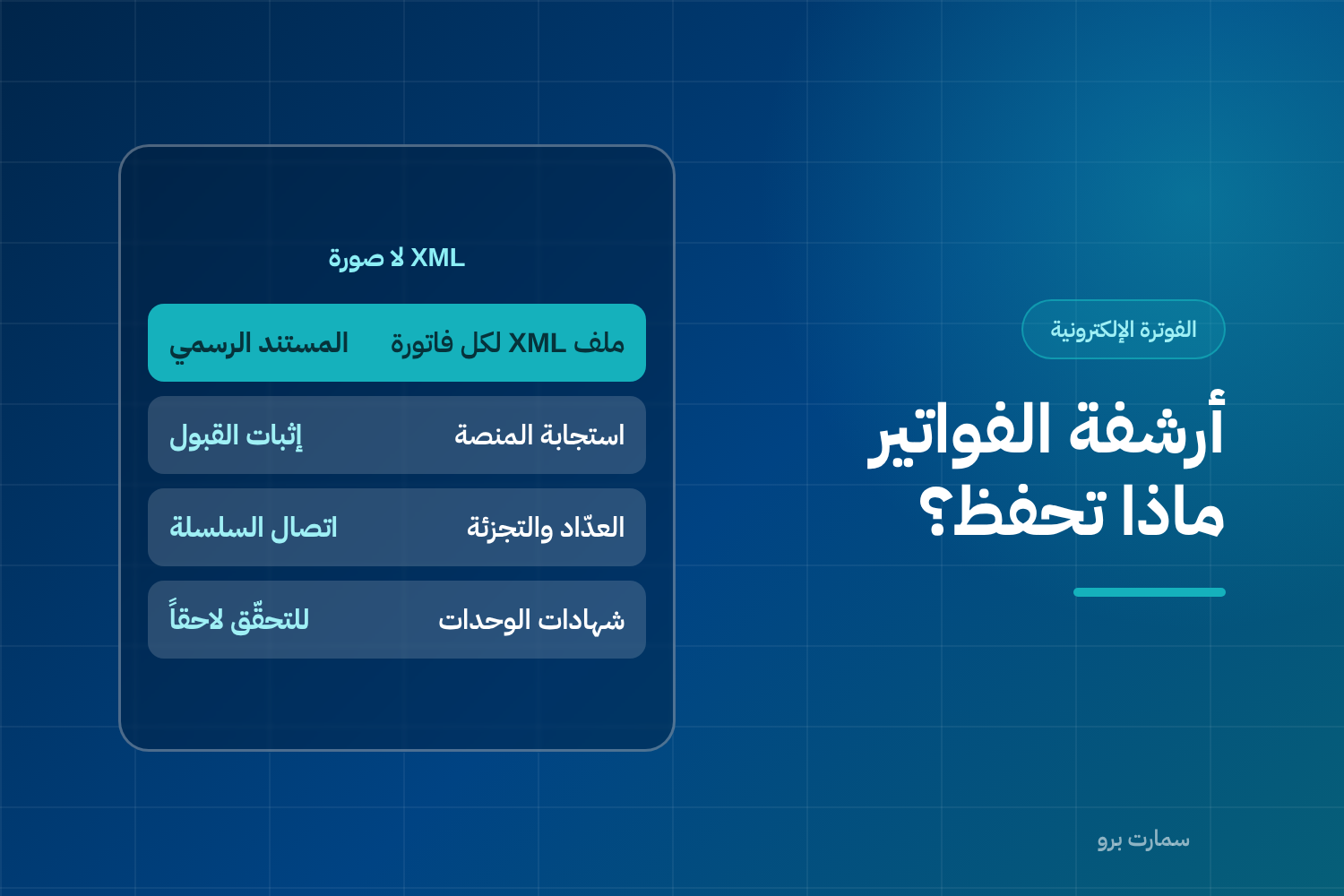
E-invoice archiving looks finished because "the system saves everything." It becomes a real problem at two moments: when an inspection is requested, and when you change software provider.
Start with one rule. The file you must keep is the XML, not an image and not a plain PDF. Only the XML carries the digital signature and the hash that can be verified.
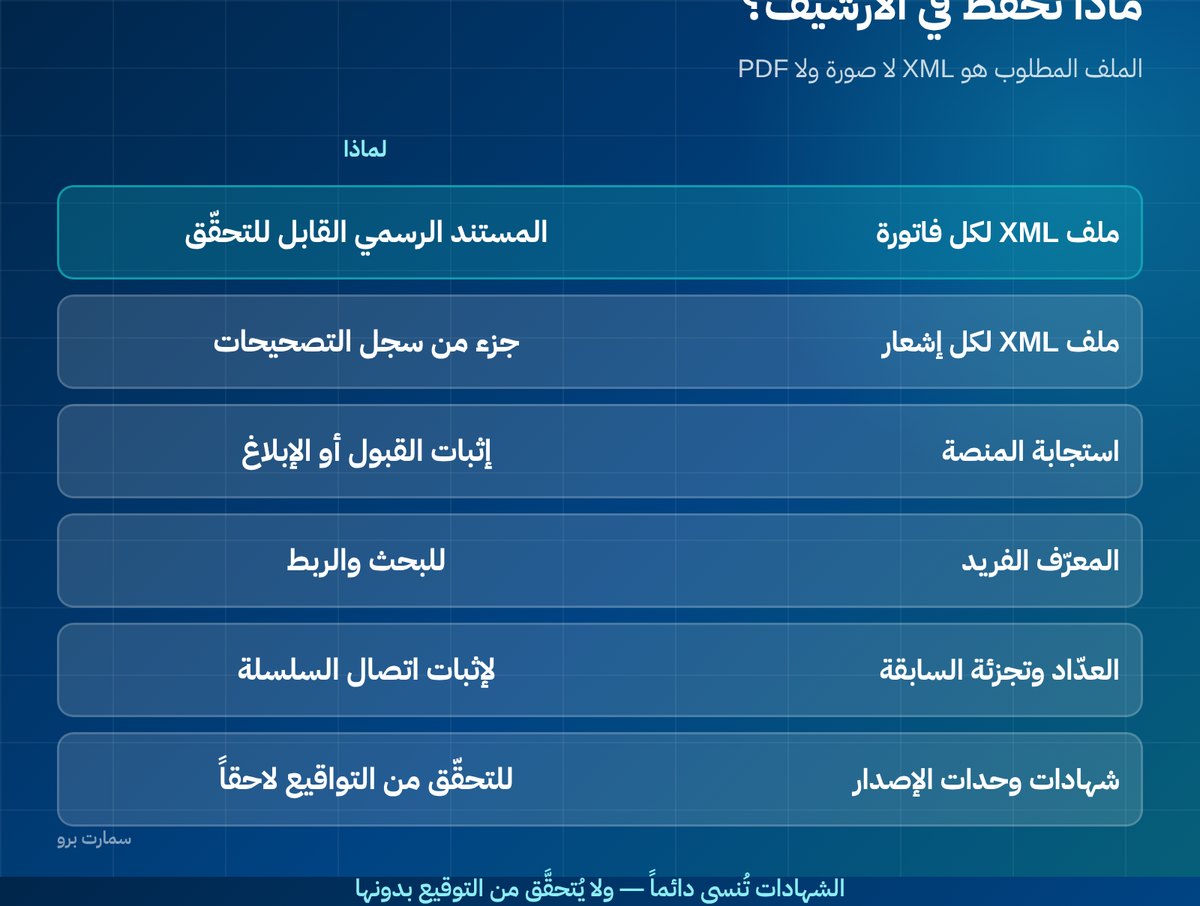
E-invoice archiving: what exactly should you keep?
| Item | Why |
|---|---|
| XML file for every invoice | The official, verifiable document |
| XML file for every credit and debit note | Part of the corrections record |
| The platform's response for every document | Proof of clearance or reporting |
| The unique identifier of every invoice | For searching and linking |
| Counter value and previous invoice hash | To prove the chain is unbroken |
| Certificates of your invoice-generating units | To verify signatures later |
The last item is always forgotten. A signature cannot be verified years later if the certificate that produced it has been lost.
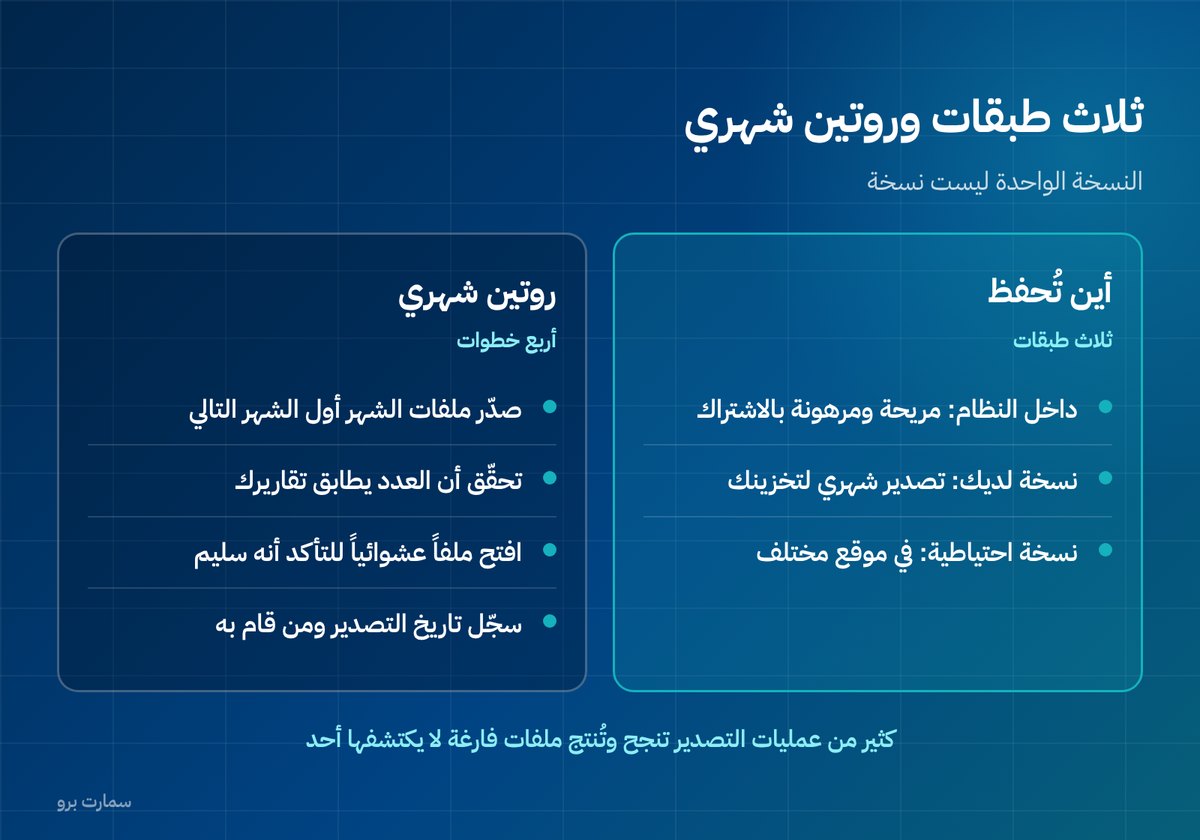
Where should e-invoices be stored? Three layers
Layer one: inside the system. Convenient and indexed, but tied to your subscription with the provider continuing.
Layer two: a copy you hold. A regular export, at least monthly, of the XML files to storage you own. This is the layer that protects you in any dispute or service outage.
Layer three: a separate backup. In a different location or service from layer two, because a single copy is not a backup.
Businesses that rely on layer one alone discover, when they change provider, that extracting two years of archive takes weeks and costs fees.
How many years should you keep e-invoices?
Retention periods for records and invoices are set by regulation. They vary by the type of record and the nature of the business, and can be longer in cases such as fixed assets and real estate.
Do not rely on a guess or on what your provider says. Check the periods that apply to your case with the Zakat, Tax and Customs Authority (ZATCA), and set your deletion policy by them, not by storage capacity.
The practical rule: delete nothing while you are unsure. Storage costs far less than being unable to produce a document when it is requested.
The export question: ask it before you sign, not after
Four questions for every provider:
- Can I export all XML files myself from the dashboard, without raising a service request?
- Is the export free, or does it carry a fee?
- What format? Individual files or a single archive? Does it include the platform responses?
- What happens when the subscription ends? How many days does my data stay available?
Make the answers clauses in the contract. If exporting needs a request and a fee, expect to pay it at the worst possible time: during a dispute or a migration.
Why isn't a PDF copy enough?
Because a PDF is a picture of the document, not the document itself. Anyone can produce a PDF that looks like an invoice, but no one can forge a signed XML file without the private key of the invoice-generating unit.
The difference shows at one moment: when you are asked to prove that a specific invoice was actually issued for this amount on this date. The XML file proves it mathematically; the PDF proves nothing.
This does not stop you keeping PDF copies for daily use and for sending to customers. The point is that they are an addition, not a substitute.
How should you organise the archive?
One folder per year, then per month, then per invoice-generating unit. Inside, keep the XML files under their original names, which carry the unique identifier.
In each monthly folder, keep a simple index file, even an Excel sheet, listing: invoice number, date, customer, amount, status and file name. This index is what makes searching possible three years later without opening hundreds of files.
Who should have access, and with what permissions?
The invoice archive is a sensitive financial record. Decide who can access it and who can export it, and separate the read permission from the delete permission.
Most importantly, give no one permission to delete from the archive, including the provider. Deletion should be a documented procedure that goes through approval, not a button on a screen.
A simple monthly routine
- Export the month's files to your storage in the first week of the following month.
- Check that the file count matches the number of invoices in your reports.
- Open a random file to confirm it is intact, not empty or corrupted.
- Record the export date and who performed it.
The third step matters. Many exports "succeed" and produce empty files, and nobody notices until two years later.
What about purchase invoices?
Everything above concerns the invoices you issue. Your suppliers' invoices matter just as much, because they are the basis for deducting input VAT. Keep their files as you receive them, and link each invoice to its purchase order and payment entry. A non-compliant invoice from a supplier means input VAT you cannot deduct, so check it on receipt, not when preparing the return.
What should you do when changing systems?
- Export the old system's archive before you stop the subscription, not after.
- Keep the old invoice-generating unit certificates with the archive.
- Document every unit that was deactivated, when, and the last number on its counter.
- Do not assume the new system will import the old archive. Usually it will not, and that is normal.
Read also
- Cryptographic stamp and hash chain
- E-invoicing penalties: violations and amounts
- ZATCA e-invoicing guide
Key takeaway: Archive the signed XML, the platform responses and the unit certificates in three layers you control, and agree export terms with your provider before signing.
To see how SmartPro handles ZATCA Phase 2 e-invoicing with cloud hosting inside Saudi Arabia, start a free trial.
Frequently asked questions
Which files must be kept when archiving e-invoices?
Keep the XML file for every invoice and every credit and debit note, the platform's response for each document, the unique identifier, the counter value and the previous invoice hash, plus the certificates of your invoice-generating units. An image or a plain PDF is not a substitute for the XML.
Is it enough to keep invoices inside the system?
No. Keep three layers: inside the system, a monthly exported copy on storage you own, and a backup in a separate location. Relying on the system alone means your archive depends on your subscription with the provider continuing.
How many years should e-invoices be kept?
Retention periods are set by regulation and vary by the type of record and the nature of the business, and they are longer in cases such as fixed assets and real estate. Check the periods that apply to your case with ZATCA, and delete nothing while you are unsure.
What should I ask a provider about exporting the archive?
Ask whether you can export all XML files yourself without a service request, whether the export is free, what format it uses and whether it includes the platform responses, and how many days your data stays available after the subscription ends. Make the answers clauses in the contract.