
E-Invoicing Penalties in Saudi Arabia: The Violations Table and Escalating Fines
E-invoicing penalties escalate, starting with a warning and a grace period to correct. See the violations table and amounts, when the cycle resets, and how to avoid fines in practice.
سامي الحيدري
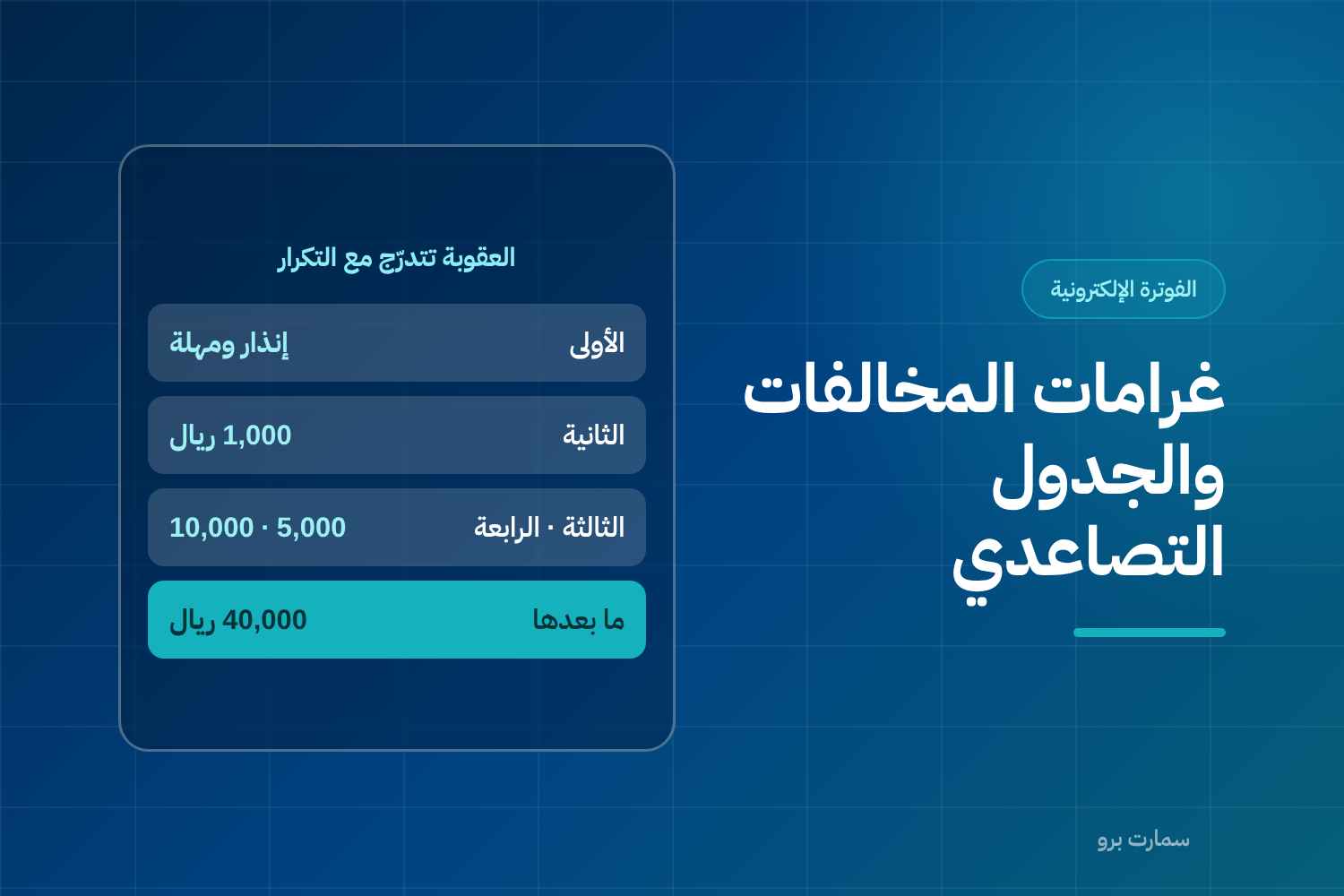
E-invoicing penalties are not a single amount imposed at the first mistake. The system in force is escalating: it starts with a written warning and a grace period to correct, then steps up with each repeat. Understanding this escalation changes how you should respond to the first notice you receive.
The most important message: a first violation is an opportunity, not a punishment, and the grace period you are given is the most valuable thing in the whole system.
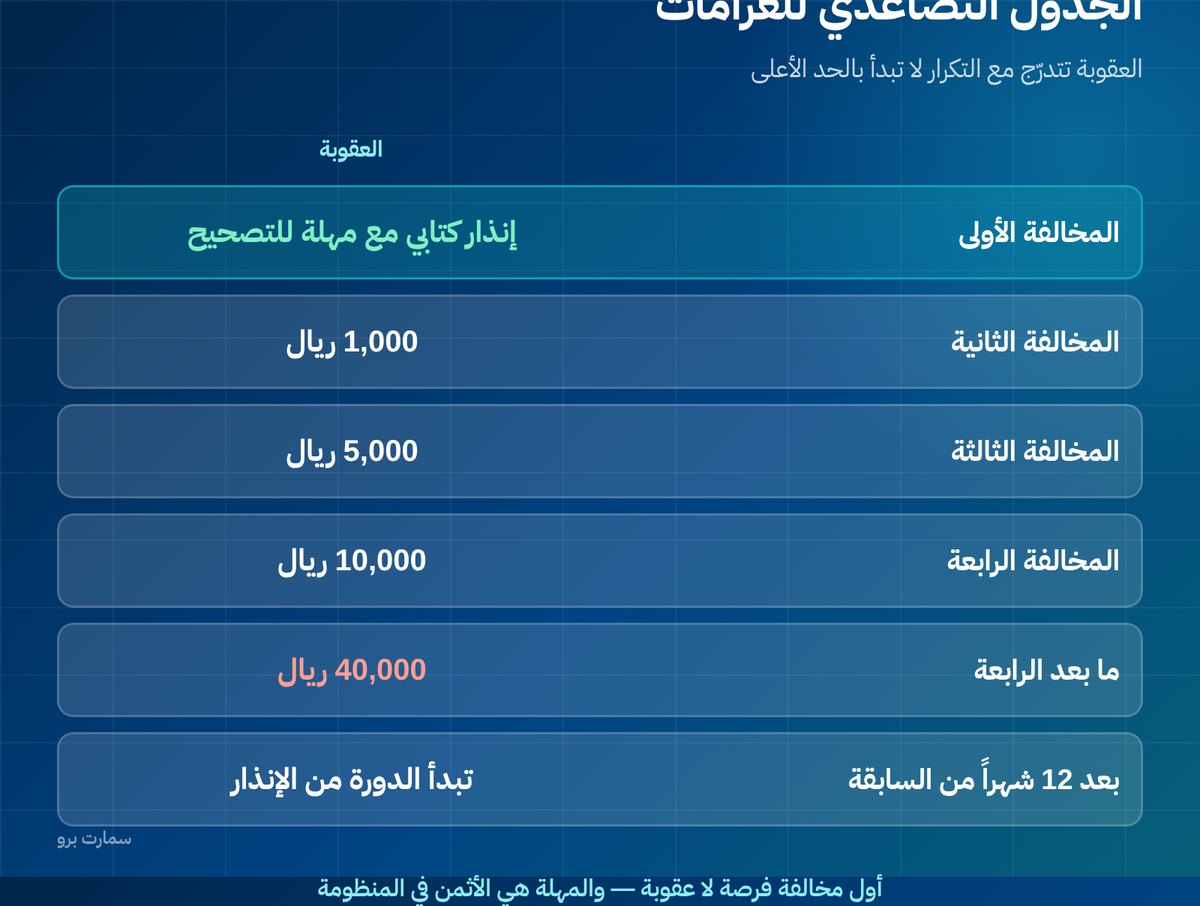
E-invoicing penalties: the escalation table
| Occurrence | Penalty |
|---|---|
| First violation | Written warning with a grace period to correct |
| Second violation | SAR 1,000 |
| Third violation | SAR 5,000 |
| Fourth violation | SAR 10,000 |
| Beyond the fourth | SAR 40,000 |
If the same violation is repeated more than twelve months after the previous one, it is treated as a new violation and the cycle starts again from the warning.
This means that fixing the root cause after the first warning saves you the entire escalation path.
Which violations are detected?
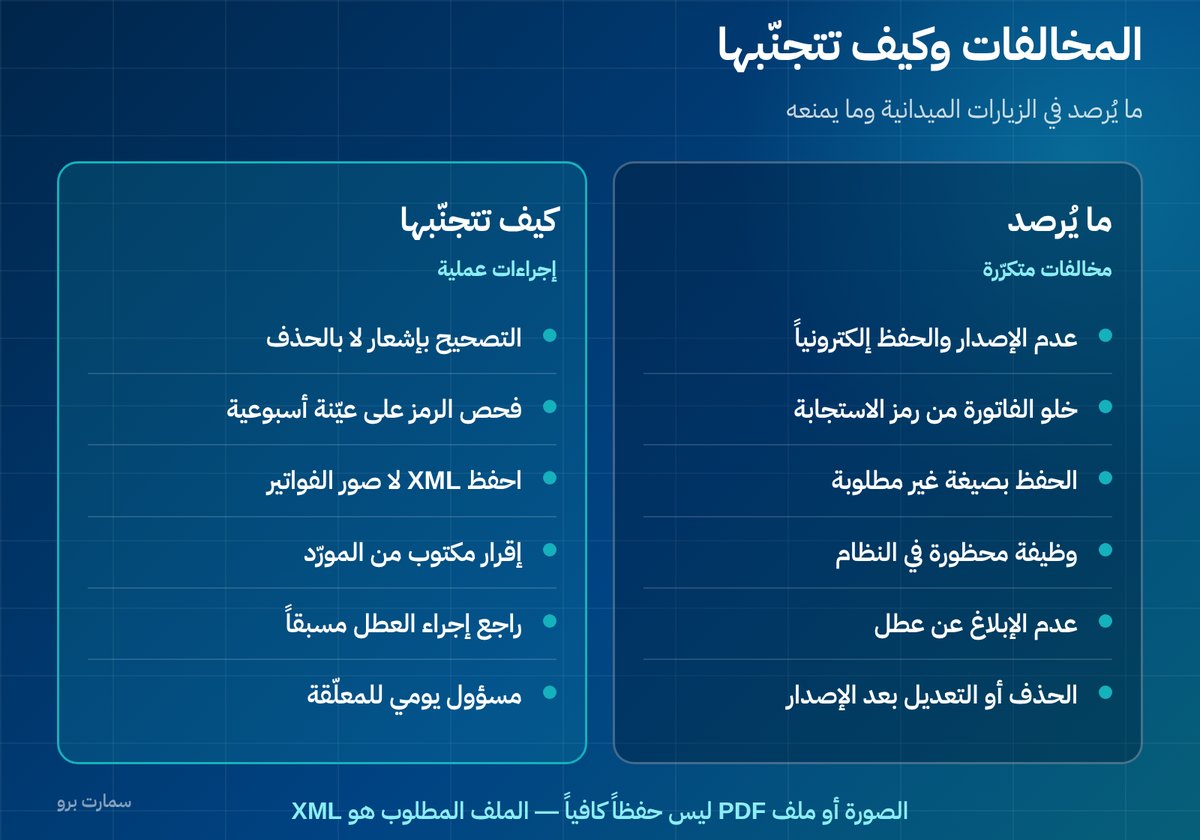
Violations typically found during field visits and inspections include:
- Not issuing invoices and notes electronically and not storing them as required.
- An electronic invoice that lacks a QR code.
- Not storing invoices and notes in the format the regulation requires.
- Adding any prohibited function to the system used for issuing and storing invoices.
- Not notifying ZATCA (the Zakat, Tax and Customs Authority) of any malfunction that prevents issuing invoices or notes.
- Deleting or modifying invoices or notes after they are issued.
- Breaching any other provision of the E-Invoicing Regulation and its related decisions.
Note the second-to-last item: deleting or modifying after issuance is a violation in its own right, and it is exactly what people fall into when they try to "fix" a mistake instead of issuing a note.
The item people forget: reporting a malfunction
Many businesses know they must issue invoices electronically, but they do not know that failing to report a malfunction is a violation in itself.
If your system breaks down in a way that prevents issuing or sending invoices for an extended period, the right step is not to wait until it comes back, but to follow what the regulation says about reporting. Review this procedure before you need it, because you will not have time to read it during the outage.
What does a "prohibited function" in the system mean?
This item is often misunderstood. It means any feature in the system that allows someone to bypass the integrity of the record, including:
- The ability to reset the invoice counter or renumber invoices.
- Editing an invoice after it is issued, or deleting it from the interface.
- Issuing backdated invoices retroactively.
- A "training mode" that issues real invoices without sending them.
- Allowing more than one user to use the same issuing-unit identity.
The feature only has to exist, even if it is never used. That is why you should ask your vendor for a written statement that the system is free of these functions, and make it a clause in the contract rather than a verbal question.
Storage format: an image is not an invoice
A common mistake: keeping a PDF or an image of the invoice and assuming that counts as storage. The file you must keep is the XML file in the approved format, because only it carries the verifiable digital signature and hash (a unique fingerprint of the invoice that changes if a single character is altered).
Ask your vendor: where are the XML files stored? Can I export all of them myself? And how long do they remain available after the subscription ends?
For the full background on Phase 2 requirements, see our ZATCA e-invoicing guide.
How do you avoid violations in practice?
- Do not edit or delete after issuance, however small the mistake looks. Use a credit note or a debit note.
- Check the QR code on a sample of invoices from every branch each week, and make sure it actually scans, not just that it is printed.
- Store the XML files, not images of invoices. An image is not the required format.
- Do not allow prohibited functions in the system, such as resetting the counter or editing a posted invoice. Ask your vendor directly whether these options exist, even if disabled.
- Assign a responsible person to review pending invoices daily so the reporting deadline does not pass silently.
What should you do if you receive a warning?
- Read the violation carefully and identify exactly which item it refers to. Do not guess.
- Count the grace period from the notice date and set yourself a deadline well before it ends.
- Fix the cause, not the case. If the error is in the QR code, the fix is a system update that covers every device, not just one.
- Document what you did and when, because records help you if a dispute arises later.
- Verify after correcting with a real sample, not with the vendor's confirmation alone.
Field inspections: what actually happens?
A field visit is usually simple: you are asked to issue an invoice in front of the inspector, its code is scanned, and what is displayed is compared with what is printed. You may also be asked to show earlier invoices in their stored format.
Preparing for this takes nothing more than having your affairs in order to begin with. But make sure branch staff know how to issue a test invoice and whom to call during a visit.
The non-financial impact
Focusing on the fine amount overlooks something more important: a business buyer cannot deduct input VAT from a non-compliant invoice, so they ask for it to be reissued or delay payment. When that repeats, it hurts your business relationships and cash flow more than the fine itself.
The penalties table, the regulation texts and their updates are published by the Zakat, Tax and Customs Authority. It is the only official reference, and the rules may change through later decisions.
Read also
- Credit and debit notes: how to correct an invoice
- The cryptographic stamp and the hash chain
- Invoicing when the connection drops
Key takeaway: E-invoicing penalties escalate from a written warning to SAR 40,000, so treat the first warning as your chance to fix the root cause. Never edit or delete issued invoices, store the XML files, and report malfunctions on time.
To see how ZATCA Phase 2 invoicing works in SmartPro, start a free trial or book a demo.
Frequently asked questions
How much is the fine for an e-invoicing violation in Saudi Arabia?
The penalty escalates: the first violation brings a written warning with a grace period to correct, then SAR 1,000 for the second, SAR 5,000 for the third, SAR 10,000 for the fourth and SAR 40,000 beyond that. If the violation is repeated more than twelve months after the previous one, the cycle starts again from the warning.
What are the most common e-invoicing violations?
They include not issuing and storing invoices electronically, invoices without a QR code, not storing invoices in the required format, adding a prohibited function to the system, not notifying ZATCA of malfunctions, and deleting or modifying invoices after issuance.
Is deleting an invoice after it is issued a violation?
Yes, and it is a violation in its own right. Once issued, an invoice is part of a signed chain, and the only accepted correction is a credit note or a debit note. Trying to fix a mistake by deleting or editing turns a minor error into a violation.
What should I do if I receive an e-invoicing warning?
Read the violation and identify exactly which item it refers to, count the grace period from the notice date, then fix the root cause rather than the single case. Document what you did and when, and after correcting, verify with a real sample of invoices rather than relying on the vendor's confirmation alone.