
Phase 2 E-Invoicing: What Integration Means and Why It Differs from Phase 1
Phase 2 e-invoicing means connecting your system directly to the Fatoora platform. Here is what changes from Phase 1, and what you need to prepare technically and procedurally before your deadline.
سامي الحيدري
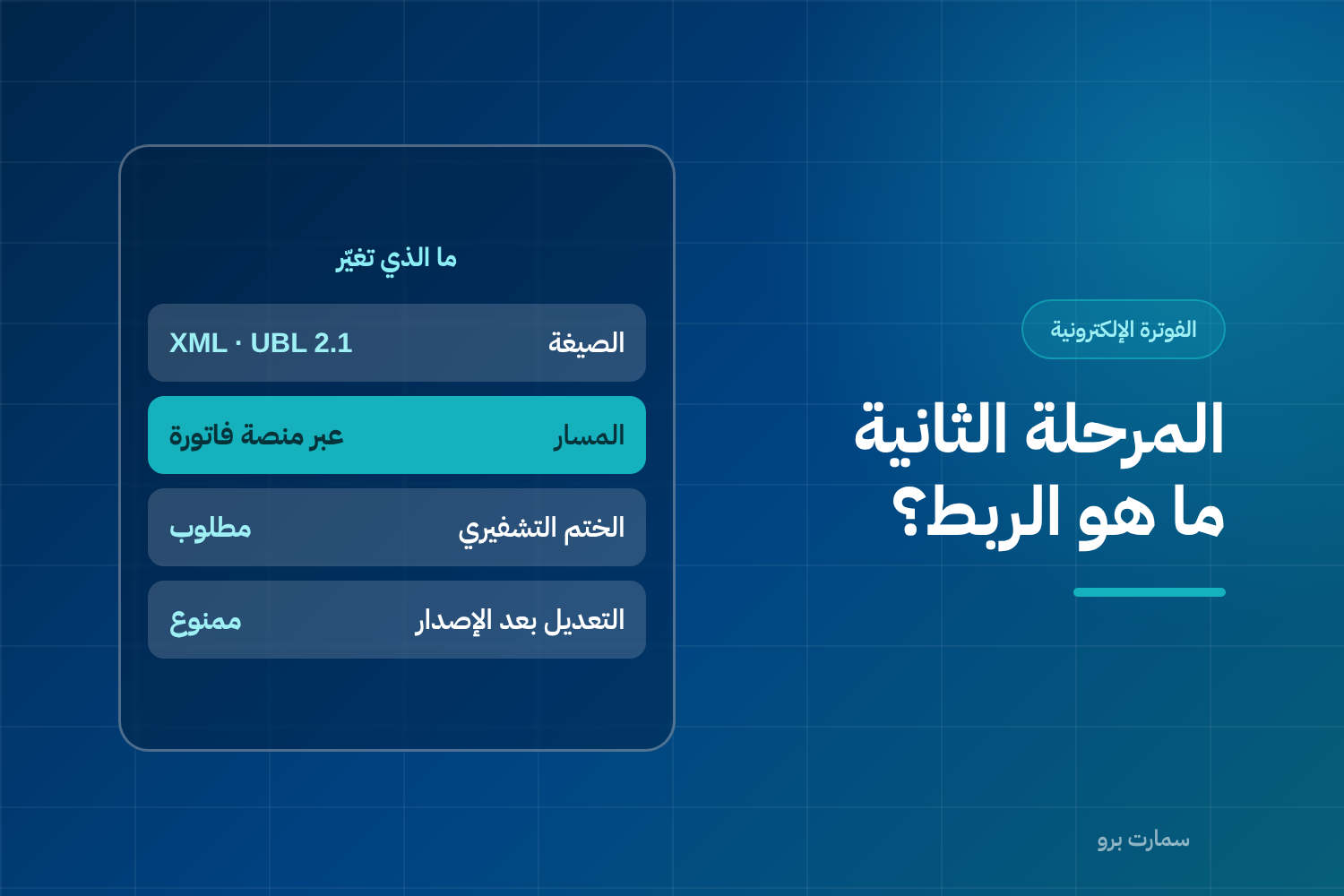
Phase 2 e-invoicing is not a bigger version of Phase 1. It changes who sees your invoice and when. In Phase 1, issuing and storing the invoice electronically was enough. In Phase 2, your system must connect to Fatoora, the e-invoicing platform of ZATCA (the Zakat, Tax and Customs Authority), and each invoice passes through it before or after delivery, depending on its type.
In practice, the invoice is no longer a document you issue on your own. It becomes a message between you and a third party, with a fixed format, a digital signature and a sequence that cannot be broken.
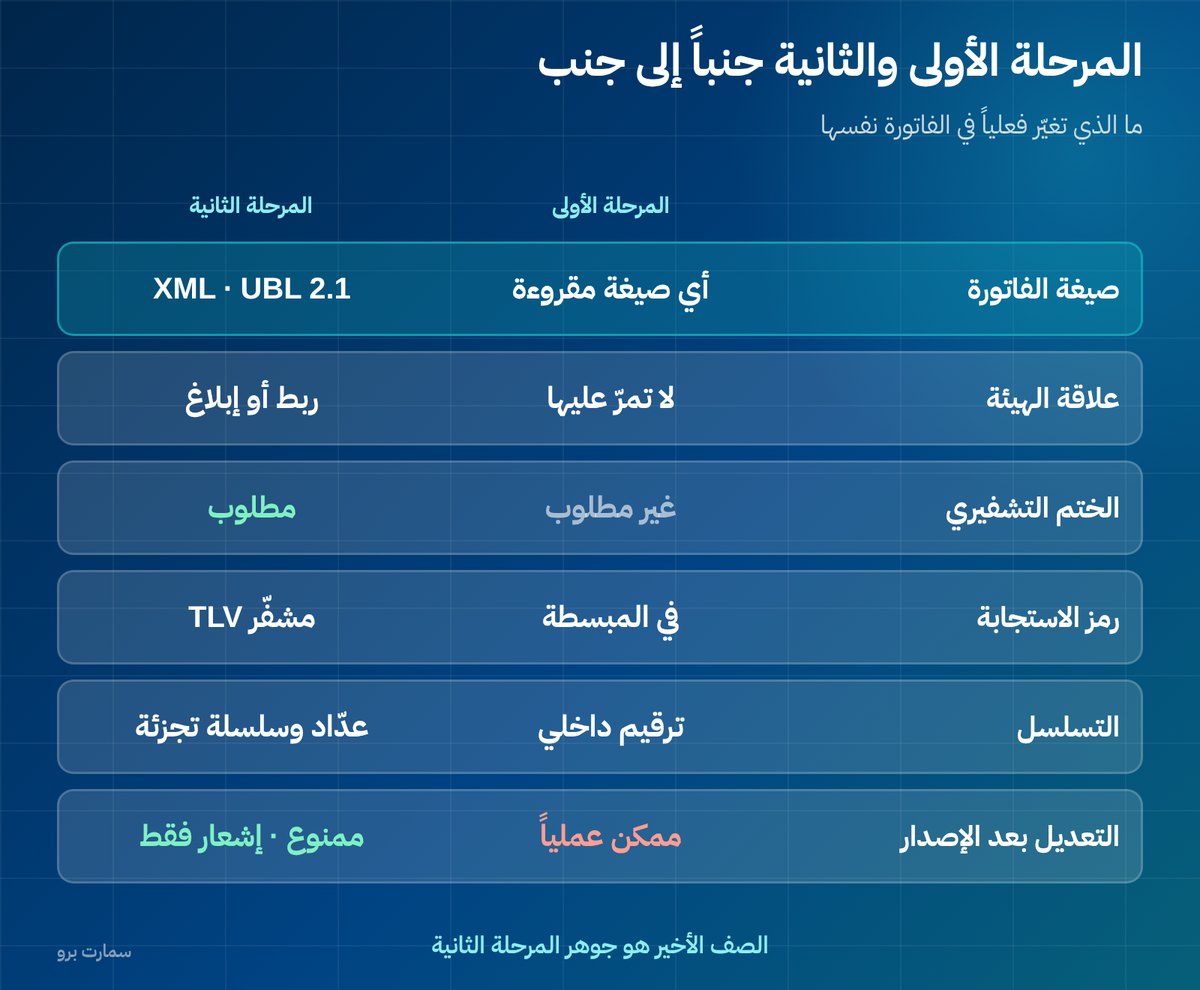
What changes in Phase 2 e-invoicing?
| Aspect | Phase 1 | Phase 2 |
|---|---|---|
| Invoice format | Any readable electronic format | XML under the UBL 2.1 standard, or PDF/A-3 with embedded XML |
| ZATCA's role | The invoice does not pass through it | The invoice passes through it via clearance or reporting |
| Cryptographic stamp | Not required | Required |
| QR code | Required on simplified invoices | Required and encoded in TLV format |
| Invoice sequence | Internal numbering | A counter that never resets and a linked hash chain |
| Editing after issue | Possible in practice | Not allowed; corrections are made with a credit or debit note |
The last row is the heart of this phase: once issued, an invoice becomes a link in a connected chain. Any attempt to delete or change a link breaks the chain, and that shows up on inspection.
Clearance or reporting: which applies to your invoices?
Phase 2 has two paths, and mixing them up causes many errors:
- Tax invoice (to businesses and government entities): subject to clearance. It is sent to the platform the moment it is issued, validated, and only delivered to the buyer after it is cleared. It requires the buyer's VAT number and details.
- Simplified tax invoice (to the end consumer): subject to reporting. It is handed to the customer immediately with a QR code, then sent to the platform within 24 hours.
Restaurants, grocery stores and retail shops mostly work on the second path. A contracting or supply company selling to other businesses works on the first. Many businesses work on both.
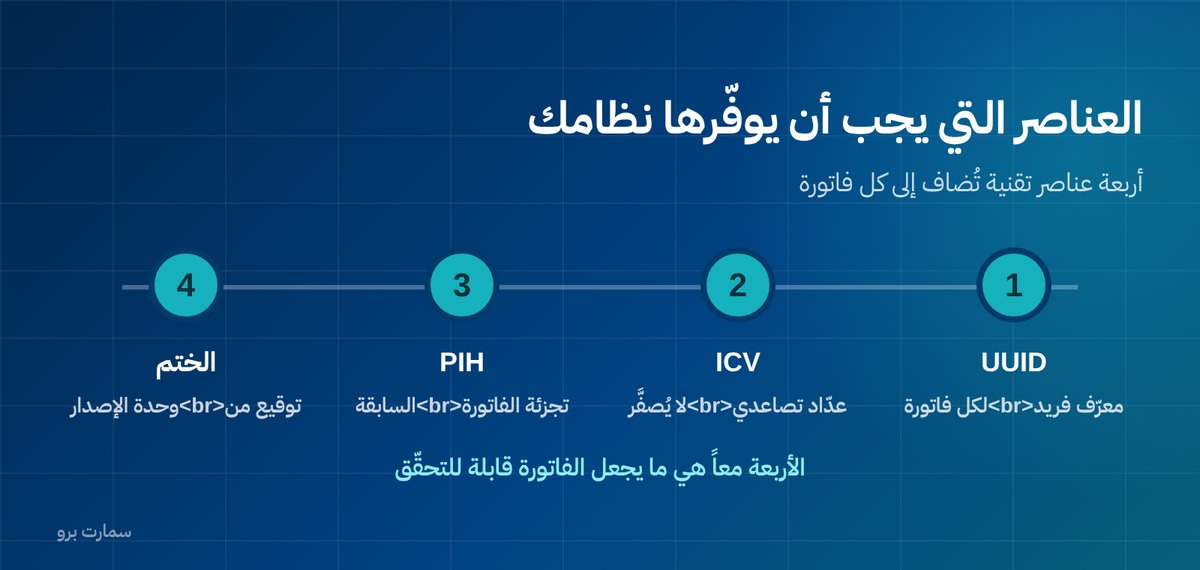
Which technical elements must your system provide?
- Unique identifier (UUID): a unique number for every invoice that is never repeated.
- Invoice counter value (ICV): an ascending counter for each issuing unit that never resets and is never renumbered.
- Previous invoice hash (PIH): each invoice carries the fingerprint of the one before it, forming a chain where no invoice can be inserted in the middle or removed.
- Cryptographic stamp: a digital signature proving the invoice came from an issuing unit registered in your name.
- Compliance certificate: obtained through a certificate signing request, then testing in the sandbox environment, then approval in the production environment.
What is the biggest mistake businesses make?
Treating it as a purely technical project. Your vendor may complete the connection itself in hours. What usually stalls is not the connection but the data and procedures:
- Customer VAT numbers are missing or wrong in your database, and every tax invoice will be rejected because of them.
- National addresses are incomplete, and they are required on the tax invoice.
- The sales team does not know when to issue a tax invoice and when to issue a simplified one, so they pick the easier option.
- Nobody knows what to do when an invoice is rejected or the connection drops.
Start by cleaning your customer data before you talk about integration. This step alone saves weeks of failed attempts after go-live.
What happens if you miss your deadline?
Compliance starts on a specific date that ZATCA notifies you of well in advance, depending on the wave your business falls into. Missing the integration deadline or issuing invoices that do not meet the requirements is treated as a violation. Handling usually starts with a notice and a grace period to correct, then escalates if it repeats.
The impact is not only financial. A business buyer may reject your uncleared invoice because it does not let them deduct input VAT, which holds up your own collections.
Check the requirements and wave dates at the official source, the Zakat, Tax and Customs Authority (ZATCA), rather than relying on a vendor's verbal interpretation. For a fuller walkthrough, see our ZATCA e-invoicing guide.
How long does integration actually take?
The answer depends on your starting point, not on the system:
- A business already on a qualified system with clean data: a few days, mostly waiting for the certificate and testing.
- A business on a system that needs an update or an integration module: weeks, depending on the vendor's schedule.
- A business issuing invoices from Excel files or paper books: this is not an integration project but a complete change in how you work. Allow at least two months for choosing a system, migrating customer and item data, and training.
Misjudging your situation is what leads businesses to discover, two weeks before their deadline, that they need two months.
Where do you start in practice?
- Identify your wave and your compliance date.
- Know the ratio of your tax invoices to simplified invoices; it tells you which path needs more attention.
- Clean your customer data: VAT numbers and national addresses.
- Confirm your current system is genuinely qualified, or plan to replace it early.
- Test in the sandbox environment before go-live, not after.
- Train everyone who issues invoices on both cases, and on what to do when an invoice is rejected or the connection drops.
Read also
- Accounting software or ERP? The right decision for your business
- What does ERP cost in Saudi Arabia?
- The accounting cycle: from invoice to financial statements
Key takeaway: Phase 2 turns every invoice into a signed, chained message that passes through Fatoora, so clean customer data and clear procedures matter as much as the technical connection.
To see Fatoora Phase 2 invoicing working inside a connected system, book a demo or start a free trial of SmartPro.
Frequently asked questions
What is the difference between Phase 1 and Phase 2 of e-invoicing?
Phase 1 only requires issuing and storing invoices electronically. Phase 2 requires connecting your system to the Fatoora platform and issuing invoices in XML under the UBL 2.1 standard, with a cryptographic stamp, a counter that never resets and a hash chain linking each invoice to the one before it.
Do all my invoices need ZATCA approval before I deliver them?
No. Tax invoices issued to businesses and government entities are subject to clearance, so they must be cleared before delivery. Simplified invoices for end consumers are subject to reporting: they are handed over immediately and then sent to the platform within 24 hours.
What must my system provide for Phase 2?
It must issue invoices in XML under the UBL 2.1 standard, with a unique identifier for each invoice, an ascending counter that never resets, the previous invoice hash, a cryptographic stamp and a QR code in TLV format. It also needs the technical connection to the Fatoora platform.
What most often holds up integration in practice?
Incomplete customer data. Wrong VAT numbers and incomplete national addresses cause tax invoices to be rejected, and fixing them after go-live is much harder than cleaning them beforehand.