
How to Choose the Right POS System for Your Business in Saudi Arabia
A practical guide to choosing a POS system in Saudi Arabia: links to accounting and inventory, offline selling, shift closing and cash variances, and ZATCA e-invoicing requirements.
Author:سامي الحيدري
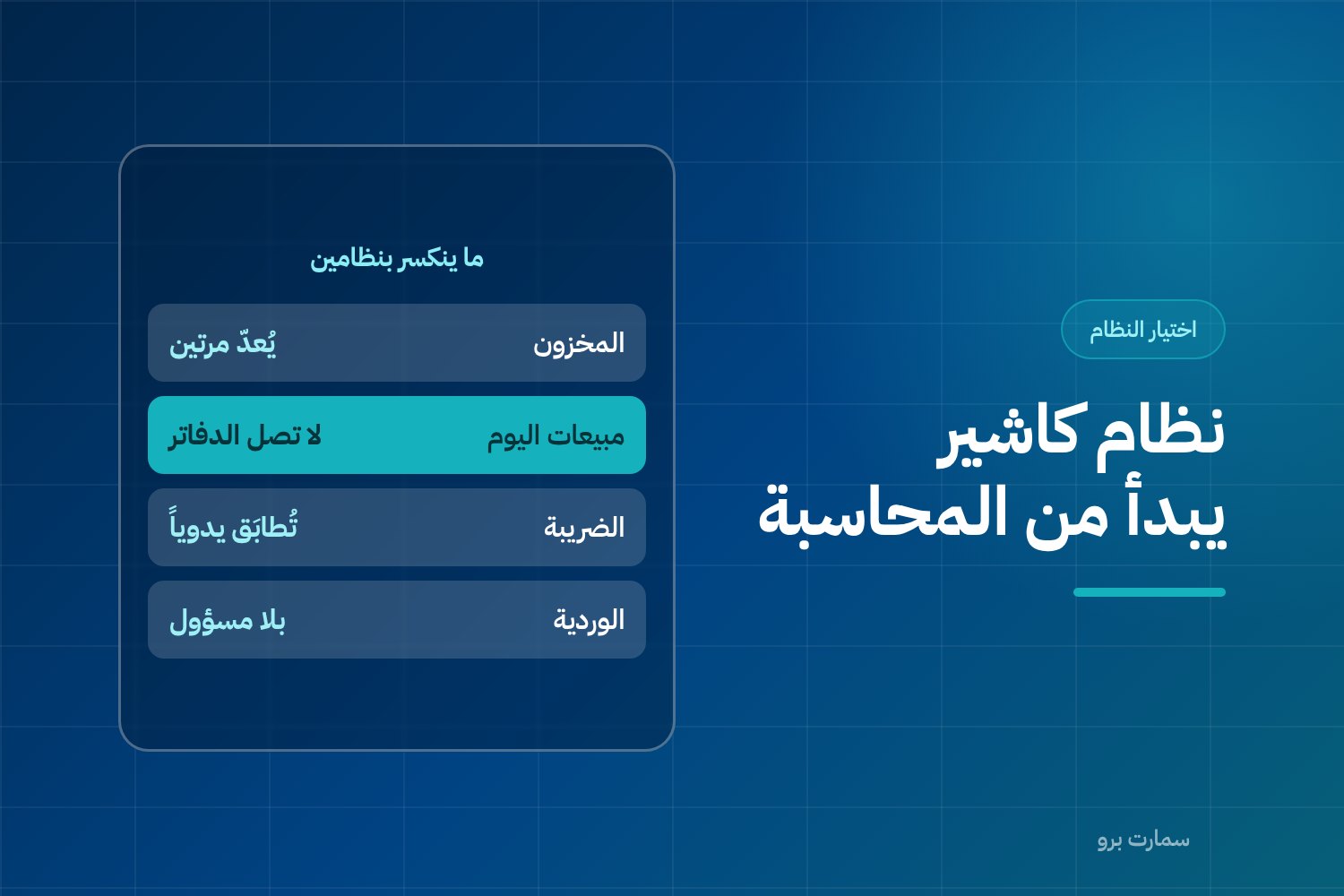
Choosing a POS system is not about how the screen looks or how fast receipts print. It is about where your numbers end up at the close of the day. Every sale at the till is a stock movement, a VAT entry and a journal entry. If all three do not land in one place automatically, you are buying a cash collector, not a sales system.
This guide is for buyers comparing types of systems and how they work, not product names. The criteria below are what separate a system that lasts two years from one you replace after six months.
Why should choosing a POS system start with accounting, not the screen?
Most buyers make the same split. They treat the POS as a standalone system, then look for a way to connect it to accounting later. The right order is the reverse.
The POS is the data-entry front end of your accounting and inventory system. It is the first point where data is captured, not a separate island that exports reports at month end.
The difference shows up in one question. When an item is sold at the till, does its stock quantity drop, the revenue get recorded, the VAT due get calculated and the cost get posted, at the same moment and with no human step? If the answer is "yes, after exporting a file", the real answer is no.
For more on the difference between standalone accounting software and an integrated system, see accounting software vs ERP for Saudi businesses.
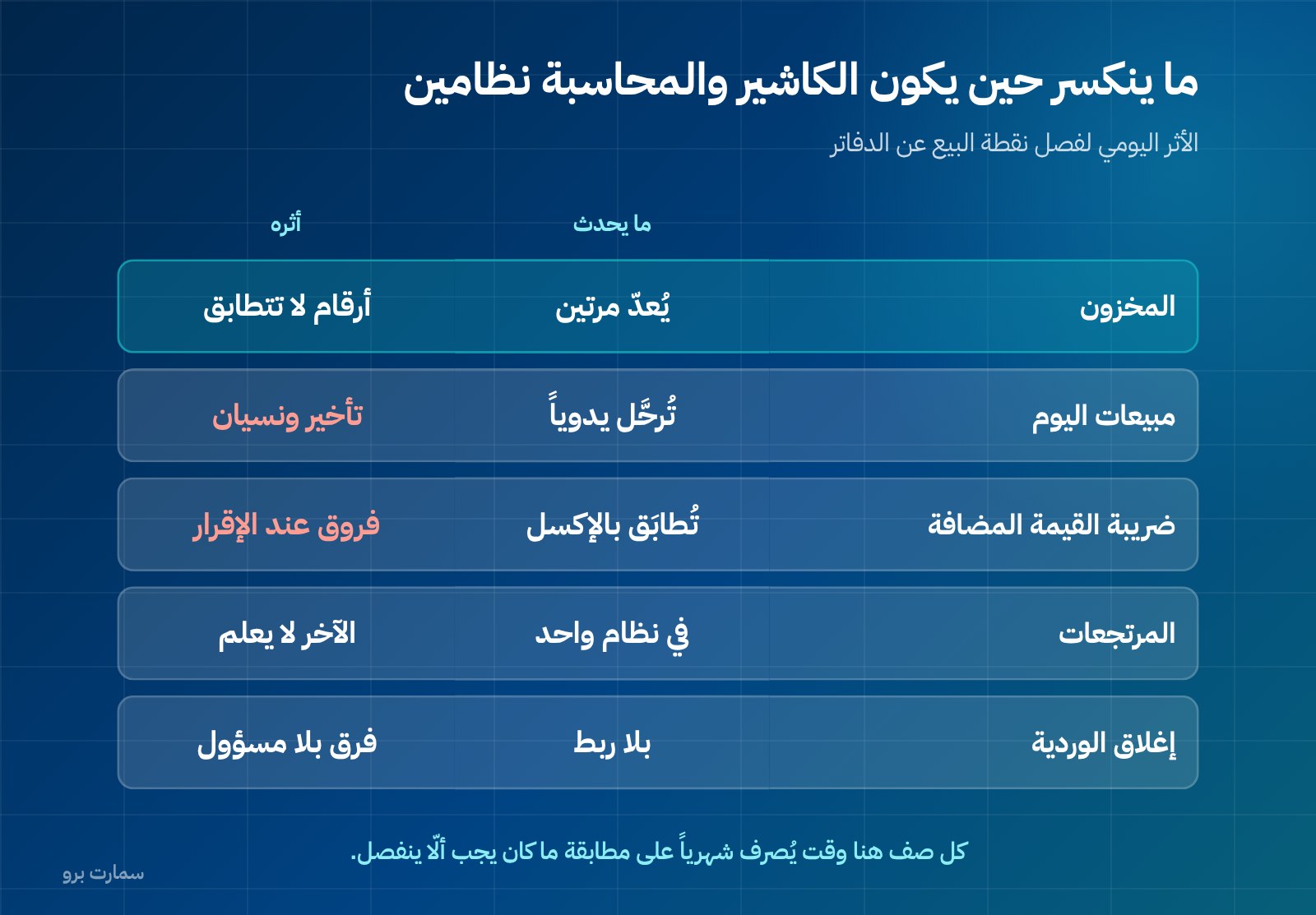
What breaks when the POS and accounting are two separate systems?
The symptoms repeat, and you can diagnose them before you buy:
Stock is maintained twice. The POS keeps its own item list and inventory keeps another. Every new item, price change and barcode edit is entered in two places. The gap grows quietly until a stocktake exposes it.
Sales never reach the books. When the transfer is manual or a daily file, any missed day, lost file or unclosed shift means unrecorded revenue. Worse, you only discover it during bank reconciliation.
VAT is reconciled by hand. Total output VAT from the POS must match the books. With two systems, this matching becomes a monthly manual task on an external spreadsheet, and that is where errors appear first.
Returns get lost. A return at the till should reverse three things: quantity back to stock, revenue and VAT. In separate systems it is often handled as a cash deduction only.
There is no real cost of sales. Without linking the POS to inventory at cost, you have a sales figure with no profit. You know you sold, but not whether you made money.
Which criteria should you compare POS systems on?
Use this table as a single scorecard for every system you try. The last column is the exact question to put to the vendor.
| Criterion | Why it matters | Ask this question |
|---|---|---|
| Working offline | The shop should not stop selling because the line dropped | What keeps working without a network, and what stops? |
| Transaction speed | At peak, two extra seconds per invoice means a queue | How many taps from barcode scan to printed invoice? |
| Hardware lock-in | Locked hardware dictates your supplier and maintenance costs | Does it work with a standard printer, scanner and cash drawer from any supplier? |
| Multiple branches | Stock and prices can differ by branch | Does each branch have its own stock and reports, with central consolidation? |
| Shifts and cashier accountability | Cash variances need a name and a time | Is every transaction tied to a user and a shift? |
| Returns and voids | The most common point for abuse | Who can void, and is it recorded in an audit trail? |
| Link to inventory and accounting | The difference between a sales system and a cash machine | Are the journal entry and stock movement automatic or by export? |
| E-invoicing | A regulatory requirement, not an option | How does it handle the cryptographic stamp, counter, hash chain and QR code? |
| Reports | Purchasing and pricing decisions depend on them | Can I see profit per item, not just sales? |
| Permissions | Protection against edits after the sale | Can a cashier change a price or delete an invoice? |
What must keep working offline, and what can sync later?
This criterion is skipped in demos and paid for at the first outage. A shop cannot afford to stop selling, so the question is not "does it work offline?" but "what exactly works?".
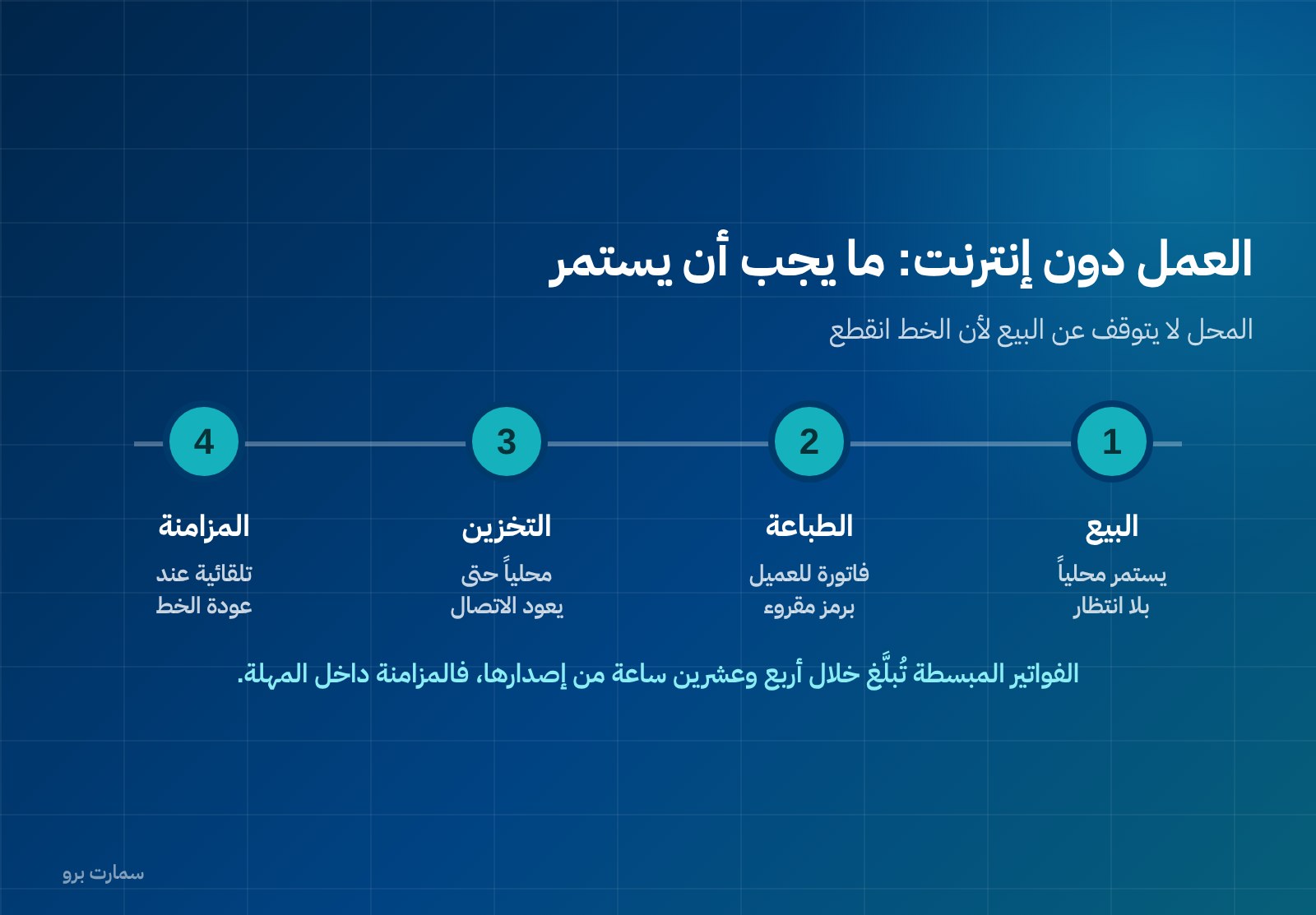
What must continue without a network: opening the shift, scanning barcodes and selling, calculating VAT, issuing and printing the simplified invoice with its QR code, recording cash payments and closing the shift. This is the core of selling and it should not depend on a connection.
What can wait until the line returns: syncing transactions with central stock, price and item updates from head office, consolidated reports across branches, and reporting simplified invoices to the platform. Simplified invoices are reported within 24 hours of issue and do not need prior clearance, so sending them after reconnecting stays within the window if the outage is short, provided reporting runs in an automatic queue rather than relying on someone to remember.
Check three points in practice:
- Invoice numbering and the counter never duplicate or reset during an outage.
- Local invoices are saved and not lost when the device restarts.
- Syncing does not create quantity conflicts when two branches sell at the same time.
Ask for an outage test in front of you: disconnect the network, make three sales, restart the device, then reconnect and watch what arrives.
How should shift closing and cash variances work?
This is the control owners actually care about. A good system turns a cash variance into a known figure with a name and a time, not an end-of-day argument.
At closing, a shift should produce: the drawer's opening float, total cash sales, total card and mada sales, returns, any cash drawn or deposited during the shift, the cash actually counted, and the difference between counted and expected. Most importantly, the counted cash must be entered before the cashier sees the expected figure; otherwise the count loses its control value.
Beyond that, ask for three reports: variances by cashier over a month, voids and returns with the user who made them, and an audit trail of any edit to an invoice after it was issued. If the system lets anyone edit or delete an invoice without a trace, there is no control left to discuss.
What does the system handle for e-invoicing, so you don't have to?
In Phase 2 of ZATCA e-invoicing, printing a neat invoice is not enough. The technical requirements are: generating the invoice in XML under the UBL 2.1 standard, a cryptographic stamp, a counter that never resets, a hash chain linking each invoice to the one before it, and a QR code printed on simplified invoices. Simplified invoices are reported within 24 hours of issue and do not need prior clearance.
A simplified tax invoice is the invoice issued to consumers, typically at the till. Its mandatory fields are: date of issue, the supplier's name, address and VAT registration number, a description of the goods or services, the amount due, and the VAT amount in SAR or a statement that the price includes 15% VAT.
One point is often misunderstood: ZATCA does not approve or certify software. It publishes an indicative list of qualified solution providers. Any offer that says "officially approved system" is describing itself, not a regulatory fact. Instead of certificates, ask for a real simplified invoice to be issued in front of you, for the resulting XML file to be opened, and for the QR code to be scanned from the printed receipt.
For more detail on QR codes, invoice types and Phase 2 requirements, see our ZATCA e-invoicing guide.
What changes by industry?
The core is the same; the details that make implementations fail are different:
Restaurant. You need orders by table, separate dine-in, delivery and pickup, sending orders to the kitchen, editing an order after it is sent and, above all, a recipe for each dish that deducts raw materials, not plates. Without that there is no real stock in a kitchen. More on this sector in restaurant POS or ERP.
Grocery or supermarket. You need to read scale barcodes for weighed items, sell by weight and fractions, track items with expiry dates, and run offers such as "buy two". Till speed here is the first criterion, not the second.
Retail with sizes and colours. You need a variant matrix: a shirt is one item with sizes and colours, and each combination has its own stock and barcode. If you have to create a separate item for every size and colour, you end up with hundreds of items and an impossible stocktake.
What should you test in a demo?
Demos run on prepared data. Ask to test with ten of your real items, and walk through these steps yourself:
- Enter ten items with their real names, barcodes and prices, plus one item with variants if your business needs them.
- Record an opening stock balance, then make three sales and check that quantities drop immediately.
- Issue a simplified invoice, print it and scan the QR code from the paper.
- Process a partial return, then check that the quantity returns and that VAT and revenue are reversed.
- Disconnect the internet, make two sales, restart the device, then reconnect and watch syncing and reporting.
- Close the shift with counted cash that differs from the expected figure, and see how the variance is recorded and under whose name.
- Log in as a user with cashier permissions and try to change a price and delete an invoice: both should be blocked and logged.
- Create a second branch, transfer a quantity between them, and ask for a stock report per branch.
- Ask for a profit-per-item report, not a sales report.
- Ask to export all your data: items, customers and transactions. If you cannot take your data with you, you are locked in, not subscribed.
How should you budget: full cost or licence price?
The table below is illustrative, to show the method; it does not contain market prices:
| Item | Year one (illustrative) | Note |
|---|---|---|
| System licence | Depends on package | Recurs every year |
| POS terminal and screen | One-time amount | Can be saved with an existing device |
| Printer, scanner and drawer | One-time amount | Buy standard, not locked |
| Setup and item entry | One-time amount | Grows with the number of items |
| Cashier training | One-time amount | Cheaper than a month of mistakes |
Replace each "amount" with real quotes you receive, and total the cost over three years, not one. Systems that are cheap in year one are not always the cheapest by year three.
SmartPro publishes its prices, all including VAT: the Mini package is SAR 1,500 a year with one user and the main branch, Pro is SAR 4,500 a year with three users, and Max is SAR 20,500 a year with ten users. Each additional branch costs SAR 1,000 a year on any package. You can review SmartPro Sales & POS, which keeps selling offline and supports ZATCA (Fatoora) Phase 2 e-invoicing, and test it on your own items before any commitment.
Where is the official reference?
For e-invoicing requirements and the indicative list of qualified solution providers, the only source to rely on is the Zakat, Tax and Customs Authority (ZATCA): zatca.gov.sa. Any regulatory claim you hear in a sales pitch, verify it there before basing a decision on it.
Read also
- Restaurant POS or ERP in Saudi Arabia
- Accounting software or ERP
- ZATCA e-invoicing guide: standard and simplified invoices
Key takeaway: Judge a POS system by whether every sale updates stock, VAT and accounts automatically, keeps selling offline and closes shifts with named variances. Test it on your own items, not demo data.
To see this on your own items, start a free SmartPro trial or book a 30-minute demo.
Article visuals
Frequently asked questions
Is a POS system separate from accounting?
No. The POS is the data-entry front end of your accounting and inventory system, not a standalone island. Every sale is at once a stock movement, a VAT entry and a journal entry. When they run as two systems, items are maintained twice, VAT is reconciled by hand and some sales never reach the books.
What should keep working when the internet goes down?
Opening the shift, selling and scanning barcodes, calculating VAT, issuing and printing the simplified invoice with its QR code, and closing the shift should all continue offline. Syncing with central stock, consolidated reports and invoice reporting can wait until the connection returns. Because simplified invoices are reported within 24 hours of issue and need no prior clearance, delayed reporting is acceptable if it runs in an automatic queue.
What does a POS system need for Phase 2 e-invoicing?
Technically, it must generate invoices in XML under UBL 2.1, apply a cryptographic stamp, keep a counter that never resets, maintain a hash chain linking each invoice to the previous one, and print a QR code on simplified invoices. Simplified invoices are reported within 24 hours of issue without prior clearance. In a trial, ask for a real invoice to be issued, the XML file opened and the QR code scanned from the printed receipt.
Are there POS systems 'approved' by ZATCA?
ZATCA does not approve or certify software; it publishes an indicative list of qualified solution providers. Any marketing claim of an 'officially approved system' describes the vendor, not a regulatory approval. Check the requirements directly on the ZATCA website and judge the system by testing it on your own invoices and items.