
AI in Accounting: What Can Be Automated Today and What Can't
No predictions about the future. A breakdown of the accounting cycle: what you can automate today, what should never be left to a model, and three conditions to meet before you start.
Author:سامي الحيدري
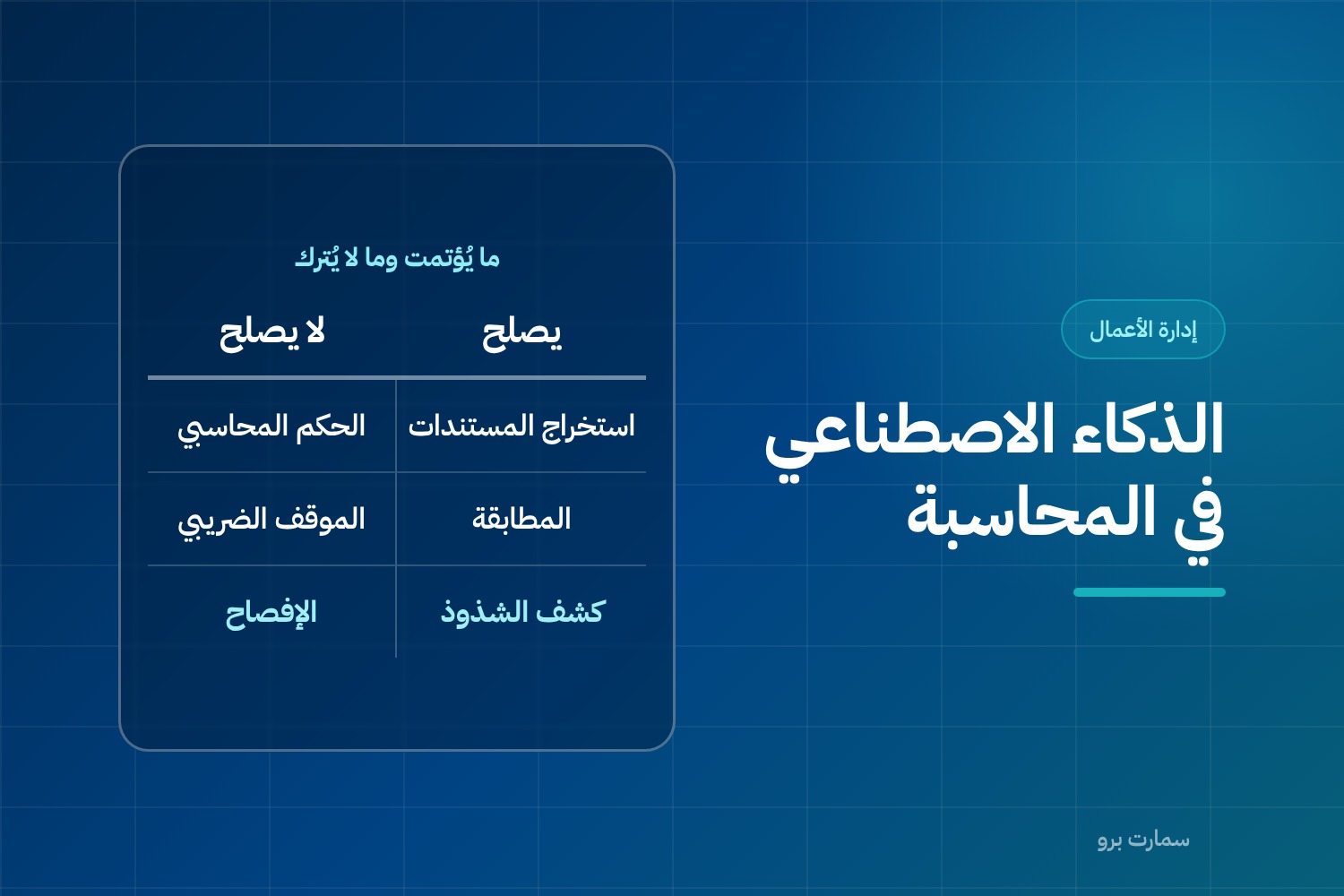
AI in accounting works today wherever the output can be checked immediately: reading documents, suggesting account codes, reconciliation, flagging anomalies and drafting. It should not be left alone with accounting judgements, tax positions, disclosures or the final approval of any entry. Before automating anything, you need clean master data, a written approval threshold and an audit trail.
A lot is written about AI in accounting, and very little of it is measured. The practical question is not "Will it replace the accountant?" but a narrower and more useful one: which step in your accounting cycle can be automated today, and which step should never be left to a model?
This article answers that by breaking down the cycle, not by forecasting the future.
Where AI in accounting actually works today
The uses that have proven their value share one trait: their output can be verified straight away.
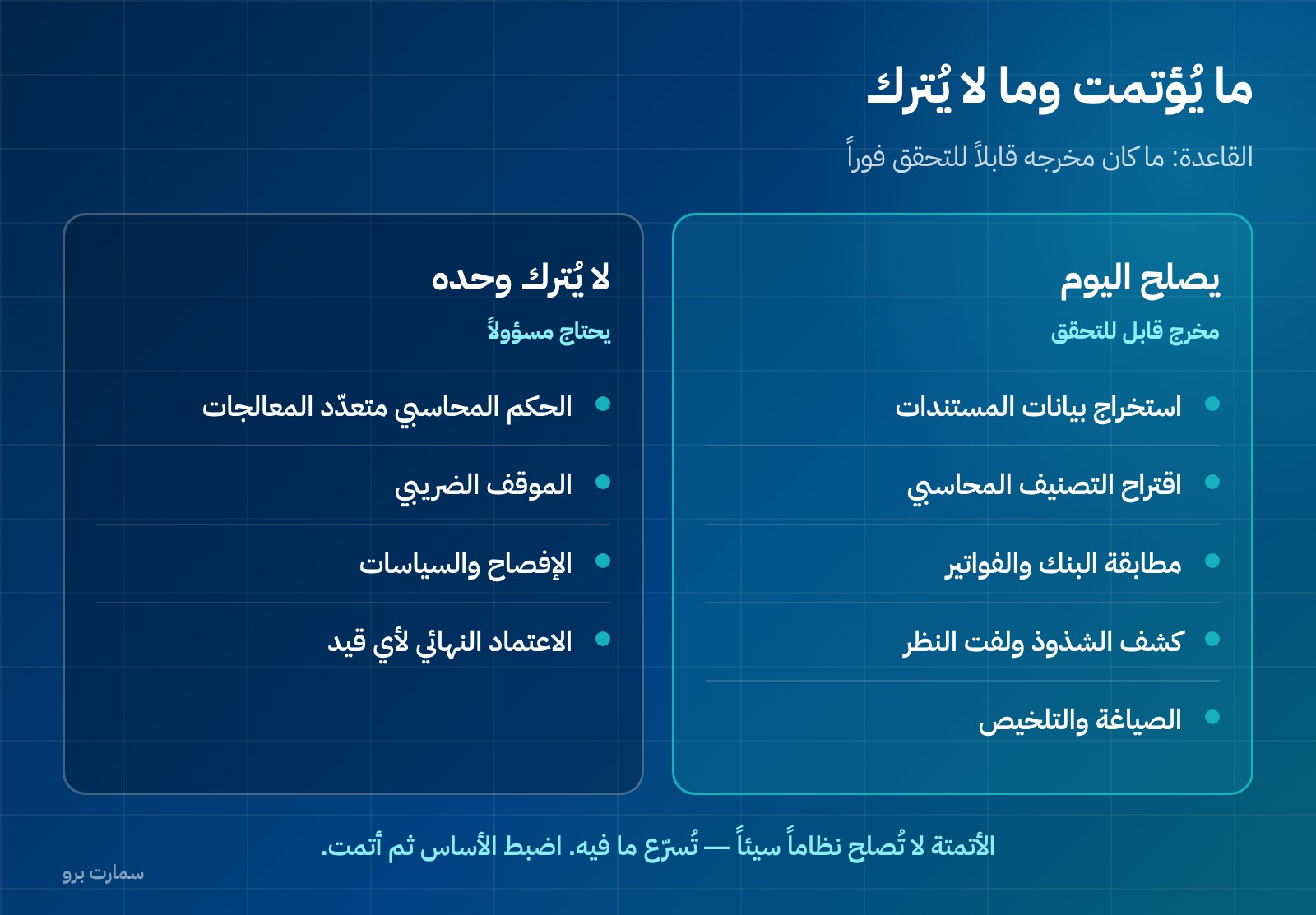
Reading documents and extracting their data. A photographed supplier invoice becomes fields: date, number, amount, VAT and supplier. This is the most mature application, because right and wrong are obvious at once: the figure either matches the image or it doesn't.
Suggesting the accounting classification. The system proposes an account based on the transaction description and your past behaviour. The suggestion stays a suggestion that you approve or amend, and each amendment improves the next suggestion.
Reconciliation. Reconciliation means matching two records of the same transactions, such as a bank statement against the books, or invoices against receipt vouchers. It is an ideal task for automation: many rules, high volume, and a result that can be audited.
Anomaly detection. Anomaly detection means spotting entries that break the usual pattern: an invoice for an amount outside a supplier's normal range, a transaction at an unusual time, or an expense recorded twice. The value here is not in the judgement but in drawing attention: the system raises the flag and a person decides.
Drafting and summarising. A draft report, an explanation of a line item for a non-accountant, or a summary of a long contract. Checking the result remains the reader's job.
Where should AI never be left on its own?
This is the part most marketing articles avoid:
Accounting judgements that allow more than one treatment. Estimating useful life, identifying performance obligations in a complex contract, or estimating the allowance for doubtful debts. These are judgements that need context and accountability, and they cannot be derived from a pattern.
Tax positions. A language model knows the authority's current regulations only as far as it has been given them, and it phrases a confident answer even when it is wrong. Anyone who takes a rate, a deadline or a threshold from it without going back to the issuing body's text, ZATCA in the case of VAT, is building a return on a source that carries no responsibility.
Disclosures and policies. What is written in the notes to the financial statements binds the business, and it should not be generated and published without review.
The final decision on any journal entry. Automation produces the entry; approval remains a human act with consequences and an accountable person behind it.
What changes in the accountant's work?
Not the end of the profession, but a shift in time. The share of time that goes today to data entry, reconciliation and compiling moves to review, interpretation and decision-making.
| What shrinks | What grows |
|---|---|
| Entering invoices manually | Verifying the extracted data |
| Reconciling statements line by line | Investigating unusual differences |
| Compiling reports | Explaining reports to the decision-maker |
| Remembering deadlines | Designing controls that prevent errors |
The skill that gains value is not operating the tool but the ability to spot when its output is wrong. Someone who doesn't know how a journal entry is built cannot review an entry a system generated.
What conditions must be in place before you automate?
1. Disciplined master data. Master data is the reference information every transaction relies on: a clean chart of accounts, item codes without duplicates, and complete supplier and customer records. Any smart system running on messy data produces mess faster. This is the real work, and it starts with the chart of accounts and the setup of your finance and accounting system.
2. A written line between what is approved automatically and what is reviewed. For example: transactions below a set amount and from approved suppliers pass, and anything above it is reviewed. Without this line, you either review everything and save nothing, or review nothing and lose control.
3. A traceable audit trail. An audit trail is the record of who did what to each entry and when. Every automated transaction must be logged: who or what produced it, when, on what basis, and who approved it. A system that changes an entry without leaving a trace is not fit to be an accounting record, however smart it is. This is one of the questions to ask before buying any system, covered in our Saudi ERP buyer's guide.
What about privacy?
Privacy is an item you cannot postpone. Your accounting data carries the names of customers and suppliers, amounts and salaries. Before entering it into any tool, ask three questions:
- Where is it stored? And is it used to train public models?
- Who can access it? Inside your business and outside it.
- Does your data include personal data? Salaries and employee details carry different data-protection considerations from sales figures.
Pasting an employee's salary into a public tool to analyse it is not a shortcut. It is a disclosure.
Is your problem intelligence or integration?
This question comes before any tool. Much of what is bought as "artificial intelligence" actually solves an integration problem, not an intelligence problem.
A business that keys its sales invoices manually from the point-of-sale system into the accounting system doesn't need a model that reads invoices. It needs the two systems to be one, or connected. A business that enters stock movements twice needs integration, not extraction. In a connected system such as SmartPro, for example, a sale updates stock and accounts by itself, so there is nothing to re-key in the first place.
This distinction saves a lot of money: automating something that should never have been entered by hand is not an achievement. Before any tool, map where all your data comes in: its source, how many times it is written, and who rewrites it. Any piece of data written more than once is a candidate for integration before it is a candidate for intelligence.
The question that reveals this in a minute: how many journal entries are written manually in your business each month? A large number doesn't mean you need intelligence. It means your documents are not linked to their entries.
How do you measure the return?
"We saved time" is not a result. The result is three numbers, measured before and after:
- Hours spent on data entry and reconciliation each month, measured by counting, not estimating.
- Error rate, meaning how many entries out of every hundred needed correction.
- Time to close, meaning how many days from month-end until the financial statements are issued.
The third is the most honest, because it combines the effect of the other two and cannot be dressed up. A business that closes on day 20 before automation and on day 20 after it has automated nothing that matters, however advanced the system looks.
How do you start in practice?
- Measure first. How many hours a month go to entering invoices and reconciliation? Without this number, you won't know whether you saved anything.
- Start with one task that is high in volume and clearly right or wrong, such as extracting data from purchase invoices.
- Run it in parallel for a full month: the system works and the old method works, and you compare.
- Expand once accuracy is proven, not before.
- Write down what is never automated in your business, and keep it written.
The point worth ending on: automation doesn't fix a bad system; it speeds up whatever is in it. A business whose entries are uncontrolled and whose inventory has no costing won't be fixed by a model. It will get the same errors, faster and with more confidence. The right order is: fix the foundation, then automate.
The recognition, measurement and presentation principles that govern any accounting output, automated or manual, are set by the IFRS Foundation.
Key takeaway: Automate the steps whose output can be checked at once, keep judgements, tax positions, disclosures and final approval with people, and fix your master data and integration before buying any AI tool.
To see how a connected system and the SmartPro AI Assistant handle your own data, start a free trial or book a demo.
Article visuals
Frequently asked questions
What are the mature uses of AI in accounting?
There are five, and they share one trait: their output can be verified immediately. They are reading documents and extracting their data, suggesting the account classification, reconciling bank statements and invoices, detecting anomalies and flagging them, and drafting and summarising. In all of them, approval remains a human act.
What should not be left to AI in accounting?
Accounting judgements that allow more than one treatment, such as estimating useful life, performance obligations and the allowance for doubtful debts. The tax position, because a model writes a confident answer even when it is wrong. Disclosures and policies, because they commit the business, and the final decision on any journal entry.
Will AI replace the accountant?
What changes is where the time goes, not whether the profession exists: the share spent on data entry, reconciliation and compiling moves to review, interpretation and decision-making. The skill that gains value is not operating the tool but spotting when its output is wrong. Someone who doesn't know how a journal entry is built cannot review one a system generated.
What conditions are needed before automating accounting?
Three. Disciplined master data, meaning a clean chart of accounts and item codes without duplicates. A written line between what is approved automatically and what is reviewed. And a traceable audit trail recording who produced each transaction, when, on what basis and who approved it.
What privacy considerations apply when using AI tools for accounting?
Ask three questions before entering any data: where it is stored and whether it is used to train public models, who can access it inside and outside the business, and whether it contains personal data. Payroll and employee data carry different protection considerations from sales figures. Pasting them into a public tool is not a shortcut but a disclosure.