
Payroll Excel Template with GOSI Contributions
A payroll Excel template that calculates GOSI contributions automatically for Saudi and non-Saudi employees, with the wage cap, the payroll journal entry and common mistakes to avoid.
Author:سامي الحيدري
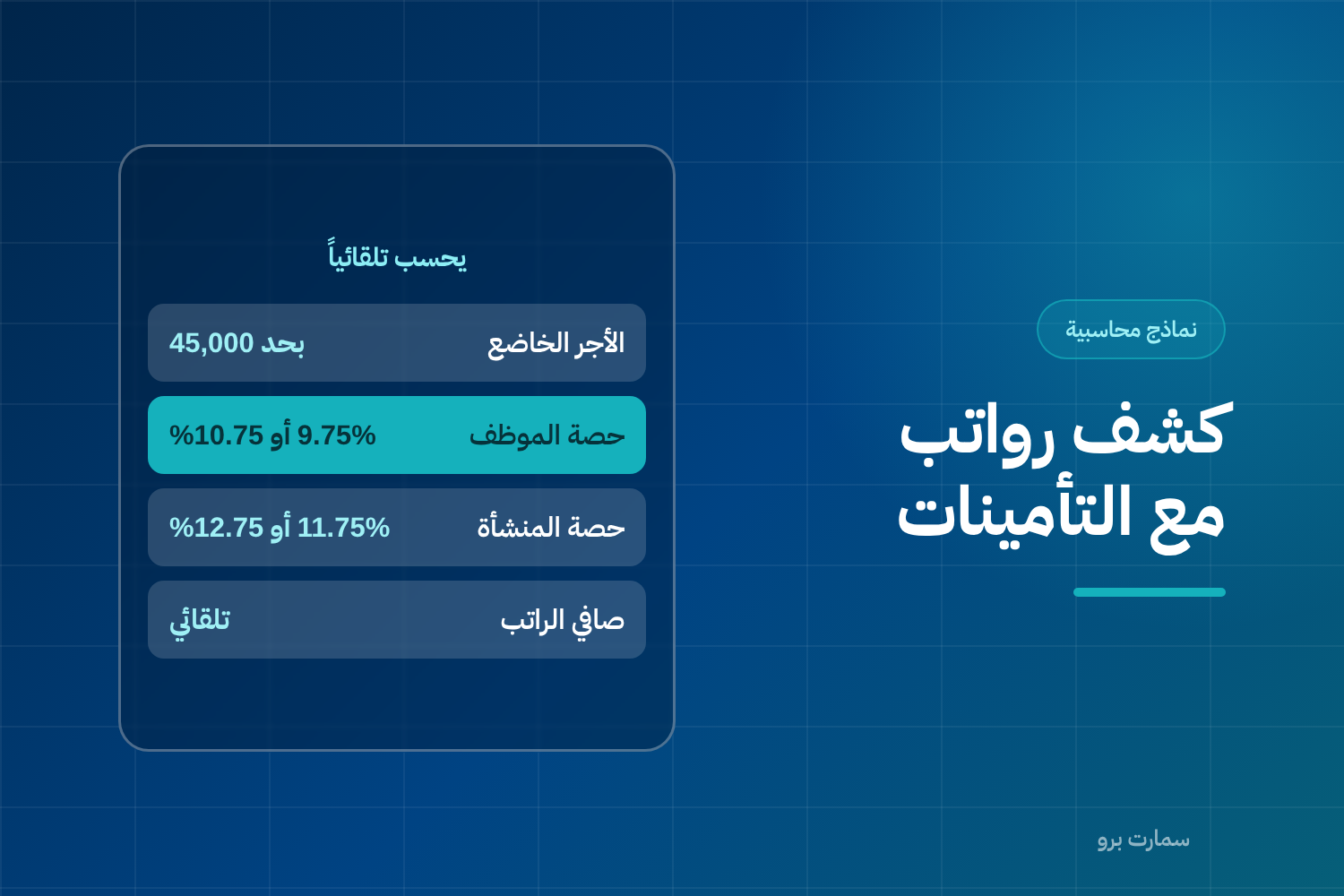
This ready-made payroll Excel template calculates your payroll and GOSI contributions in one file. A payroll sheet shows each employee's basic salary, allowances, deductions and net pay for the month. This template adds an automatic calculation of the social insurance contribution for each employee.
The template is free and built on the rates of the General Organization for Social Insurance (GOSI) in Saudi Arabia. Every rate can be edited on a separate sheet.
What does the payroll Excel template contain?
- User guide: the order for filling in the sheets and checks to run before approving the payroll.
- Settings: contribution rates and the maximum contributory wage, with a note on each item.
- Payroll sheet: 30 employees, a drop-down list for each employee's category, and automatic calculation of deductions and net pay.
Which rates does the template use?
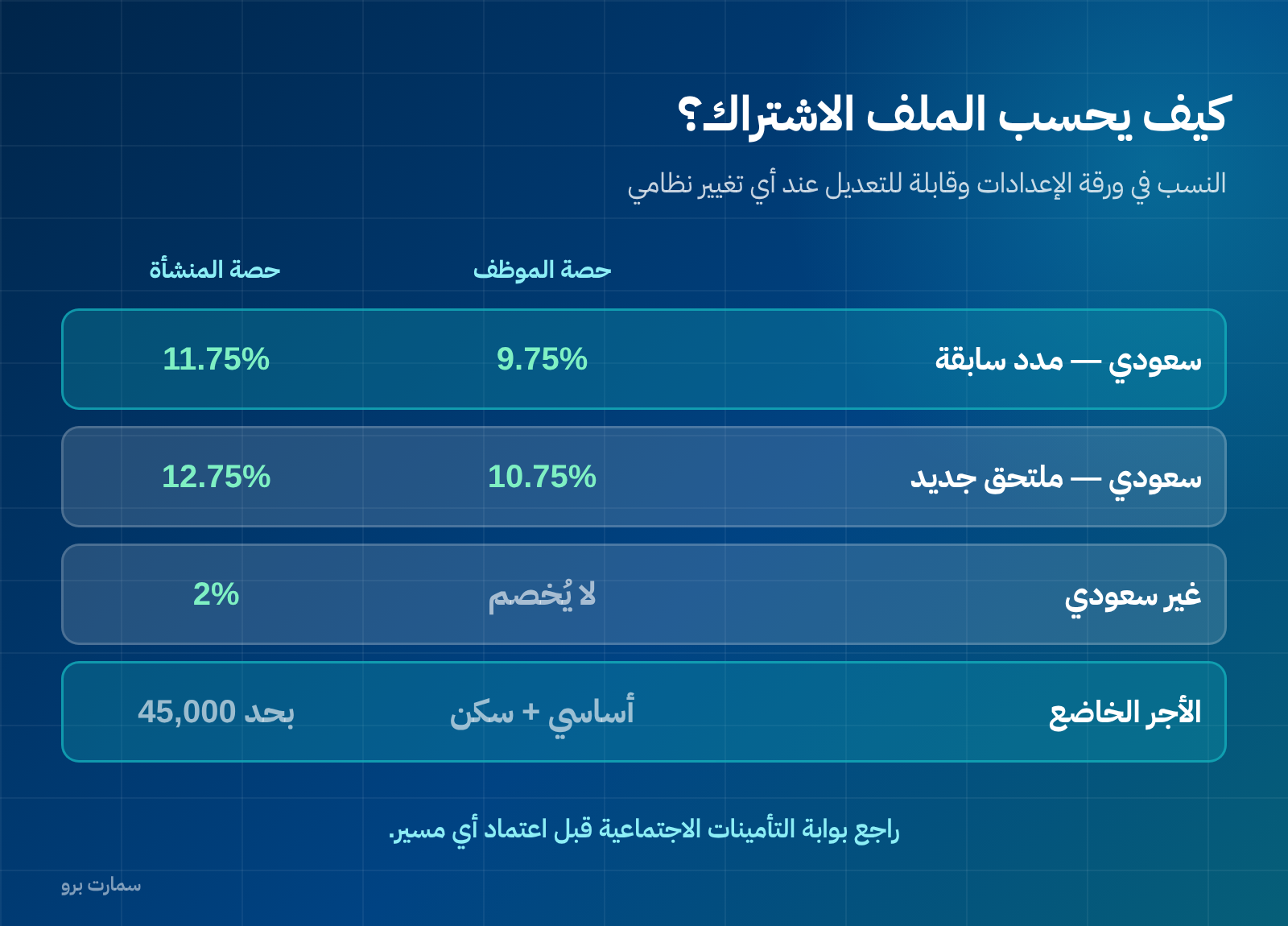
- Saudi with previous contribution periods: 9.75% paid by the employee and 11.75% by the employer.
- Saudi new entrant: 10.75% paid by the employee and 12.75% by the employer.
- Non-Saudi: nothing is deducted from the employee; the employer pays the 2% occupational hazards contribution.
The employee's share is made up of annuities (pension) plus SANED, the unemployment insurance scheme. The employer's share adds occupational hazards on top of both.
These rates change by official decision, which is why they sit on a separate Settings sheet. Check the GOSI portal or the Taminaty app before approving any payroll.
How is the contributory wage calculated?
Contributory wage = basic salary + housing allowance, capped at SAR 45,000 a month.
Other allowances, such as transport, phone and bonuses, are included in net pay but not in the contribution calculation. The template applies this distinction automatically, and it is one of the most common mistakes in manual calculations.
A worked example in the file
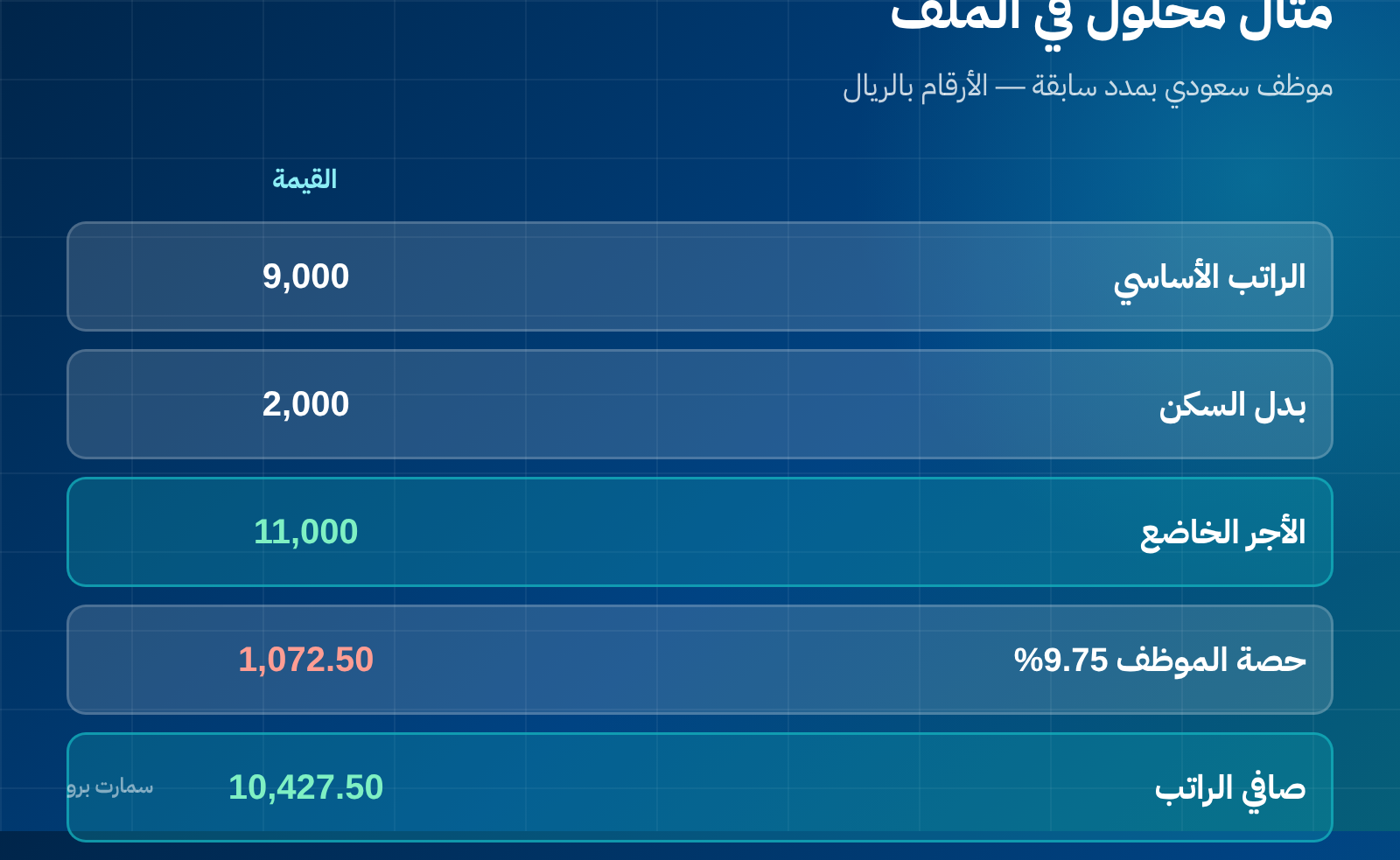
A Saudi employee with previous contribution periods, with a basic salary of SAR 9,000, a housing allowance of SAR 2,000 and other allowances of SAR 500:
- Contributory wage: SAR 11,000
- Employee share at 9.75%: SAR 1,072.50
- Employer share at 11.75%: SAR 1,292.50
- Net salary: SAR 10,427.50
Note that this employee does not cost the business SAR 11,500 but SAR 12,792.50 once the employer's share is added. The template calculates this total cost for you at the bottom of the sheet.
Four common payroll mistakes
- Including every allowance in the contributory wage, when only basic salary and housing belong there.
- Ignoring the SAR 45,000 cap for high earners.
- Deducting GOSI from a non-Saudi employee.
- Forgetting the employer's share when working out an employee's true cost for hiring or pricing.
The payroll journal entry
Salaries expense is debited with total gross pay, and the employer's GOSI expense is debited with the employer's share. On the other side, salaries payable is credited with net pay, and GOSI payable is credited with the total of both shares.
When payment is made, each liability is closed with a separate entry on its own date.
Why are the rates entered on the Settings sheet and not inside the formulas?
The template keeps all rates and caps on a separate Settings sheet, and the formulas refer to them. The reason is practical: rates change by official decision, and when they do you edit one cell instead of a hundred formulas.
Make this a rule in any file you build: every number that can change lives in one known cell and is never typed inside a formula.
What is included in the contributory wage and what is not?
This is where payroll goes wrong most often. The general rule is that contributions are calculated on basic salary plus housing allowance, not on everything paid to the employee.
- Usually included: basic salary and housing allowance (in cash, or an estimated value when housing is provided in kind).
- Usually not included: transport allowance, variable commissions, non-fixed bonuses, assignment allowance and overtime.
- The wage is subject to a monthly cap, and anything above it is not counted in the contribution base.
The common mistake is calculating contributions on gross pay, so the employer overpays every month, or the reverse, which creates a shortfall claimed later.
The payroll entry: three sides, not two
The payroll entry is not simply "debit salaries expense, credit bank". There is at least a third party involved:
- Salaries expense debited with total gross pay.
- Employer's GOSI share debited as an expense too, because it is a cost to the employer, not a deduction from the employee.
- GOSI payable credited with both the employee's and the employer's shares until paid.
- Salaries payable or bank credited with the net amount actually paid.
Mixing up the employee's and the employer's shares causes most of the differences found in the GOSI payable account at year end.
Check before you approve
Rates, caps and covered categories are set by laws and regulations that may change, and the template is a calculation tool, not a legal reference. Before approving payroll, verify the current rates and registration requirements from the official source at the General Organization for Social Insurance, and the tax treatment of allowances with the Zakat, Tax and Customs Authority (ZATCA).
Key takeaway: Calculate GOSI on basic salary plus housing only, up to the SAR 45,000 cap, and always add the employer's share to see an employee's true cost.
Read also
- Journal entries: how to write one step by step
- Adjusting entries: the journal entries that correct your profit
- Chart of accounts: how to build one from scratch
Try SmartPro the way you work
In an integrated system, payroll is calculated, its entries are posted, the end-of-service provision is calculated and the full employee cost appears in one report, without re-entering a single number.
Request your free SmartPro trial and run one month's payroll with your real employees.
Article visuals
Frequently asked questions
How is the GOSI contribution calculated on a payroll sheet?
It is calculated on the contributory wage, which is usually basic salary plus housing allowance, up to a monthly cap. The template takes the rates and the cap from the Settings sheet and applies them automatically to each employee according to their category. Check the current rates with GOSI before approving payroll.
Which allowances are included in the contributory wage?
Basic salary and housing allowance are usually included. Transport allowance, variable commissions, non-fixed bonuses and overtime are not. Calculating contributions on gross salary is a common mistake that creates differences the business may be asked to settle later.
What is the journal entry for payroll?
Salaries expense is debited with total gross pay, and the employer's GOSI share is also debited as an expense. On the credit side, GOSI payable is credited with both the employee's and the employer's shares, and salaries payable or bank is credited with the net amount paid.
Does the template work for a business with both Saudi and non-Saudi employees?
Yes. The template distinguishes categories in a separate column and applies each category's rate from the Settings sheet. It shows total deductions and the employer's share for each employee and for the whole payroll.