
English Invoices in Saudi Arabia: Are They Allowed, and When Do You Need a Bilingual Invoice?
An English-only invoice is not enough in Saudi Arabia. Arabic is mandatory, and English is added alongside it. This guide covers when you need a bilingual invoice and how to prepare one so it is not rejected.
سامي الحيدري
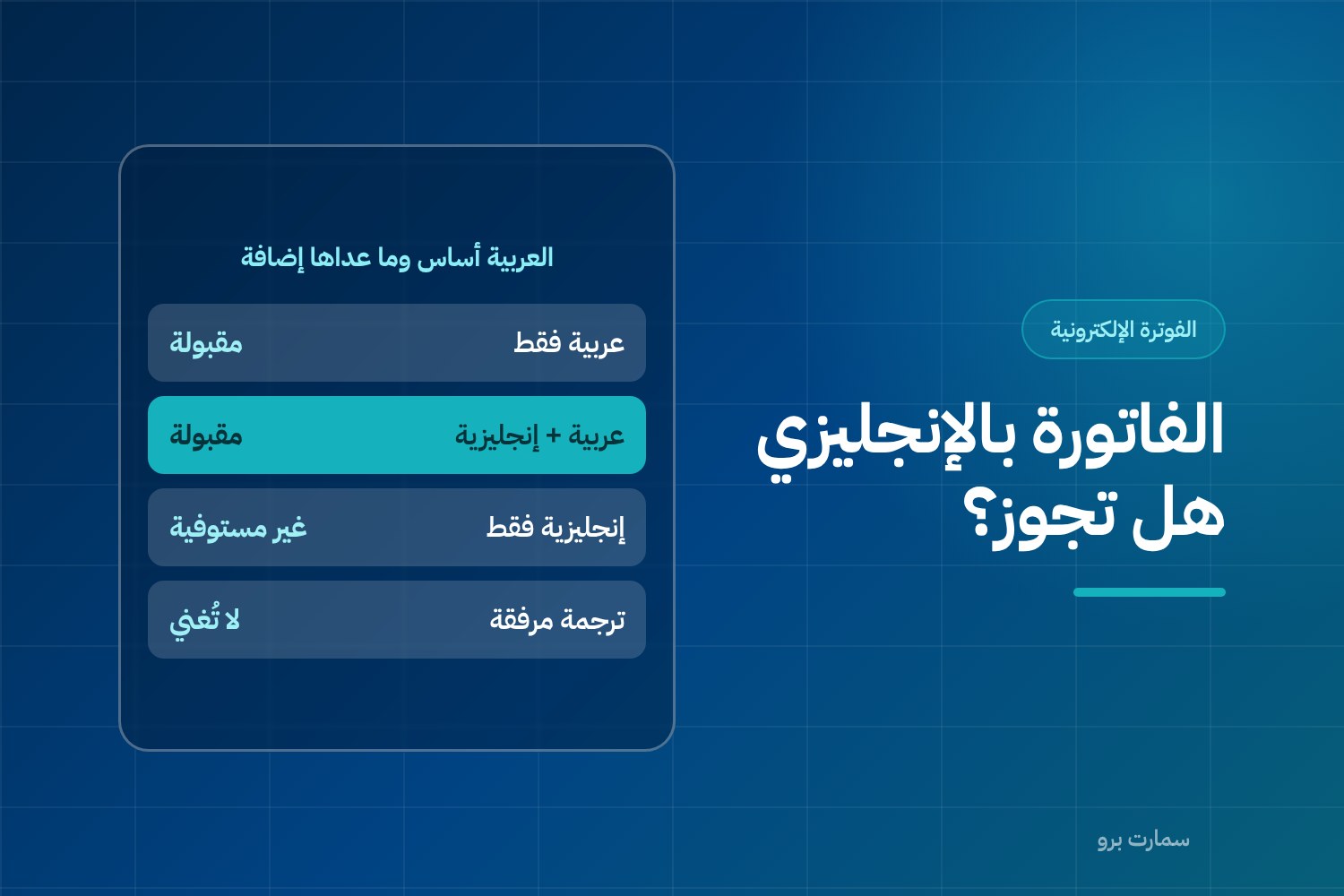
Can you issue an invoice in English in Saudi Arabia? Not on its own. Arabic is mandatory on a tax invoice issued in the Kingdom. You can add English, or any other language, alongside Arabic, but not in place of it. The question comes up for any business with international customers or suppliers, or with staff who do not read Arabic.
In short, an English-only invoice does not meet the requirements. An invoice in both Arabic and English is acceptable.
Invoice in English: what is allowed and what is not
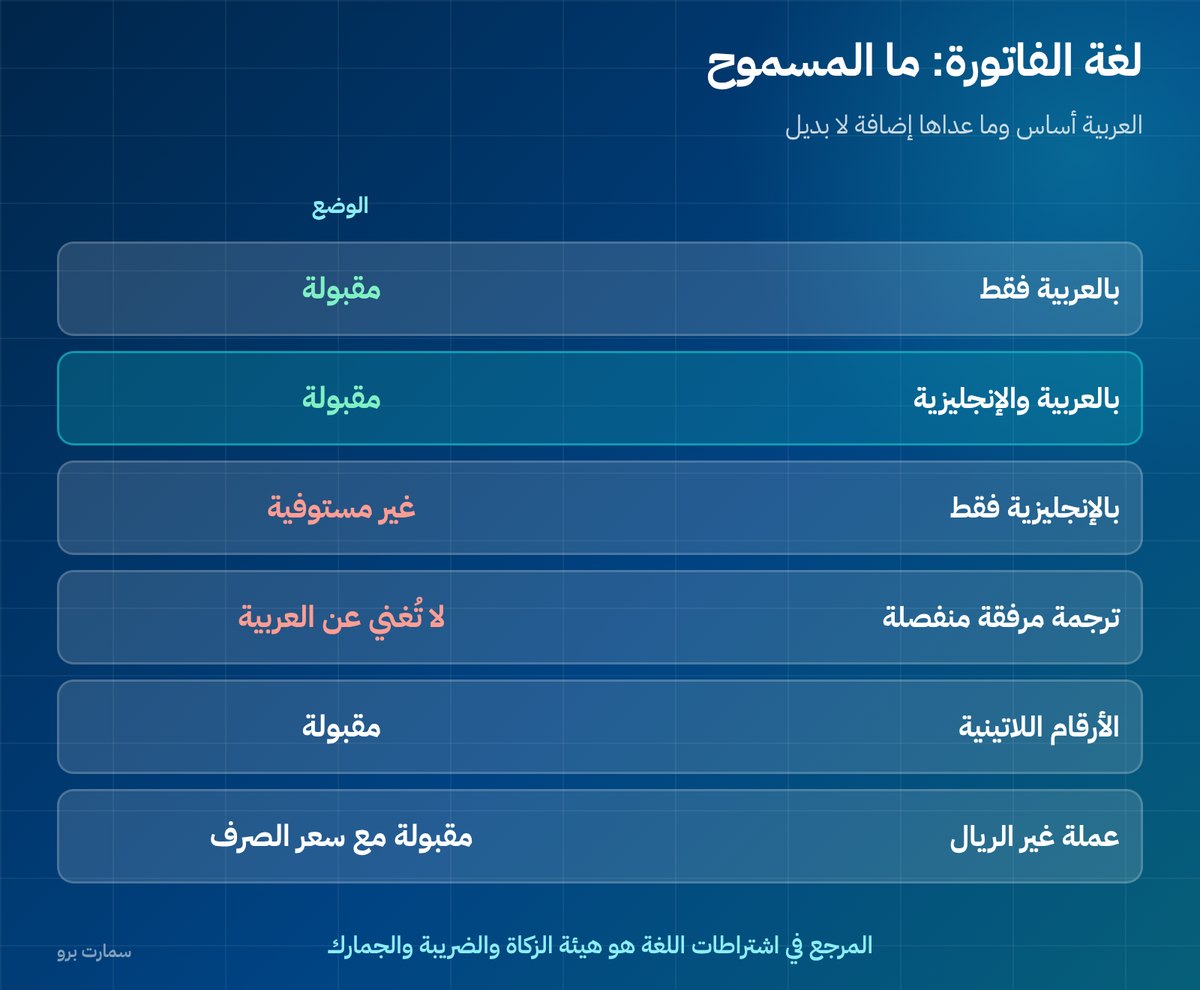
| Situation | Status |
|---|---|
| Invoice in Arabic only | Acceptable |
| Invoice in Arabic and English | Acceptable |
| Invoice in English only | Does not meet the requirements |
| Separate translation attached to the invoice | Does not replace Arabic on the invoice itself |
| Amounts in Western digits | Acceptable |
| Currency other than the riyal | Acceptable if the exchange rate is stated |
The official rules on language and invoice fields are published by the Zakat, Tax and Customs Authority (ZATCA). If you and your system vendor disagree, ZATCA's rules decide.
When do you actually need a bilingual invoice?
- Exports and supplies to customers outside Saudi Arabia: their accounts team needs to read the document.
- Multinational companies inside the Kingdom: their regional finance departments work in English.
- Shipping, customs clearance and bank letters of credit: the supporting documents are usually in English.
- Teams that do not read Arabic: procurement and internal audit staff.
- International external auditors: they ask for documents they can read in the audit file.
In every one of these cases, the answer is not to replace Arabic. It is to show both languages on the same document.
How do you prepare a bilingual invoice correctly?
There are three common layouts. The first is the best:
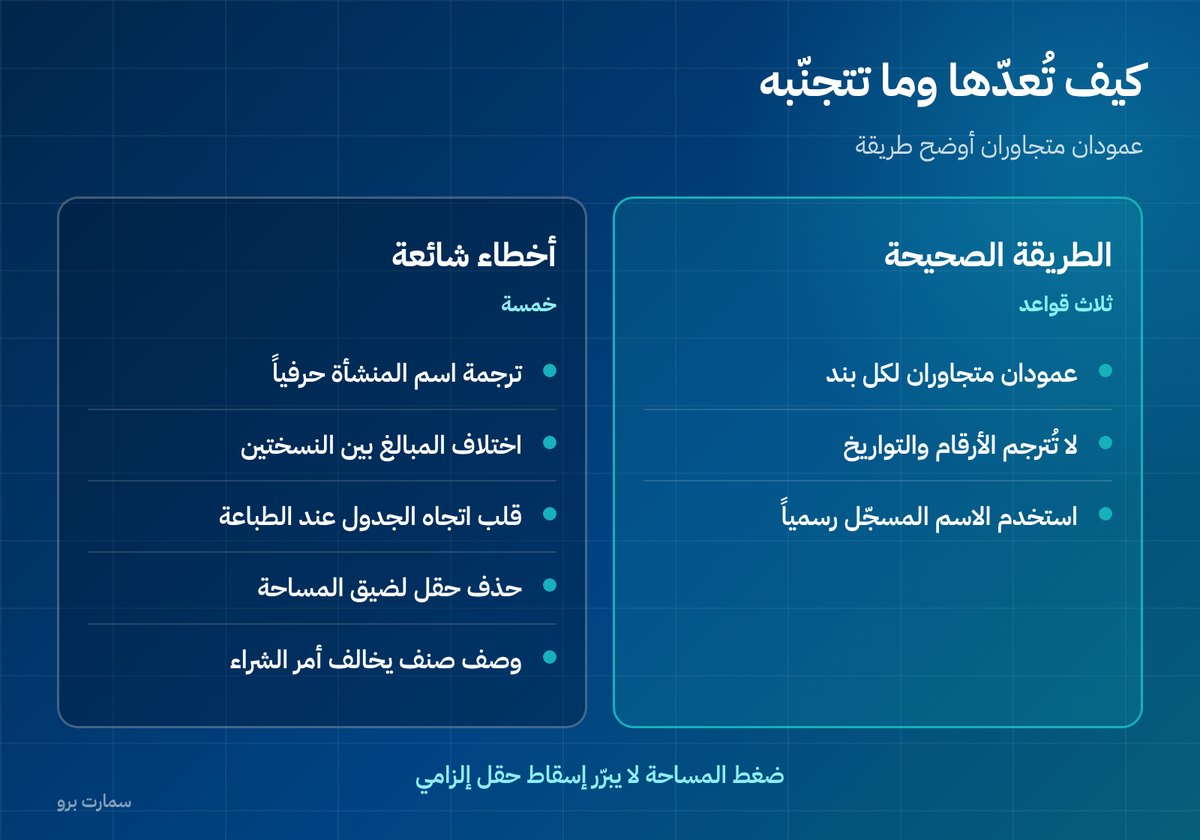
- Two side-by-side columns: the Arabic description in one column and the English in the column next to it, with one row per line item. This is the clearest layout and the least likely to cause confusion.
- Two stacked lines: Arabic on top and English beneath it in a smaller font. This suits narrow thermal receipts.
- Bilingual field labels with Arabic values: the least useful option, because the content itself stays unreadable for the other party.
Whichever layout you choose, do not translate the numbers. Amounts, dates and the VAT registration number stay exactly as they are. Translation applies only to descriptions and labels.
Common mistakes on bilingual invoices
- Translating the business name literally instead of using the officially registered English name, if one exists.
- Amounts that differ between the two versions because of number formatting or the decimal separator.
- Reversing the table direction, so the columns come out jumbled when printed.
- Dropping a field from the Arabic version to save space, which leaves the invoice legally incomplete.
- Inaccurate translation of item descriptions, so they no longer match the customer's purchase order.
The fourth mistake is the most serious. Lack of space never justifies dropping a mandatory field. If the paper is too small, make the document larger or reduce the font size; do not remove data. Our ZATCA e-invoicing guide covers the e-invoicing requirements in detail.
Does the language affect the QR code?
A QR code is the square barcode printed on the invoice that carries its key data in machine-readable form. It stores that data in a fixed format that has nothing to do with the language shown on paper. Adding English to the invoice design does not change what the code contains or how it is read.
Watch the seller name inside the code, though: it must match the registered name. Some systems put the English name in the code while the printed name is Arabic, creating a mismatch that shows up on inspection. Ask your vendor to show you the decoded contents of the code to check. Details are in the QR code on an e-invoice.
Printing: what must stay readable?
A bilingual invoice is naturally longer, and that puts pressure on thermal printing in particular. A thermal printer is the narrow receipt printer used at most points of sale.
- Keep the Arabic font readable; do not shrink it to make room for English.
- Do not shrink the QR code. Keep each side at least 2 cm, with a white margin around it.
- Avoid splitting a point-of-sale invoice across two pages; the second slip is often lost.
- Print a real sample on your own paper and printer before you sign off, not on an office printer.
What about the supporting documents?
The invoice is not the only document in a transaction. Credit and debit notes (the documents that correct an invoice after it is issued), receipt vouchers and delivery orders all follow the same logic: Arabic is the base, and any other language is an addition.
A frequent mistake is setting up the invoice in two languages while leaving the credit note in Arabic only. The international customer then receives a correction document they cannot read, even though the original invoice was clear. Apply the same treatment to every document that leaves your system, not just the invoice.
What about contracts and quotations?
Contracts and quotations are commercial documents, and the statutory invoice requirements do not apply to them, so they can be issued in English only if both parties agree. One practical point: if the contract is in English and the invoice is in Arabic, make sure the line-item descriptions mean the same thing in both documents.
Descriptions that differ between the contract and the invoice are a common cause of late payment, because the accounts clerk cannot match the line to the purchase order. The fix is an invoice that carries the description in both languages, with the contract or purchase order number in the reference field.
Do you need English across your whole system?
If your team or customers work in English, it is better for the system to support both languages in the interface and reports, not just on the invoice. SmartPro, for example, runs in Arabic and English and supports ZATCA (Fatoora) Phase 2 e-invoicing. Add this to your questions when choosing a system, using the full checklist in E-invoicing compliant system: 12 questions to check your vendor.
Read also
Key takeaway: In Saudi Arabia, an English invoice is only valid when Arabic appears on the same document. Translate descriptions, never numbers, and keep every mandatory field in the Arabic version.
To see Arabic-English invoices in practice, start a free trial or book a demo with our team.
Frequently asked questions
Is an English invoice allowed in Saudi Arabia?
Arabic is mandatory on a tax invoice issued in Saudi Arabia, and English or any other language can be added alongside it. An invoice in English only does not meet the requirements. A separate attached translation does not replace having Arabic on the invoice itself.
How do I prepare a bilingual invoice correctly?
The best layout is two side-by-side columns: the Arabic description in one column and the English in the column next to it, with one row per line item. Do not translate the numbers: amounts, dates and the VAT registration number stay as they are. Translation applies only to descriptions and labels.
Does the QR code data change on a bilingual invoice?
No. The QR code stores its data in a fixed format that has nothing to do with the display language. However, make sure the seller name inside the code matches the printed name, because some systems put the English name in the code and the Arabic name on paper, which creates a mismatch.
What should I do if the paper is too small for both languages?
Make the document larger or reduce the size of the English font, and never remove a mandatory field from the Arabic version. Keep the QR code at least 2 cm on each side with a white margin. Print a real sample on your own paper and printer before approving the layout.