
Invoice Workflow: From Order to Collection, Step by Step
Your invoice workflow decides how fast you get paid, not just what your documents look like. Here are the seven stages and who owns each, where invoices usually stall, and three metrics to check every week.
سامي الحيدري
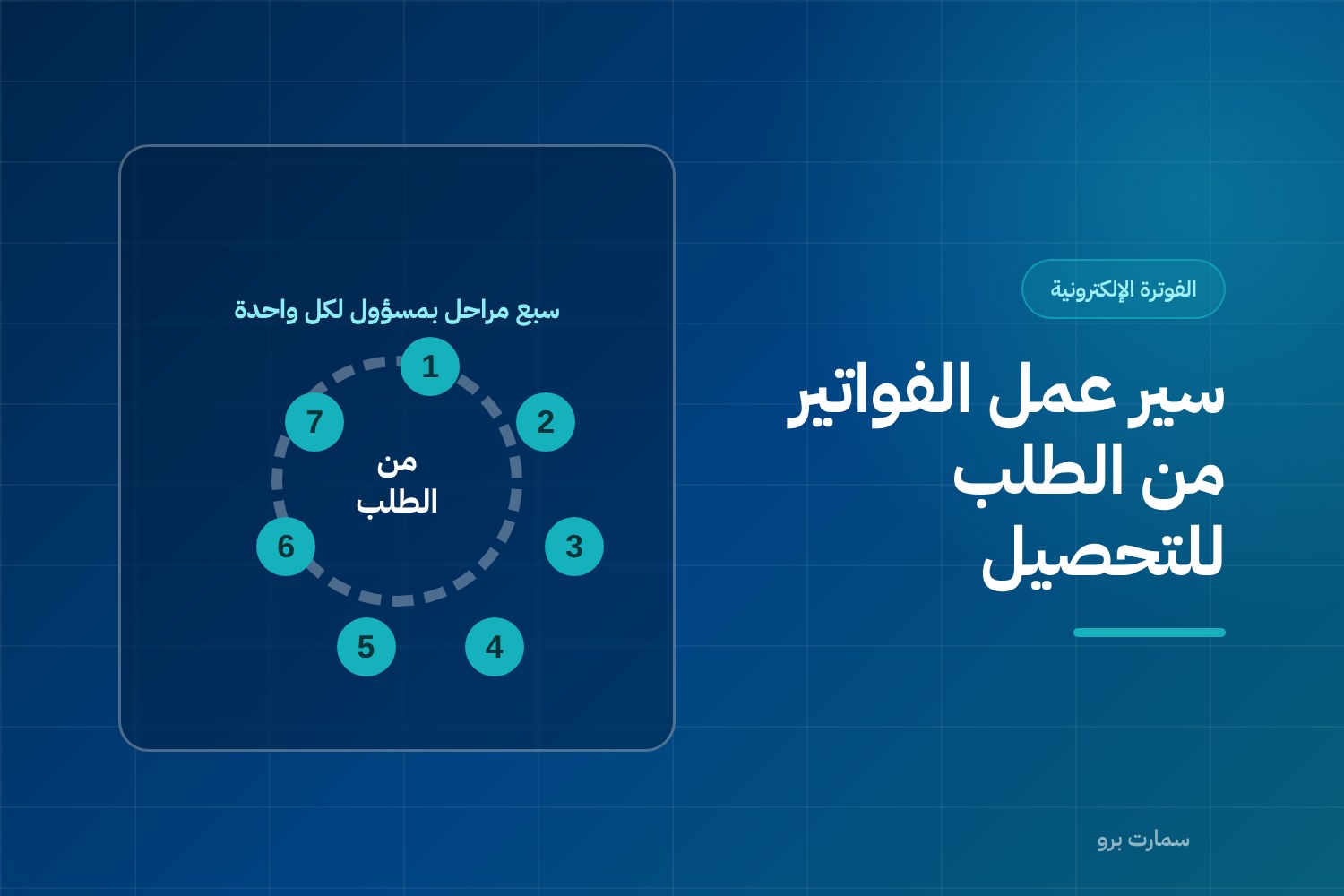
An invoice workflow is the path every invoice takes from customer order to collected cash: seven stages, each with a named owner. It is not an admin detail. It decides when your cash arrives, how often you reissue documents, and how long your month-end close takes.
Businesses that complain about slow collections usually blame their customers. More often the problem is internal: the invoice goes out late, goes out incomplete, or goes to the wrong person.
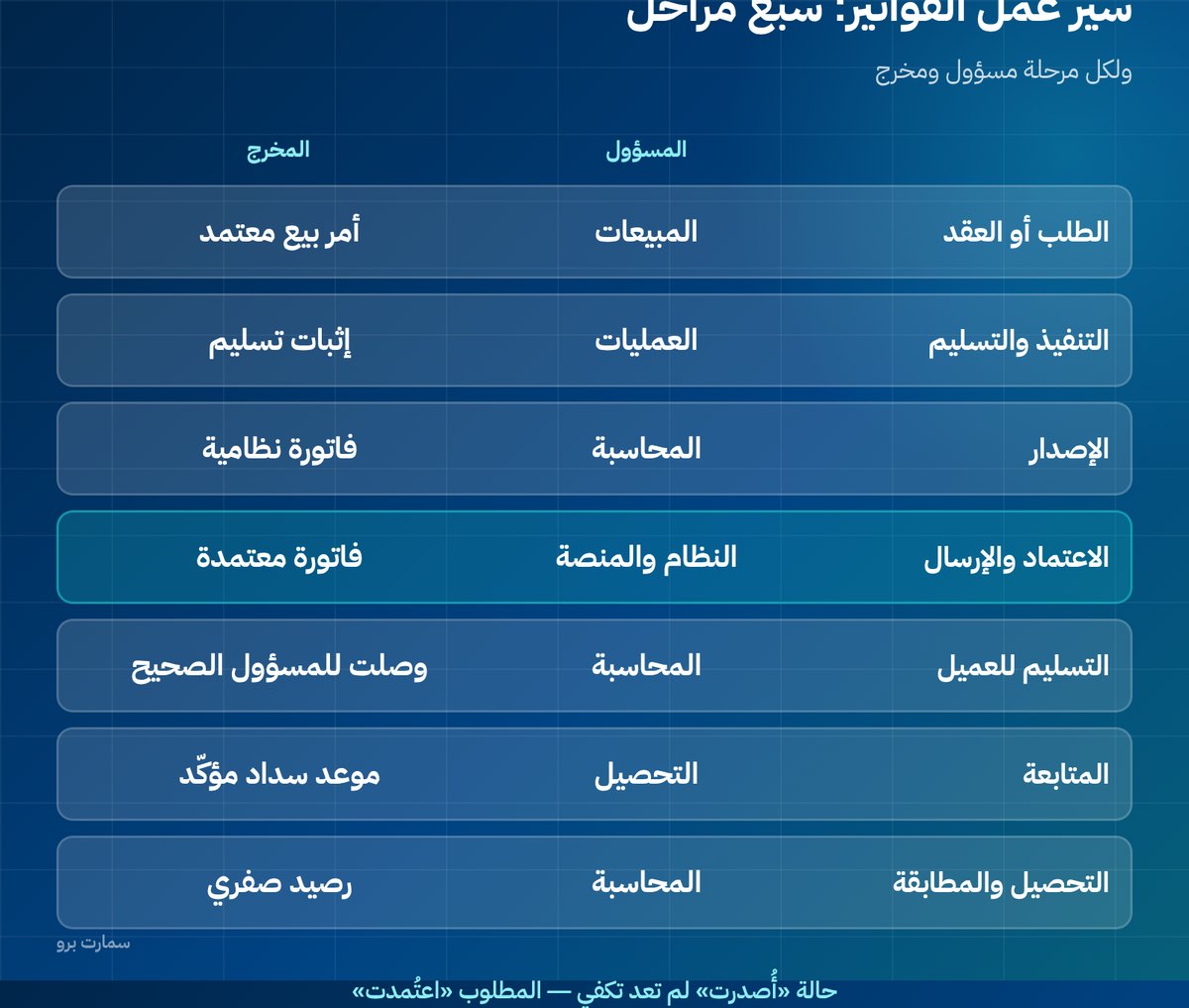
What are the seven stages of an invoice workflow?
| # | Stage | Owner | Output |
|---|---|---|---|
| 1 | Order or contract | Sales | Approved sales order |
| 2 | Fulfilment or delivery | Operations | Proof of delivery |
| 3 | Issuing | Accounting or the system | Compliant invoice |
| 4 | Clearance and submission | The system and the platform | Cleared invoice |
| 5 | Delivery to the customer | Accounting | Invoice received by the right person |
| 6 | Follow-up | Collections | Confirmation of receipt and a payment date |
| 7 | Collection and reconciliation | Accounting | Receipt entry and a zero balance |
Putting a name against each stage is what turns a diagram into a procedure. Most delays happen because nobody knows a stage is their job.
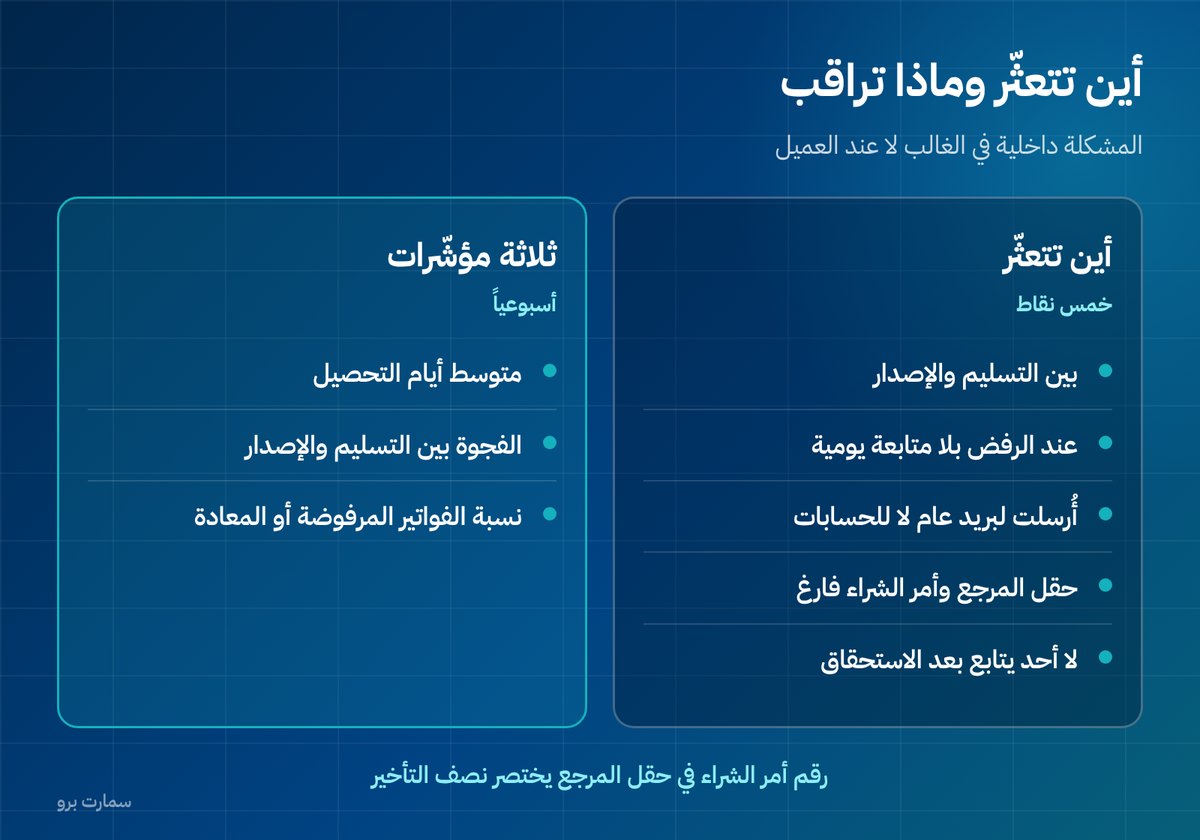
Where do invoices actually get stuck?
- Between delivery and issuing: the goods were delivered, but no invoice was issued because nobody told accounting.
- At clearance: the tax invoice was rejected, and nobody opens the rejected-invoices screen every day.
- At delivery to the customer: it went to a general inbox instead of the accounts department, and got lost.
- Waiting for a reference: the customer's accounts team needs a purchase order number that isn't on the invoice.
- After the due date: nobody follows up, and the customer forgets.
The fourth point is the most expensive and the least visible: a perfectly correct invoice sits unpaid for a month because the reference field is empty.
Which single step cuts half the delay?
Link the invoice to the customer's reference from the start: their purchase order number, contract number or order number. Make that field mandatory for customers who work with purchase orders.
A buyer's accounts department cannot pay an invoice it cannot match to an approved purchase order, however correct the invoice is. That is their internal control and you cannot change it, but you can prepare for it.
What should be automatic when an invoice is issued?
Anything that can be forgotten. The rule: the invoice is generated by the transaction, not by someone remembering to raise it.
- Proof of delivery creates the invoice automatically, or triggers a reminder to create it.
- Customer details are pulled from the customer record, not typed by hand.
- The invoice type is set automatically by customer type: a tax invoice (for VAT-registered business customers) or a simplified invoice (for consumers).
- The reference and purchase order number carry over from the sales order to the invoice.
These are exactly the differences that separate a connected system from separate programs, as explained in Accounting software or ERP?.
How should you track unpaid invoices?
You don't need a complex tool. A weekly sheet with four columns solves most of the problem: invoice number, customer, due date, and last action taken with its date.
Sort it by oldest, not largest. An invoice that is more than 60 days overdue is riskier than a large one due next week, because the chance of collecting it falls over time.
Who should own collections follow-up?
The most damaging answer is "everyone". An invoice everyone follows up is an invoice nobody follows up.
Assign one person to chase collections, even if it isn't their main job. Give them clear authority: when to call, when to escalate, and when to stop supplying a late-paying customer. Without that authority, follow-up turns into polite reminders with no effect.
In a small business, let it be the owner. Half an hour a week on the overdue list brings back more cash than any other improvement.
What do you do with invoices that are very late?
- After 30 days: a friendly call to confirm the invoice arrived and its reference is complete.
- After 60 days: written correspondence to a more senior contact, with a statement of account.
- After 90 days: a management decision: a payment schedule, a supply stop, or escalation.
- Beyond that: review the provision for doubtful debts with your accountant.
A written escalation ladder protects the business relationship, because it makes escalation a known procedure rather than a personal stance.
Which three metrics should you check every week?
- Average collection days: from the invoice date to the date payment is received. A steady rise points to a process problem, not one customer.
- The gap between delivery and issuing: how many days pass between proof of delivery and the invoice being issued? The practical benchmark is one day.
- The share of reissued or rejected invoices: if it regularly goes above 1%, the fault is structural, in your data. Details in invoice rejection errors.
What changed in the workflow after Phase 2?
Phase 2 e-invoicing added a stage that didn't exist before: clearance before delivery for tax invoices. Clearance means ZATCA's Fatoora platform validates the invoice before it reaches the customer, so a third party now sits between you and your buyer. That means "issued" is no longer enough as a status; what you need is "cleared".
The practical result: whoever tracks invoices needs a screen that shows each invoice's status accurately, and a daily routine for handling anything that got stuck. Both paths are explained in clearance and reporting, and the official requirements are published by the Zakat, Tax and Customs Authority (ZATCA).
Read also
- Clearance and reporting: the difference between the two paths
- The accounting cycle: from invoice to financial statements
- Tax invoice vs simplified invoice: which to issue and when
Key takeaway: Give each of the seven stages a named owner, make the customer's purchase order reference mandatory, and review overdue invoices weekly, oldest first. Since Phase 2, track "cleared", not just "issued".
To see a connected invoice workflow on your own data, start a free trial of SmartPro or book a demo.
Frequently asked questions
What are the stages of an invoice workflow?
There are seven stages: the order or contract, fulfilment and delivery, issuing the invoice, clearance and submission to the platform, delivering it to the customer, follow-up, and finally collection and reconciliation. Each stage should have a named owner and a clear output.
Where do invoices usually get stuck?
Between delivery and issuing, because nobody told accounting; at rejection, because nobody opens the rejected-invoices screen every day; and when they are sent to a general inbox instead of the accounts department. The most costly cause is a missing purchase order number in the reference field.
How can I speed up collections?
Link each invoice to the customer's reference, such as their purchase order or contract number, from the start and make that field mandatory. A buyer's accounts department will not pay an invoice it cannot match to an approved purchase order. Then follow up with a weekly sheet sorted by oldest, not largest.
What changed in the invoice workflow after Phase 2?
Phase 2 added a clearance stage before delivery for tax invoices, so each one passes through ZATCA's Fatoora platform before reaching the customer. As a result, "issued" is no longer a sufficient status; you need "cleared", plus a daily routine to handle any invoice that gets stuck.