
Wage Protection System: What to Know Before You Upload the File
The Wage Protection System automatically matches your payroll against GOSI records. Here is what the file contains, the upload deadline, what causes violations and how to reach full compliance.
سامي الحيدري
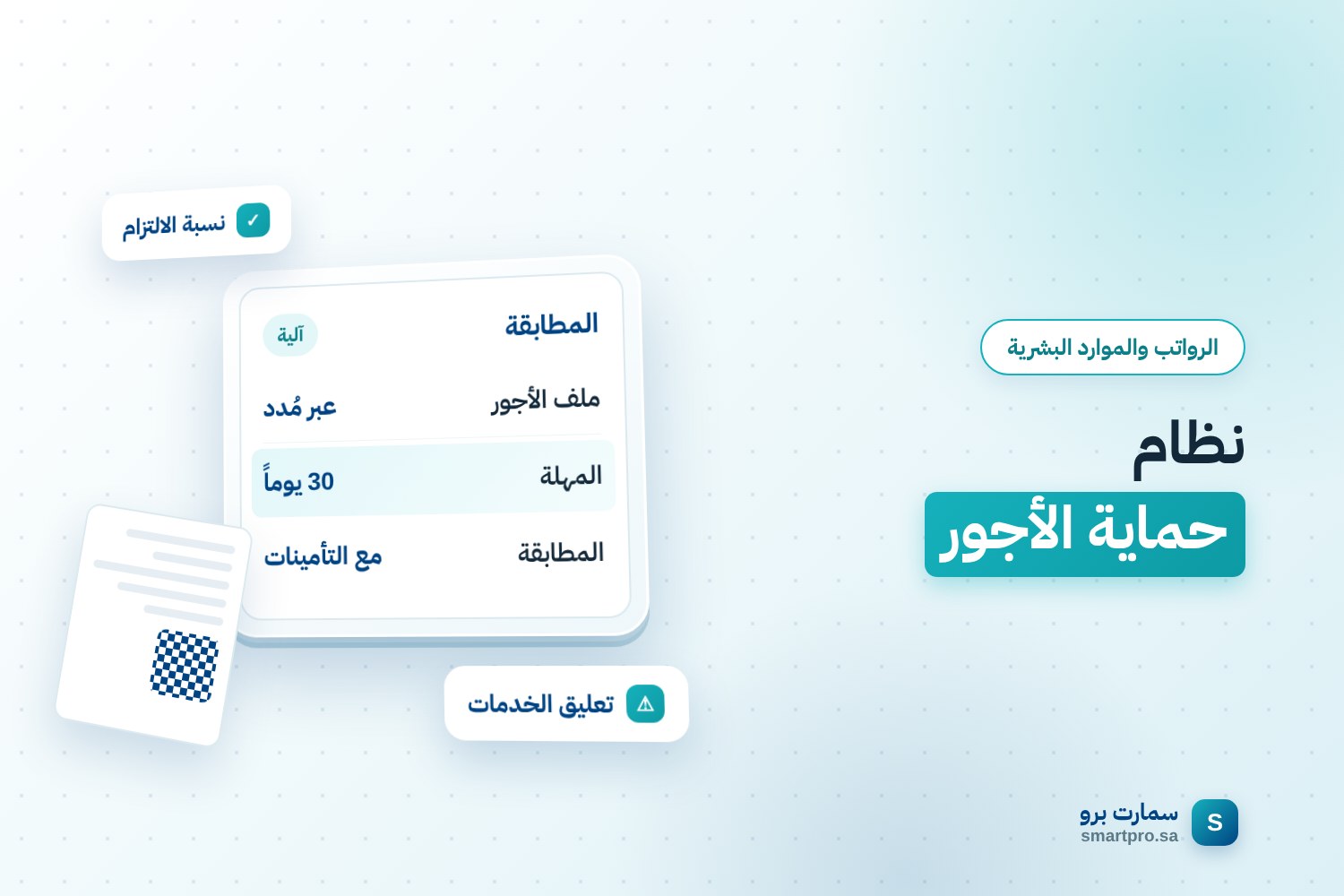
The Wage Protection System (WPS) is not a box-ticking exercise you finish by uploading a monthly file. It automatically matches what you actually pay your employees against what is registered for them with the General Organization for Social Insurance (GOSI). Any gap between the two figures is recorded as a violation with no human review.
When a business is surprised by a drop in its compliance rate, the cause is usually not late payment. It is a data mismatch that nobody noticed.
How does the Wage Protection System work?
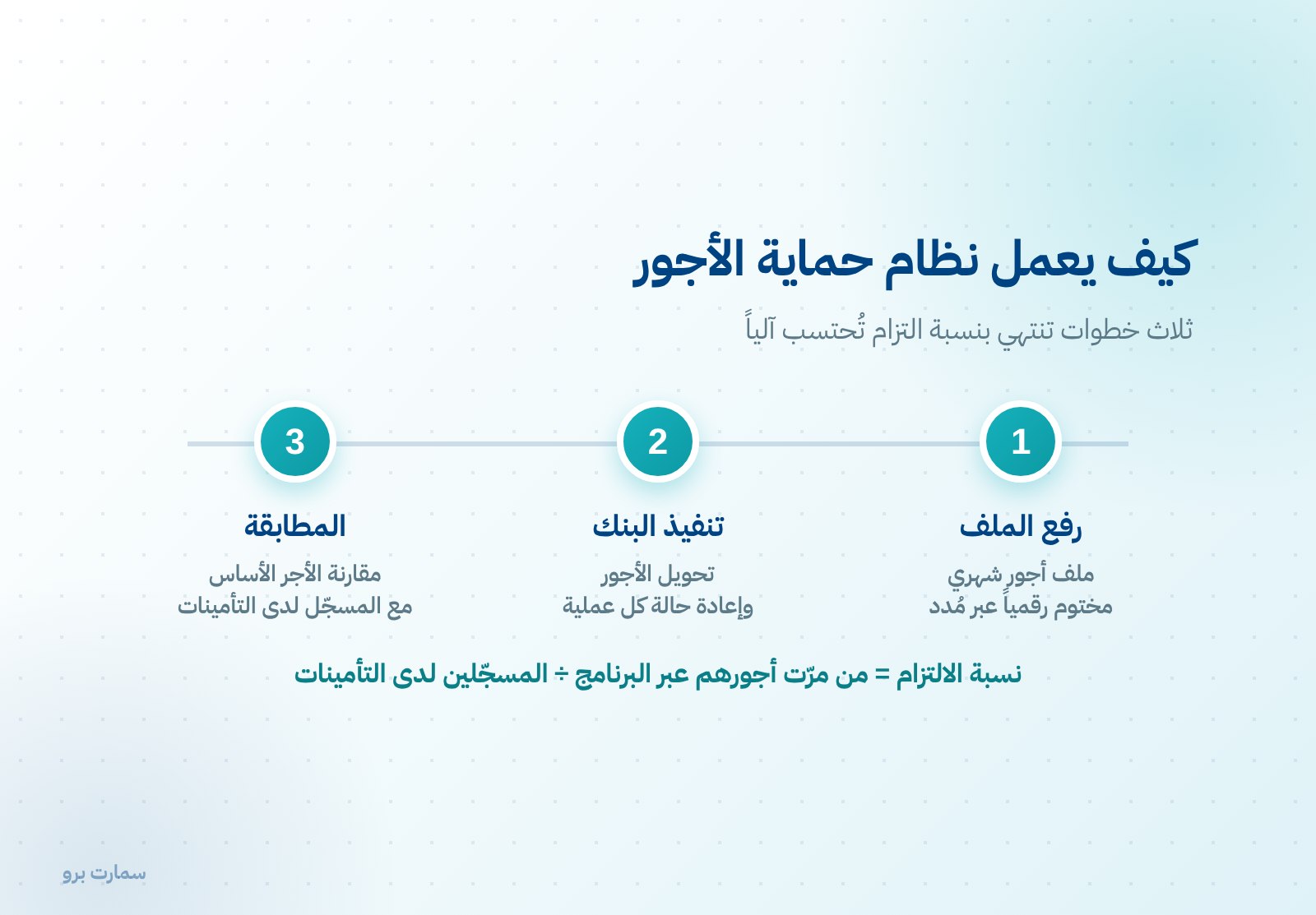
The idea comes down to three steps:
- The business uploads a wage file every month through the Mudad platform. The file is digitally signed and shows what each employee earned and what was paid to them.
- The bank executes the transfers and returns the status of each transaction.
- The platform matches the file against the employee records held by GOSI and calculates the compliance rate automatically.
The compliance rate is the number of workers whose wages passed through the programme divided by the total number registered with GOSI. An employee who is registered with GOSI but missing from the file lowers the rate immediately.
What does the wage file contain?
| Level | Data |
|---|---|
| Business | Establishment number, bank account, currency, value date, total amount, file reference |
| Employee | Name, national ID or iqama number, IBAN, bank code |
| Wage | Basic wage, monthly wage, other allowances, total entitlements |
| Result | Transaction reference, status and date returned by the bank |
Note that the basic wage is a separate field from total entitlements. The basic wage is the figure matched against GOSI records, not the total.
What is the upload deadline?
The deadline for uploading the wage file is 30 days, down from 60. The period was shortened after the vast majority of businesses were already uploading within 30 days.
In practice, the monthly payroll cycle no longer has any slack. A business that closes its payroll on the 10th, pays on the 15th and uploads the file at the start of the following month can miss the deadline without realising it.
Who is covered by the Wage Protection System?
Every private-sector business with one worker or more. Rollout was phased by business size and was completed when businesses with one to four workers were brought in.
So today there is no minimum headcount that exempts a business from the system.
What causes a WPS violation?
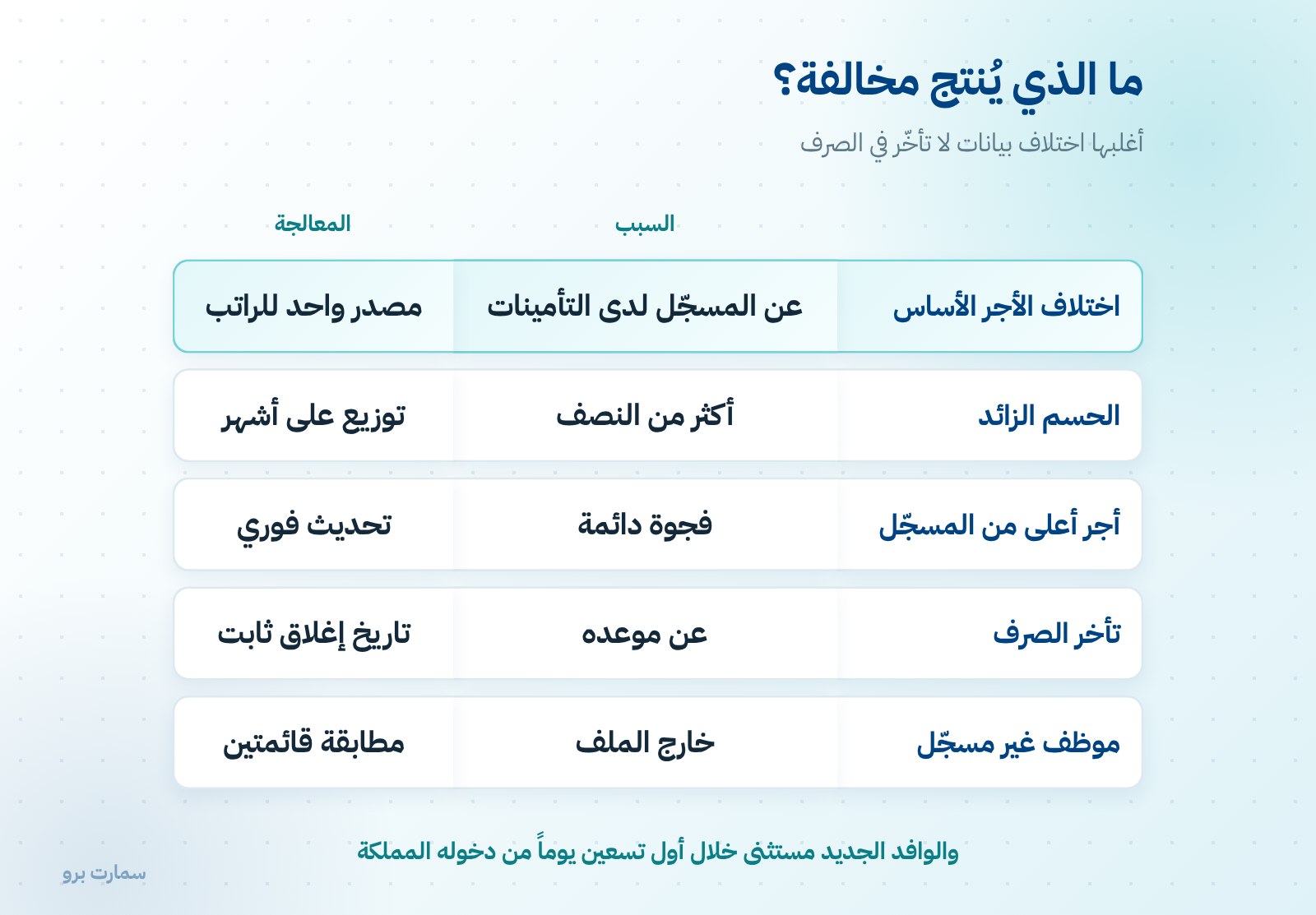
- A basic wage in the file that differs from the one registered with GOSI.
- Deductions of more than half of a registered employee's basic wage.
- Paying a wage far higher than the one registered with GOSI.
- Paying wages late.
- Not registering a core employee for longer than the permitted period.
A newly arrived expatriate employee is exempt during their first 90 days after entering the Kingdom. This exemption is often overlooked, so a violation gets recorded for no reason.
How do the penalties escalate?
Penalties do not start with a fine. They start with suspended services:
- After two months of delay: Ministry services are suspended, except issuing and renewing work permits.
- After three months: all Ministry services are suspended, and the employee can transfer to another business without the employer's approval, even if their work permit has not expired.
The second step is the most damaging commercially. A business that is three months behind can lose its trained staff to competitors with no grounds to object.
Alongside this, the statutory penalty ceiling in the Labour Law still applies: the fine is multiplied by the number of workers affected and doubled for repeat violations. The exact amounts appear in the Ministry's violations and penalties schedule, which is reviewed periodically, so rely on the schedule in force rather than a figure you have seen quoted.
How do you reach full WPS compliance?
- Match two lists before every upload: the employees in your payroll run and the employees registered with GOSI. Any name on one list but not the other is a violation waiting to happen.
- Define the basic wage in one place only, ideally the employee record in your system, and derive every other figure from it.
- Update GOSI as soon as any salary changes, not at year end.
- Check deduction limits before uploading. An excessive deduction is recorded as a violation even if the employee agreed to it.
- Make the upload a step in the payroll cycle, not a separate task, with a fixed date a few days before the deadline.
Why does the GOSI link cause the most failures?
What breaks compliance most often is having two sources for the salary: one figure in the payroll system and another in the GOSI record, with one updated and the other not.
The fix is structural, not procedural: a single source of data, where every salary change passes through one gate that updates the payroll run, GOSI and the accounting entry together. A system that keeps the three apart leaves the matching to one person, and sooner or later that fails. See the payroll run guide and GOSI contribution rates. An HR system that holds employee files, payroll and GOSI data together, such as SmartPro Human Resources, helps keep one source of truth.
Does wage protection set the salary payment date?
The Labour Law sets the frequency of payment, not a specific day: monthly-paid workers at least once a month, and daily-paid workers at least once a week. There is no provision saying "before the 10th".
But the 30-day upload deadline creates a practical time limit for paying wages. That is where the common belief in a fixed payday comes from.
What should you check before uploading this month's file?
- Is every employee registered with GOSI included in the file?
- Does the basic wage in the file match the GOSI record for every employee?
- Do any employee's total deductions exceed half of their basic wage?
- Is there a new employee who has not been registered yet?
- Does the upload date fall within the 30 days?
Five yes answers mean a clean file. Any "no" is a violation that is easier to fix now than to explain later.
Where are the official references?
Details of the Wage Protection programme, its rollout phases, compliance criteria and penalties are published by the Ministry of Human Resources and Social Development. The insurance data used for matching is held by the General Organization for Social Insurance.
Further reading
- Payroll run: how to prepare it step by step
- Salary deductions: the statutory limits
- Common payroll mistakes
Key takeaway: WPS violations usually come from data mismatches, not late payment. Keep one source for the basic wage, match payroll against GOSI before every upload, and upload well within the 30-day deadline.
To see payroll and employee records managed in one connected system, start a free SmartPro trial.
Frequently asked questions
What is the Wage Protection System?
It is a mechanism that automatically matches the wage file a business uploads every month through the Mudad platform against its employee data registered with GOSI. It calculates a compliance rate equal to the number of workers whose wages passed through the programme divided by the total number registered with GOSI.
What is the deadline for uploading the wage protection file?
The deadline is 30 days, down from 60. In practice this leaves no slack in the monthly payroll cycle: a business that closes payroll late and pays late can miss the deadline without realising it.
What is the most common cause of a Wage Protection violation?
The most common cause is a basic wage in the file that differs from the one registered with GOSI. Other causes are deductions of more than half the basic wage, paying far more than the registered wage, late payment and not registering a core employee. A newly arrived expatriate is exempt for their first 90 days.
What is the penalty for late wage file uploads?
Penalties escalate. After two months, Ministry services are suspended except issuing and renewing work permits. After three months, all services are suspended and the employee can transfer to another business without the employer's approval, even if the work permit has not expired.