
Calculating VAT from a Total Amount: The Formula, Examples and Common Mistakes
Calculating VAT from a total amount takes a reverse formula, not multiplying by 15%. Here is the correct formula with worked SAR examples, and the mistake accountants make most often.
سامي الحيدري
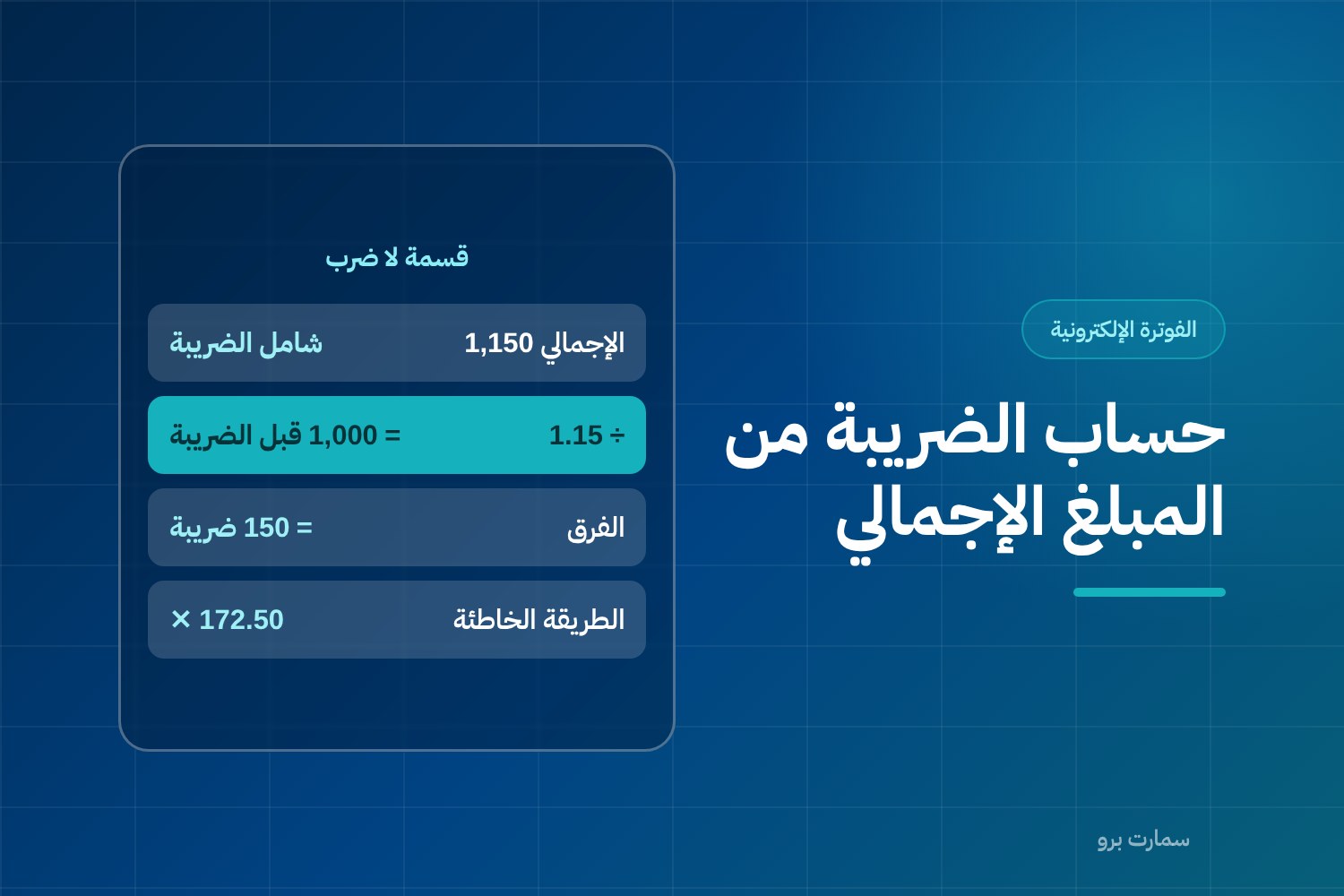
To calculate VAT from a total amount that already includes Saudi VAT at 15%, divide the total by 1.15 to get the amount before VAT, then subtract that from the total. Multiplying the VAT-inclusive total by 15% is the most common mistake in day-to-day accounting, and it overstates the tax.
The difference is not theoretical. On an invoice of SAR 1,150, the wrong method gives SAR 172.50 and the correct one gives SAR 150. That is a SAR 22.50 gap on a single invoice, and it multiplies across hundreds of invoices.
How do you calculate VAT from a total amount?
When an amount is VAT-inclusive (meaning the tax is already inside the price), you are looking at 115%, not 100%. So the VAT is extracted by dividing, not by multiplying:
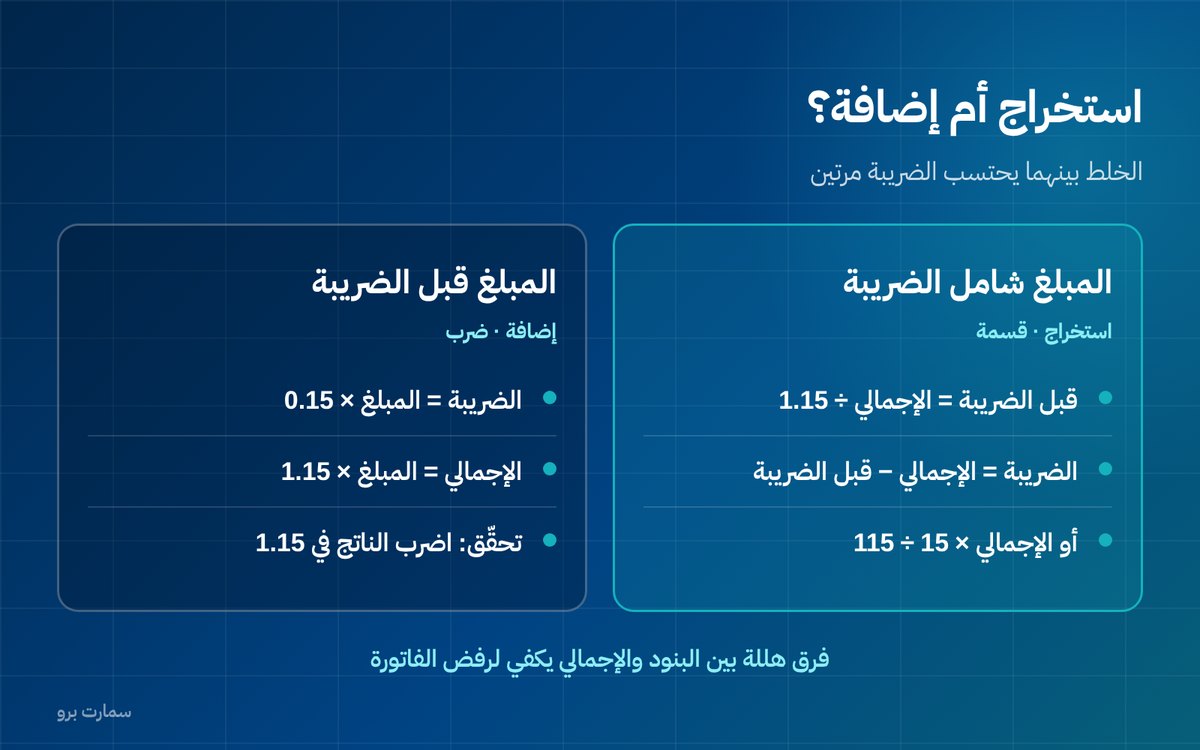
- Amount before VAT = Total ÷ 1.15
- VAT amount = Total − Amount before VAT
- Or directly: VAT amount = Total × 15 ÷ 115
The shortcut factor: multiply the total by roughly 0.130434 to get the VAT straight away.
Worked examples in SAR
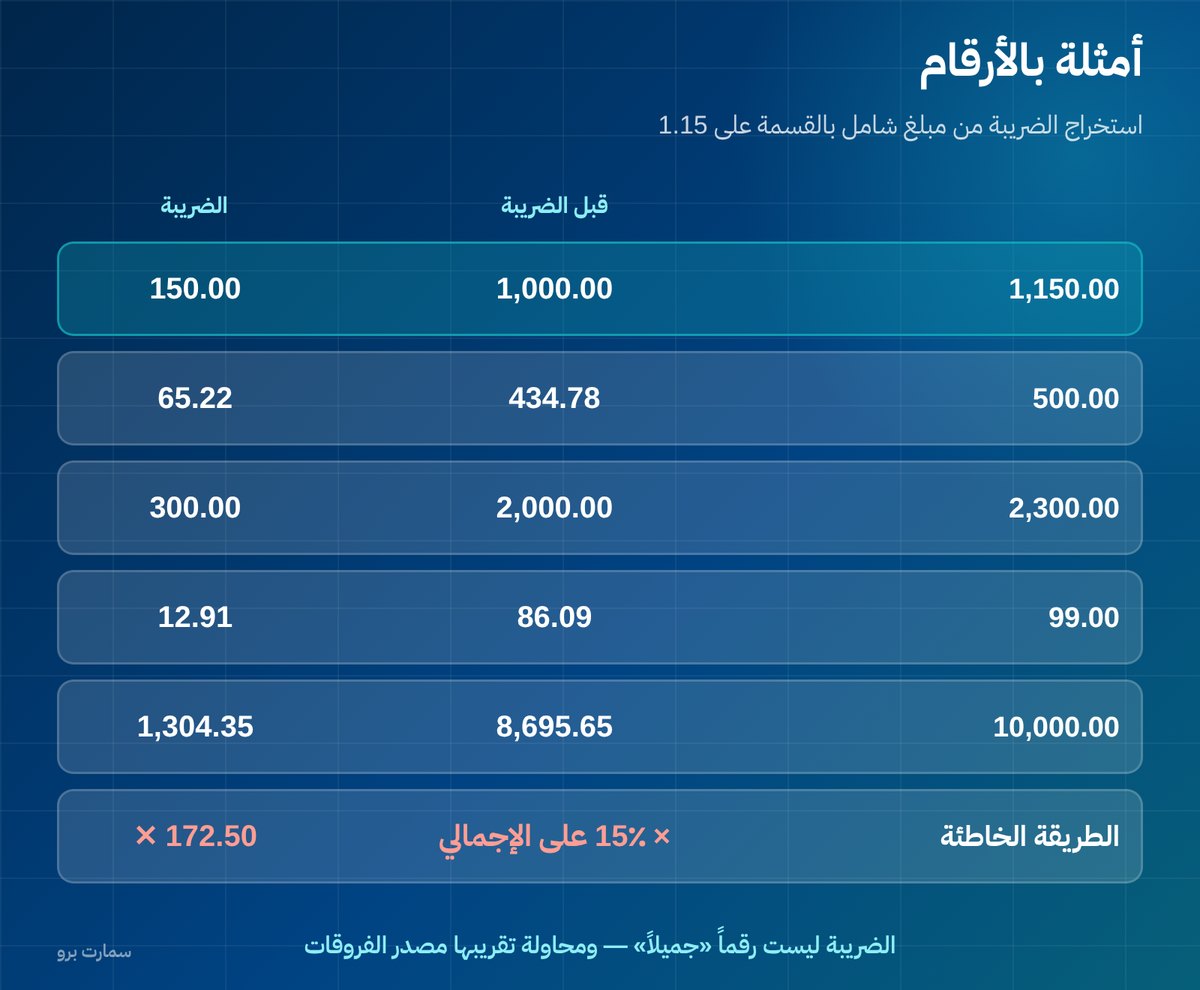
| Total including VAT | Before VAT | VAT |
|---|---|---|
| 1,150.00 | 1,000.00 | 150.00 |
| 500.00 | 434.78 | 65.22 |
| 2,300.00 | 2,000.00 | 300.00 |
| 99.00 | 86.09 | 12.91 |
| 10,000.00 | 8,695.65 | 1,304.35 |
Look at the fourth row: the VAT is not a "neat" number, and that is normal. Trying to round it to a convenient figure is where discrepancies come from.
What about the opposite direction: adding VAT?
If you have the amount before VAT and want the total, the operation is multiplication, not division:
- VAT = Amount before VAT × 0.15
- Total = Amount before VAT × 1.15
The common mistake here is mixing up the two cases: applying the adding formula to an amount that already includes VAT, so the tax is counted twice.
Why is this mistake so common?
Because the VAT rate is read as if it were a percentage of the total, when it is actually a percentage of the amount before VAT. When the pre-VAT price is 100, you add 15 and it becomes 115. That 15 is 15% of 100, but only about 13% of 115.
This difference between "a percentage of the base" and "a percentage of the total" is the heart of the whole issue. Understand it once and you no longer need to memorise formulas.
Where does this mistake show up in practice?
- Advertised retail prices: the shelf price is usually VAT-inclusive, so extracting the VAT requires division.
- Point-of-sale receipts: when the cashier enters an inclusive amount and the system calculates VAT by adding it on top.
- Contracts and agreements: a contract states an amount without specifying whether it includes VAT. This should be an explicit clause in every contract.
- Petty cash expenses: a supplier invoice shows a single amount, and the input VAT deduction is calculated incorrectly.
How can you quickly check your calculation?
Multiply the pre-VAT amount you extracted by 1.15. If it brings you back to the same total, your calculation is correct. If you get a different number, you used the adding formula where you should have extracted.
Make this check a habit when reviewing supplier invoices in particular. A supplier's mistake on this point means you deduct the wrong input VAT amount in your own return.
Why can rounding make an invoice fail?
Rounding is not a cosmetic detail in e-invoicing. The platform checks that the sum of the line items matches the declared total, and a difference of a single halala is enough to get the invoice rejected.
The difference comes from the method used: is VAT calculated for each line and then summed, or are the lines summed first and VAT calculated on the total? The two methods sometimes give different results.
The fix is not to edit the invoice by hand but to standardise the rounding rule in the system, and that is the vendor's responsibility. Ask your vendor to state the method in writing, and test it on an invoice with several lines that include fractions. The details are in invoice rejection errors.
What about exempt and zero-rated items?
This is where dividing the total becomes completely wrong. If an invoice mixes items at the standard rate with exempt or zero-rated items, you cannot extract the VAT from the total with a single formula.
The correct method: separate the lines by tax category, calculate each group on its own, then add them up. This is exactly why each item's tax category must be set accurately in your item list.
How does the mistake affect your VAT return?
An error in one direction inflates the output VAT you declare, so you pay more than you owe. In the other direction it understates it, creating a shortfall that is claimed later along with whatever may follow from it.
Either way, the difference does not show up in one invoice. It builds up over the whole quarter and is discovered when total invoices are reconciled against the return. That reconciliation should be part of your monthly close, not a quarterly surprise.
Five habits that prevent most mistakes
- State in every contract and quotation whether the amount includes VAT. Do not leave it to mutual understanding.
- Do not round by hand to reach a convenient number; the difference will surface at reconciliation.
- Always show all three on the invoice: before VAT, VAT, and after VAT.
- Review each item's tax category before go-live, not after the first rejection.
- Test an invoice with fractions in the sandbox before your first day of sales.
Which source settles disagreements?
The VAT rate, exemptions, zero-rated cases and the rules for calculating VAT are published by the Zakat, Tax and Customs Authority (ZATCA). That is the reference you go back to, not the interpretation of a system or a vendor.
If your business includes exempt items or exports, review your treatment with your accountant before adopting any general rule, because cases differ.
Read also
- E-invoicing compliant system: 12 questions to check your vendor
- Invoice rejection errors and how to fix each one
- Tax invoice vs simplified invoice
Key takeaway: To get VAT out of a VAT-inclusive total, divide by 1.15 (or multiply by 15 and divide by 115), never multiply the total by 15%. Standardise rounding in your system and split mixed-rate invoices by tax category.
To see how SmartPro calculates VAT and handles rounding on real invoices, start a free trial or book a demo.
Frequently asked questions
How do I calculate VAT from a total amount?
Divide the total by 1.15 to get the amount before VAT, then subtract it from the total to get the VAT. Or directly: multiply the total by 15 and divide by 115. Multiplying the total by 15% is a common mistake that gives a higher figure than the correct one.
What is the difference between extracting VAT and adding VAT?
You extract VAT when the amount already includes it, so you divide by 1.15. You add VAT when the amount is before tax, so you multiply by 0.15 for the VAT or by 1.15 for the total. Mixing the two up counts the VAT twice.
Why is my e-invoice rejected over a one-halala difference?
Because the platform checks that the sum of the line items matches the declared total. The difference comes from inconsistent rounding: calculating VAT per line and then summing, versus summing the lines and then calculating VAT. The fix is to standardise the rule in the system, not to edit the invoice by hand.
How do I calculate VAT on an invoice that includes exempt items?
You cannot extract it from the total with a single formula. Separate the lines by tax category (standard rate, zero-rated, exempt), calculate each group separately, then add them up. This is why each item's tax category must be set accurately in your item list.